2004_penguin
Notable Member
- Mar 17, 2016
- 1,995
- 26,712
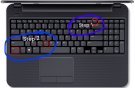
Ctrl p: PrintEaiser high light the text and Hold Control and C And to paste hold control and p (at the same time
Ctrl v: Paste

Follow along with the video below to see how to install our site as a web app on your home screen.
Note: This feature may not be available in some browsers.
Ctrl p: PrintEaiser high light the text and Hold Control and C And to paste hold control and p (at the same time

Do step 2 when you're in paint -> https://goo.gl/images/nMzdjGCan you guys show me a screenshot of where i need to find my screenshot in my laptop?
Prntscr doesn't download the screenshot, it just copies it. So go into Paint and press Ctrl+VThanks but when i click upload file,i try to find the screenshot,i find in the downloads file but didnt found,where is it actually?

So,i broke my tablet and instead, I am using my laptop. So,how can i copy paste link?
And how do i update my laptop to Window 10? (Stuid question) cause mines Window 7.