
[Update 3][TUTORIAL] Daily Banner Designs Ideas

deleted_user_2784

Notable Member
Joined
Mar 27, 2019
Messages
1,178
Reaction score
16,754
Aight Guys, Hello there (Again) , i have an another idea its called
"Daily Banner Designs Ideas"
means i'am sending two banners designs everyday so follow these intructions (with pics on below) :

1. Ice Cream

Things Needed :
Banner (Any colour)
Dye
Loom


Instructions :
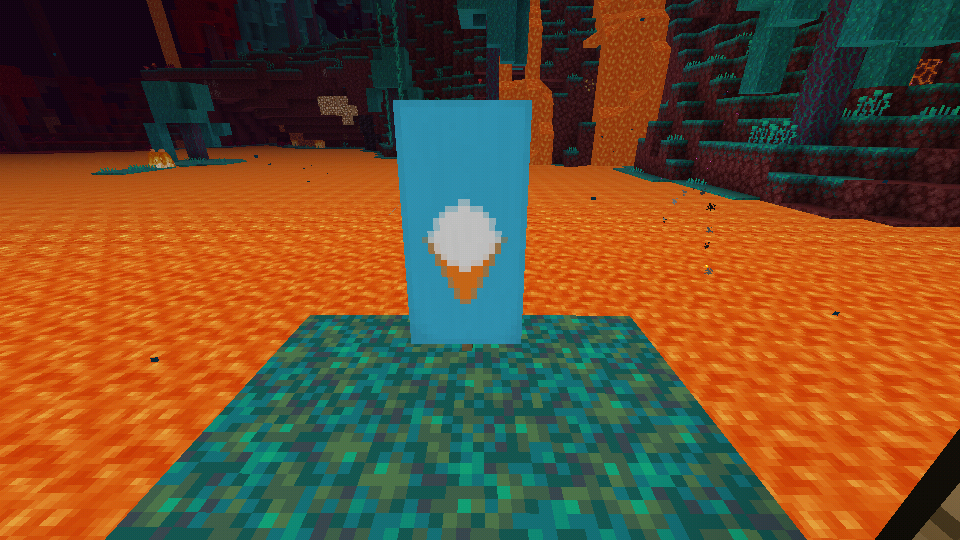
  1. Put the banner on a Loom
  2. Colour the banner with orange dye, and the design should like this :
    Screenshot_20200731-151053.png
  3. Add a white round design colour
    Screenshot_20200731-151115.png
  4. Colour the banner again with light blue on the top
    Screenshot_20200731-151128.png
  5. And repeat a white round design colour again
    Screenshot_20200803-112449.png
Voila! , This is the ice cream banner design
Screenshot_20200731-151206.png

2. Sword
Things Needed :

Dye (Any colour)
Banner (Any colour)
Loom
Oxyde Flower
Crafting Table


Instructions :
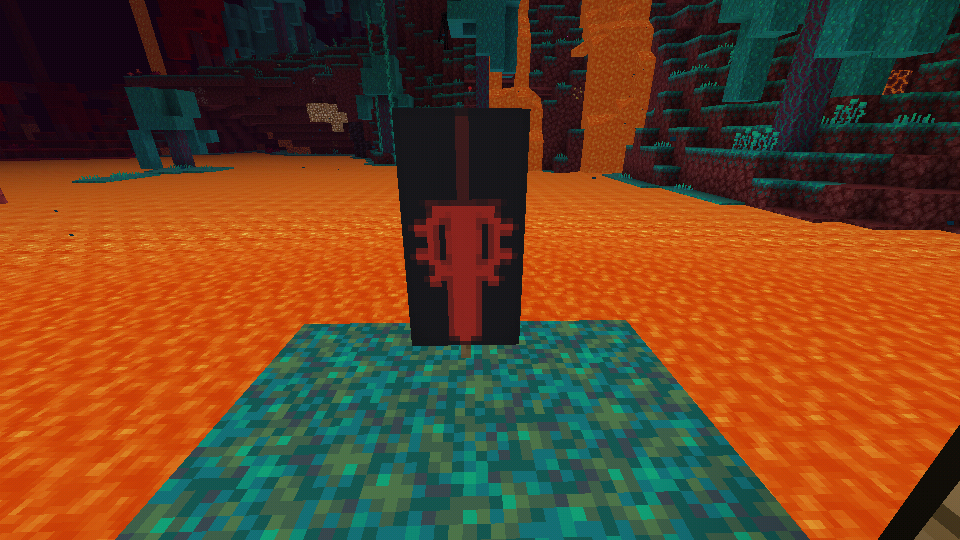
  1. Design the banner (on Crafting Table) with Oxyde flower
    Screenshot_20200731-150745.png
  2. Colour the banner with Pale Design Like this
    Screenshot_20200731-150812.png
  3. Design the Banner with "Bordure Indentend" (The colour must be same on a banner background)
    Screenshot_20200731-150832.png
    Ps : Dont forget this Banner Pattern Paper (It'll wont appear on Loom Designs list )
    Screenshot_20200731-150748.png
  4. Design the banner with Half Pale with the same colour of the banner background (LEFT AND RIGHT)
    Screenshot_20200731-150845.png
    Screenshot_20200731-150852.png
Voila, Here's the Sword Banner Design :
Screenshot_20200731-151000.png


3. Alligator's mouth
Things Needed :

Lime, Red, White and Pink Dyes
Loom
Red Banner


Instructions :
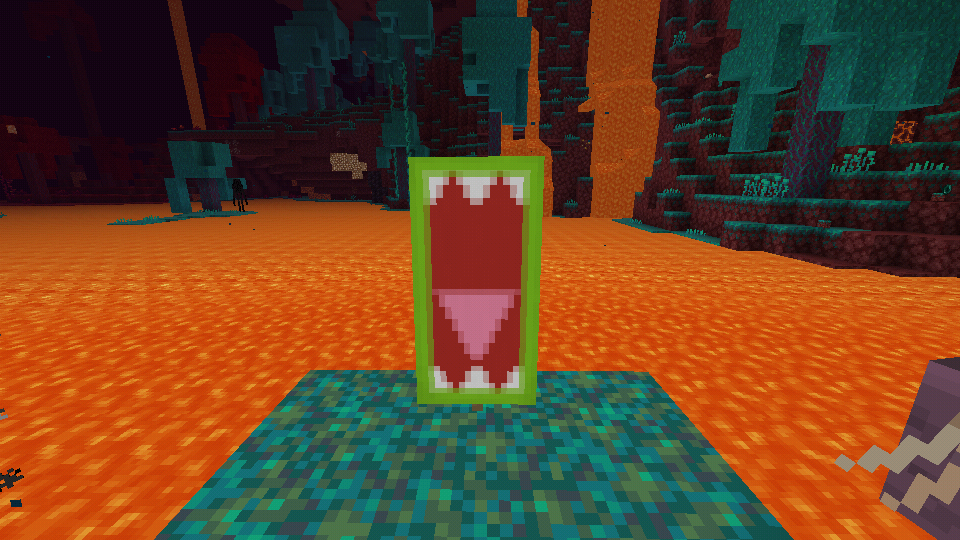
  1. Design the red banner with pink diamond shape
    Screenshot_20200801-113829.png
  2. Colour the upper red banner with red dye
    Screenshot_20200801-113839.png
  3. Add white teeths up and down
    Screenshot_20200801-113925.png
    Screenshot_20200801-113930.png
  4. Colour the border with Lime dye
    Screenshot_20200801-113943.png
Here's the final design
Screenshot_20200801-114149.png


4. Mirror
Things Needed :

Light Blue , Black and White dyes
Light Blue banner
Loom


Instructions :
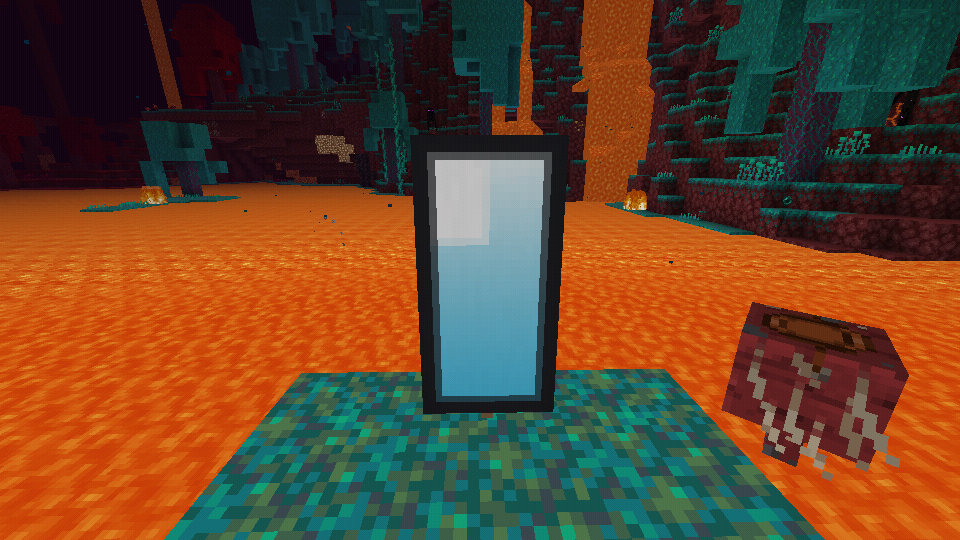
  1. Colour the Light Blue banner with white gradient
    Screenshot_20200801-113154.png
  2. Add the Upper pale half design using white dye
    Screenshot_20200801-113240.png
  3. Add Black Border
    Screenshot_20200801-113250.png
Heres the Result :
Screenshot_20200801-113322.png

Page 1
 
Last edited:
Page 2

5. Ender Dragon
Things Needed :
Black Banner
Purple and Black Dye
Skull Charge and Creeper Charge (Pattern)
Loom

Instruction :
  1. Colour the skull charge using purple dye
    Screenshot_20200801-150712.png

  2. Colour the creeper chrage with Black dye
    Screenshot_20200801-150720.png
  3. Colour the upper half design with black dye
    Screenshot_20200801-150733.png
  4. Colour with black lower 1/4 half design and repeat it at 3x
    Screenshot_20200801-150739.png
Heres the Result :
Screenshot_20200801-150817.png


6. Zombie Pigman
Things Needed :
Pink Banner
Green, Light grey, pink, black and brown dyes
Creeper Charge Pattern Design
Loom

Instructions :
  1. Colour the banner with Green slant design like this
    Screenshot_20200801-150913.png
  2. Colour the banner with light grey half slant design
    Screenshot_20200801-151012.png

  3. Apply the black creeper charge design
    Screenshot_20200801-151044.png
  4. Colour the banner with brown lower 1/4 half design
    Screenshot_20200801-151051.png
  5. Add the small mounts design using colour pink
    Screenshot_20200801-151103.png
The final result :
Screenshot_20200801-151120.png


7. Fire Dragon
Things Needed :
Yellow Banner
Red and Orange Dye
Flower Charge and Bordure Identend (Pattern)
Loom

Instructions :
  1. Colour the yellow banner with red bordure indentend design
    Screenshot_20200801-155351.png
  2. Add orange upper gradient
    Screenshot_20200801-155400.png
  3. Colour with red middle dot
    Screenshot_20200801-155413.png
  4. Colour the banner with red cross design
    Screenshot_20200801-155426.png
  5. Design it with orange flower charge
    Screenshot_20200801-155435.png
  6. Colour with the red upper triangular design
    Screenshot_20200801-155443.png
Heres the final result :
Screenshot_20200801-155515.png


8. Hill on a sunset
Things Needed :
Magenta Banner
Green , Orange, and brown dye
Loom

Instructions :
  1. Design the banner with brown lower triangular design
    Screenshot_20200801-112412.png
  2. Add green lower triple small triangles
    Screenshot_20200801-112426.png
  3. Colour the banner with orange gradient (on the upper side)
    Screenshot_20200801-112435.png
Heres the final result :
Screenshot_20200801-112523.png
View reply.
 
Last edited:
Page 3

9. Rose
Things Needed :
black banner
Red , Green, black and lime dye
Bordure Indentend , flower charge and thing pattern design
Loom

Instructions :
  1. Colour the banner with green flower charge
    Screenshot_20200801-154410.png
  2. Design the banner with lime thing design like this
    Screenshot_20200801-154420.png
  3. Add the black half triangular design
    Screenshot_20200801-154437.png
  4. Apply the red 1/4 upper square design
    Screenshot_20200801-154451.png
  5. Use border indentend design with black dye
    Screenshot_20200801-154501.png
  6. Apply with black upper triple small triangles
    Screenshot_20200801-154628.png
Heres the final result :
Screenshot_20200801-154716.png


10. Iron Pickaxe
Things Needed :
White banner
White , black and brown dye
loom

Instructions :
  1. On a white banner, design with X design using black dye
    Screenshot_20200801-143943.png
  2. Colour it the lower 1/4 half design using black dye again
    Screenshot_20200801-143953.png
  3. Design it with brown flat cross design
    Screenshot_20200801-144003.png
  4. Colour it with white half pale design
    Screenshot_20200801-144121.png
  5. Colour it with 1/2 upper design using black dye
    Screenshot_20200801-144127.png
  6. Colour it with black border design
    Screenshot_20200801-144132.png
Heres the final result :
Screenshot_20200801-144158.png
View reply.
 
Last edited:

Users Who Are Viewing This Thread (Total: 0, Members: 0, Guests: 0)

Back
Top