
Navigation
Install the app
How to install the app on iOS
Follow along with the video below to see how to install our site as a web app on your home screen.
Note: This feature may not be available in some browsers.
More options
Style variation
You are using an out of date browser. It may not display this or other websites correctly.
You should upgrade or use an alternative browser.
You should upgrade or use an alternative browser.
Two things
- Thread starter zHaNkPvP
- Start date


- Nov 16, 2017
- 24,454
- 172,039
We can’t change your forums password.
View reply.
- Nov 16, 2017
- 24,454
- 172,039
Sorry, you should try writing it down next time.Dang


- Dec 13, 2017
- 1,084
- 5,858
I thought you could receive an email to re-set your password?Sorry, you should try writing it down next time.
- Nov 16, 2017
- 24,454
- 172,039
Well if he remembers his email yeah.. he asked us to reset his password, nothing about that.I thought you could receive an email to re-set your password?

- Dec 13, 2017
- 1,084
- 5,858
I thought you could receive an email to re-set your password?Sorry, you should try writing it down next time.
oh okayWell if he remembers his email yeah.. he asked us to reset his password, nothing about that.

- Nov 23, 2016
- 18,516
- 185,038
An admin (edwjusti) can reset a forum pw he did with meWell if he remembers his email yeah.. he asked us to reset his password, nothing about that.
Which didn’t work to login cuz it was probably the wrong email

- Apr 22, 2017
- 8,829
- 62,673
There are two ways to reset your own password.
The first way requires your password.
The second way doesn't require your password but it requires your email.
View reply.
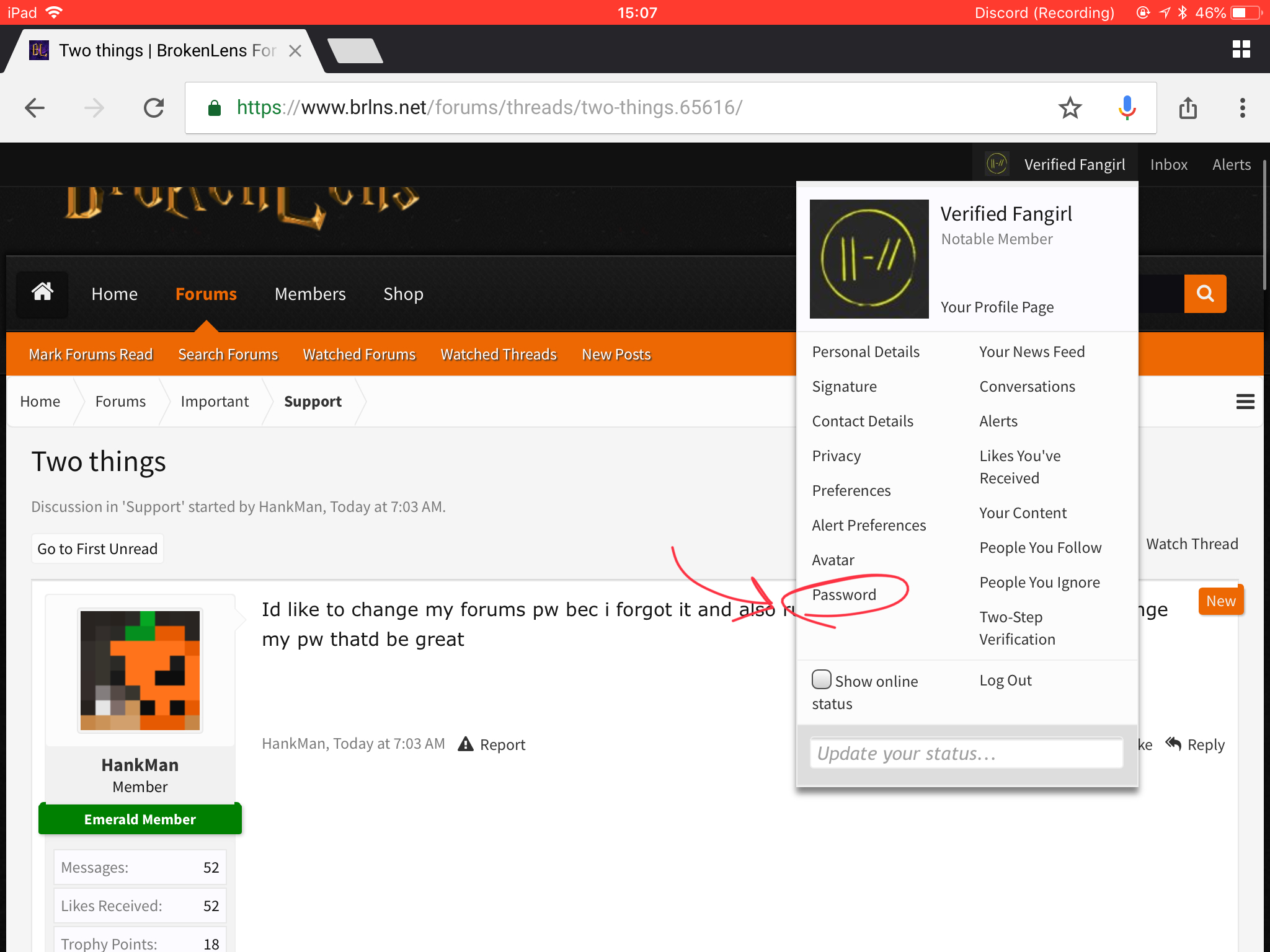
The first way requires your password.
1. Open the drop down menu and click "Password".
2. Enter your existing password and then your new password and hit "Save Changes".
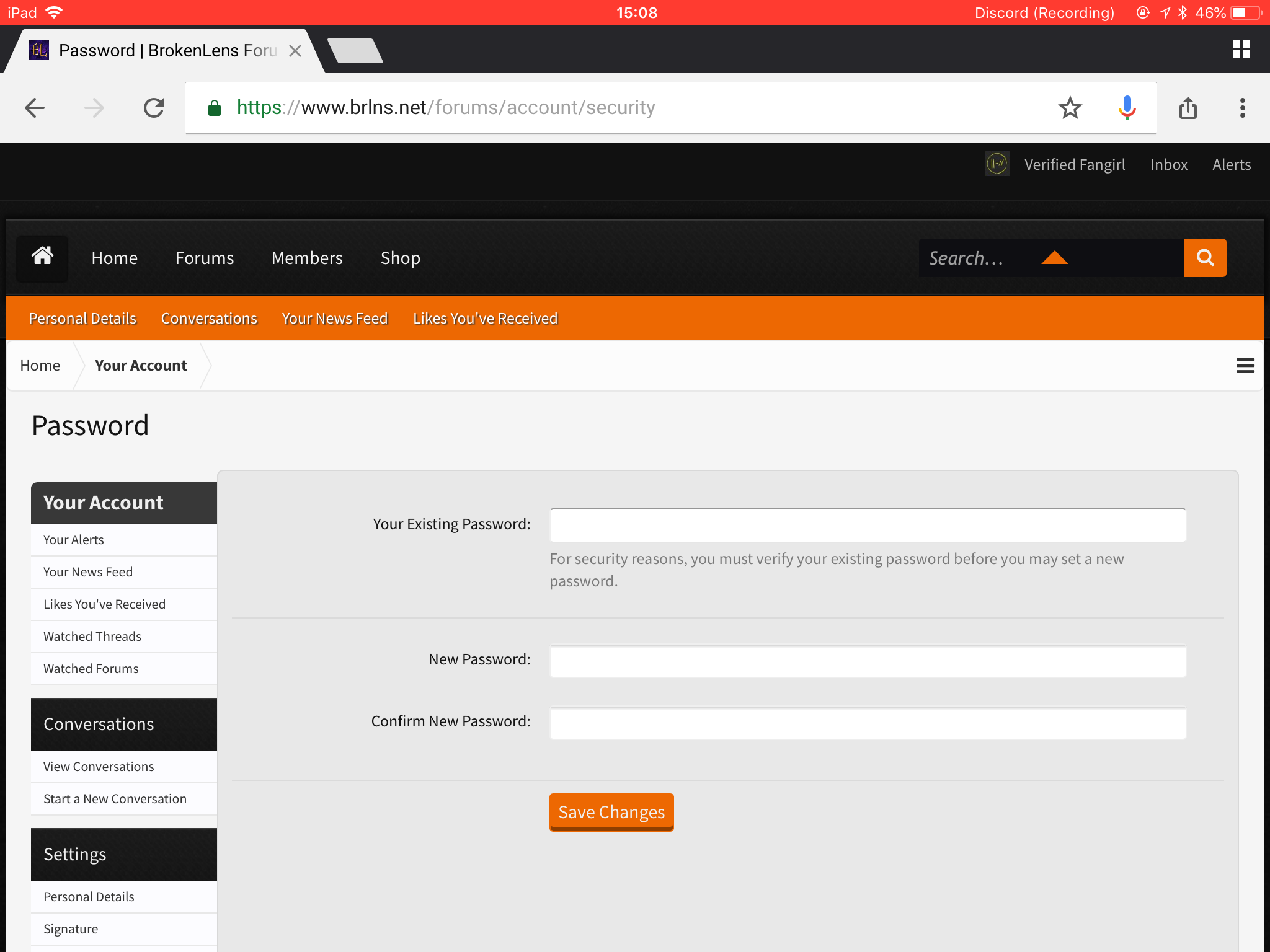
2. Enter your existing password and then your new password and hit "Save Changes".
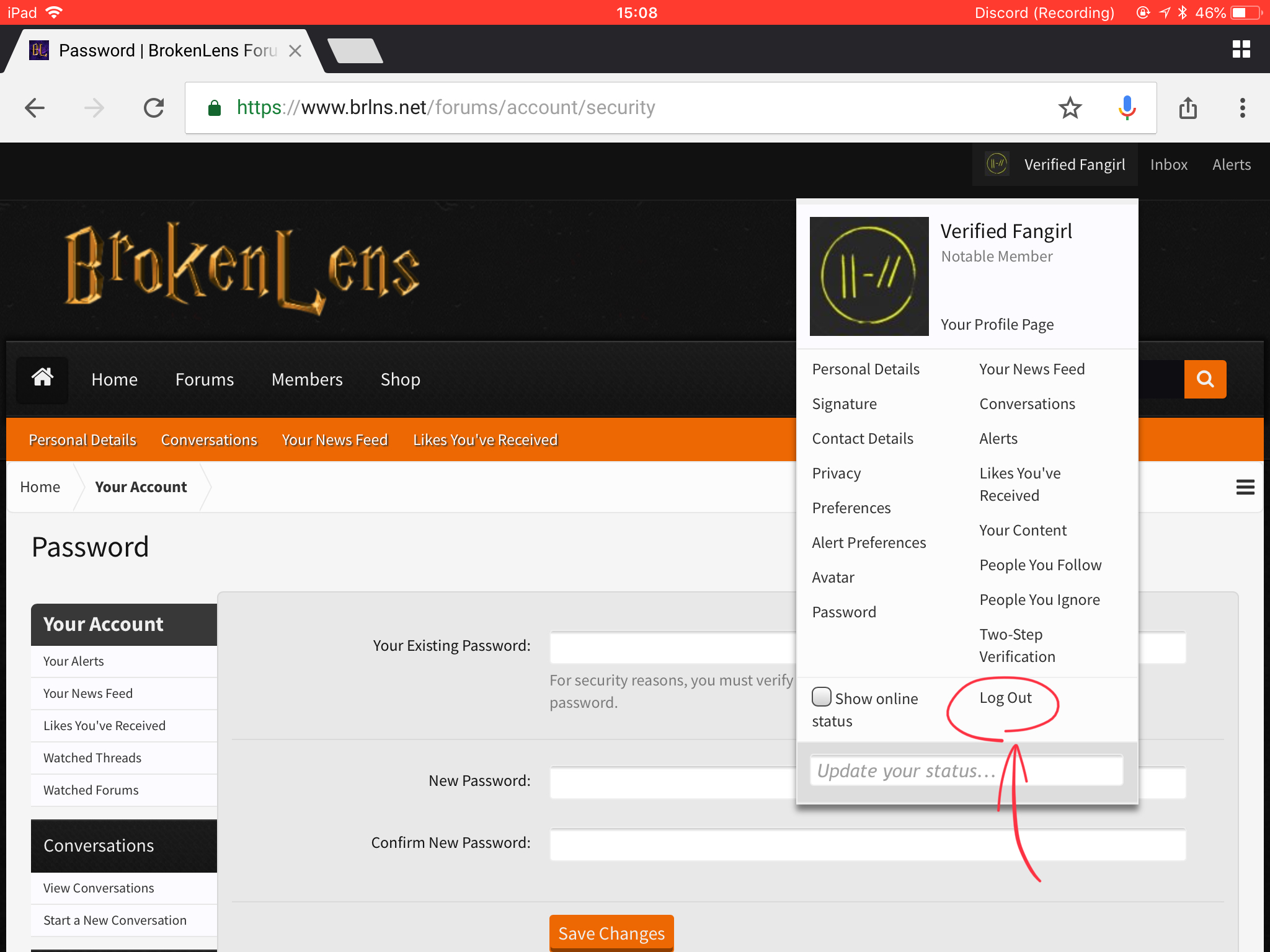
The second way doesn't require your password but it requires your email.
1. Again, open the drop down menu, but this time click "Log Out".
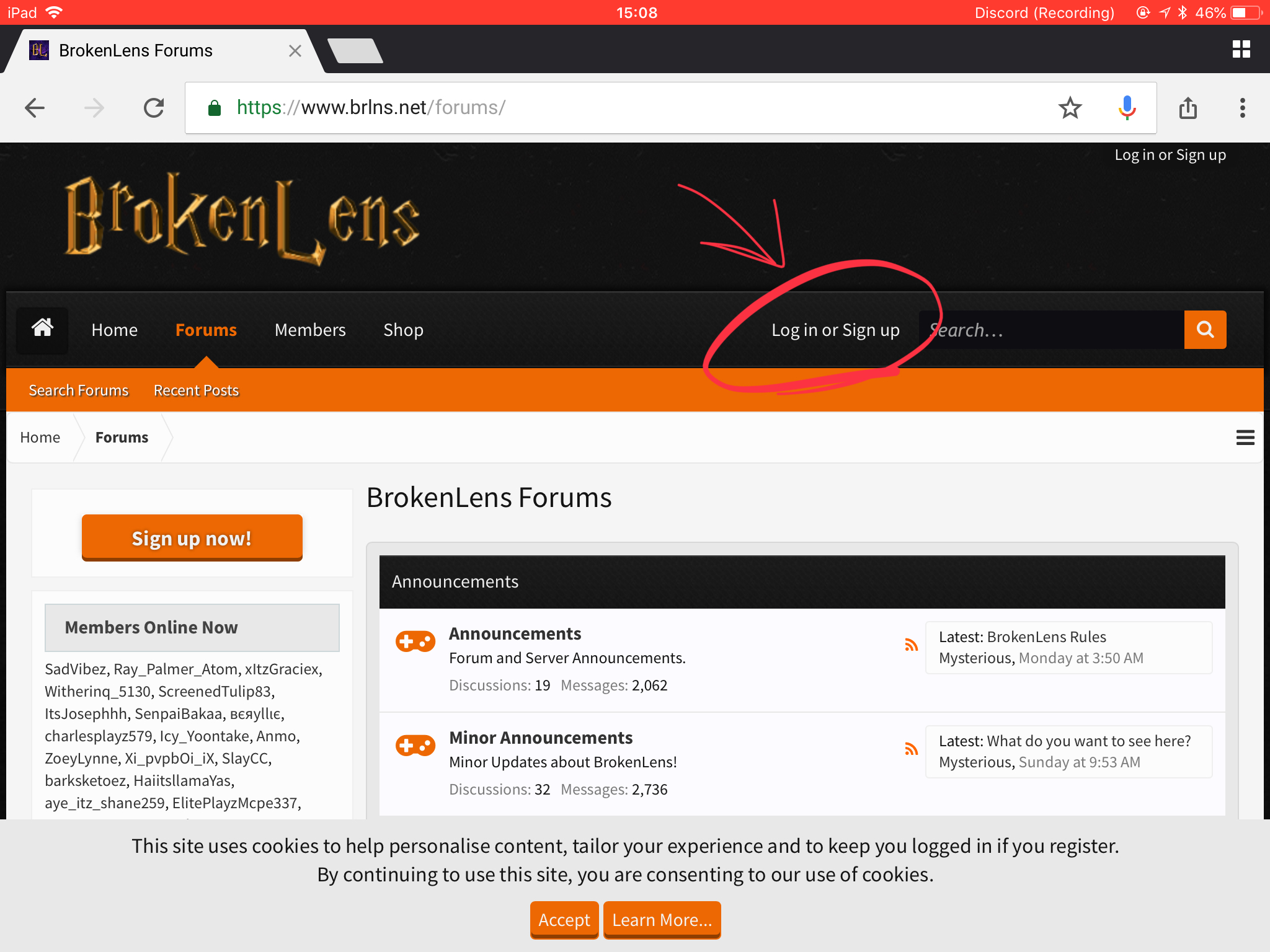
2. Once logged out, click on the "Log in or Sign up" button
3. When the sign up/log in form comes up, click "Forgot your password?"
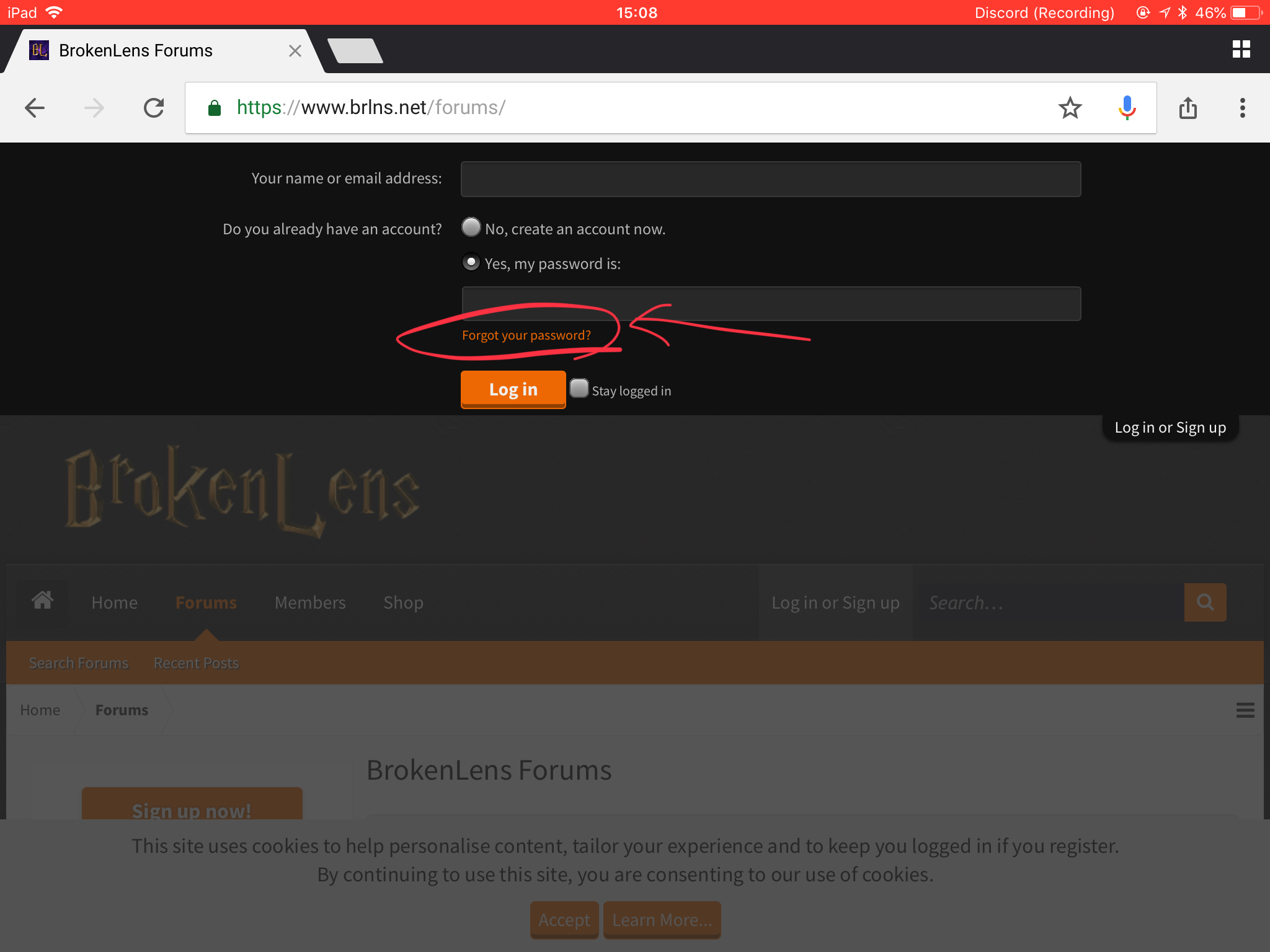
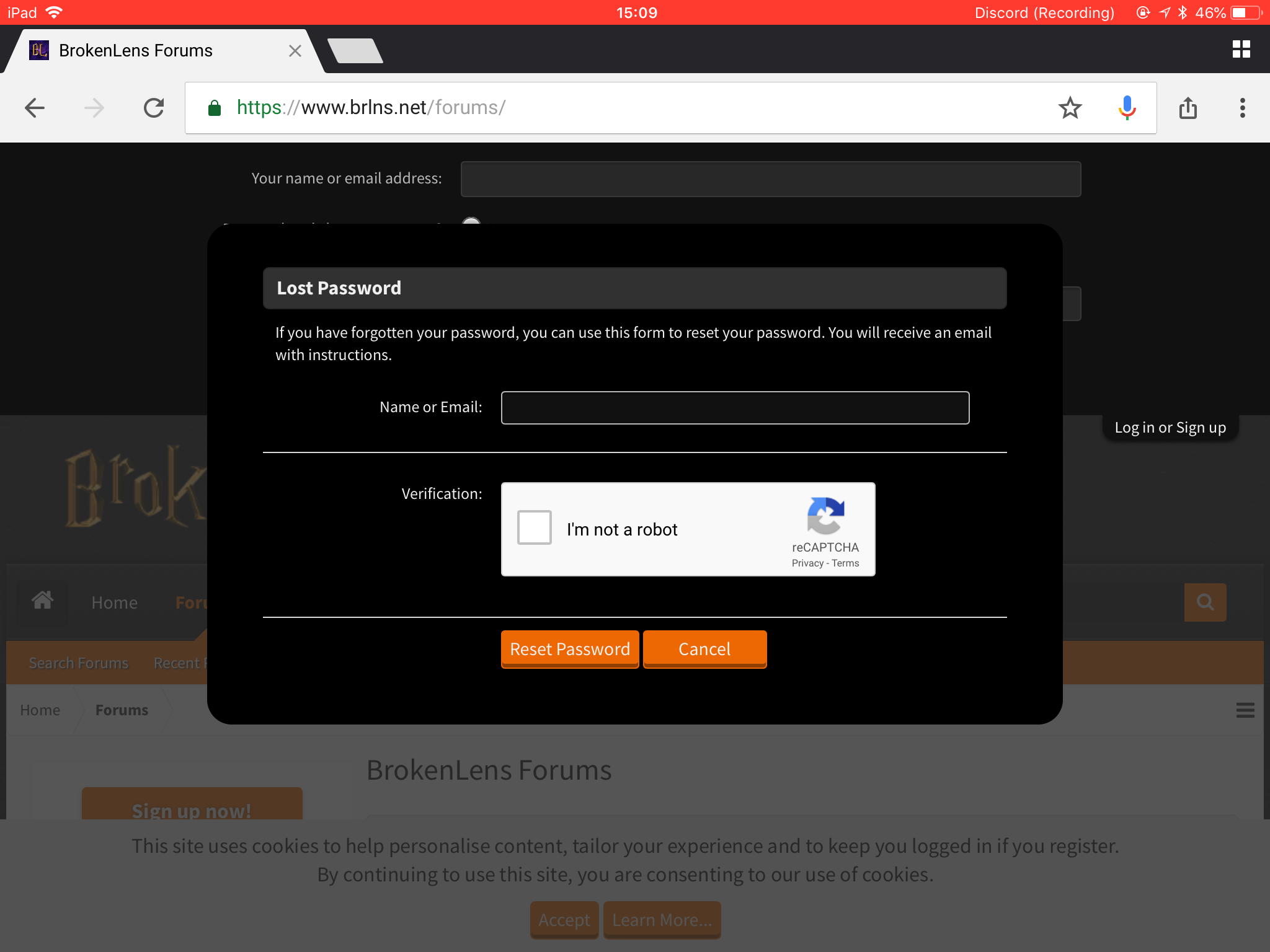
4. Fill this in, and then check your email. Remember to check the spam section as well.
2. Once logged out, click on the "Log in or Sign up" button
3. When the sign up/log in form comes up, click "Forgot your password?"
4. Fill this in, and then check your email. Remember to check the spam section as well.
- Nov 23, 2016
- 18,516
- 185,038
The second one is usaully for forgot passwordThere are two ways to reset your own password.
The first way requires your password.
1. Open the drop down menu and click "Password".
View attachment 104533
2. Enter your existing password and then your new password and hit "Save Changes".
View attachment 104534
The second way doesn't require your password but it requires your email.
1. Again, open the drop down menu, but this time click "Log Out".View attachment 104536
2. Once logged out, click on the "Log in or Sign up" buttonView attachment 104537
3. When the sign up/log in form comes up, click "Forgot your password?"View attachment 104538
4. Fill this in, and then check your email. Remember to check the spam section as well.View attachment 104539
- Apr 22, 2017
- 8,829
- 62,673
The second one is usaully for forgot password
Id like to change my forums pw bec i forgot it