Requirements: IOS device, PS4 (sorry but you really need one :/ ) an Internet connection
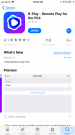
1. Download R-play from the App Store (
R-Play - Remote Play for the PS4 by Lei Jiang
https://itunes.apple.com/us/app/r-play-remote-play-for-the-ps4/id1222889057?mt=8
https://itunes.apple.com/us/app/r-play-remote-play-for-the-ps4/id1222889057?mt=8 )
2. You must have the iOS device that R-Play is running on connected to the same network as your PS4. For most people, this means the iOS device will be connected to their home network via WiFi, and the PS4 connected to the same network via LAN cable.
3. You must be signed into a PSN account on your PS4, and you need to obtain the Online ID corresponding to this account, as it will be required in subsequent steps. This is different to the e-mail address that you use to sign into PSN.
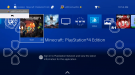
4.On your PS4, navigate to Settings - Remote Play Connection Settings. Ensure that Enable Remote Play is ticked. Then select Add Device. You will be presented with an 8 digit number.
5. Launch R-Play on your iOS device, and press the Register PS4 button.
6. You will be presented with two text input fields. For the first, please enter the Online ID you obtained in step 2. For the second, please enter the 8 digit number from step 3. Then press Register in the top-right corner.
7. You should receive a message confirming that the PS4 is now registered - congratulations, you may now enjoy remote gaming with R-Play!
Notes:
Might as well connect the PS4 to a LAN cable, wi fi is not powerful enough!
You must be connected to the same internet for both PS4 and iOS
Yes, it is possible to play ps4 games PORTABLELY (Not connected to same wi fi) I have not investigated that yet.
https://imgur.com/a/Mmki
1. Download R-play from the App Store (
R-Play - Remote Play for the PS4 by Lei Jiang
https://itunes.apple.com/us/app/r-play-remote-play-for-the-ps4/id1222889057?mt=8
https://itunes.apple.com/us/app/r-play-remote-play-for-the-ps4/id1222889057?mt=8 )
2. You must have the iOS device that R-Play is running on connected to the same network as your PS4. For most people, this means the iOS device will be connected to their home network via WiFi, and the PS4 connected to the same network via LAN cable.
3. You must be signed into a PSN account on your PS4, and you need to obtain the Online ID corresponding to this account, as it will be required in subsequent steps. This is different to the e-mail address that you use to sign into PSN.
4.On your PS4, navigate to Settings - Remote Play Connection Settings. Ensure that Enable Remote Play is ticked. Then select Add Device. You will be presented with an 8 digit number.
5. Launch R-Play on your iOS device, and press the Register PS4 button.
6. You will be presented with two text input fields. For the first, please enter the Online ID you obtained in step 2. For the second, please enter the 8 digit number from step 3. Then press Register in the top-right corner.
7. You should receive a message confirming that the PS4 is now registered - congratulations, you may now enjoy remote gaming with R-Play!
Notes:
Might as well connect the PS4 to a LAN cable, wi fi is not powerful enough!
You must be connected to the same internet for both PS4 and iOS
Yes, it is possible to play ps4 games PORTABLELY (Not connected to same wi fi) I have not investigated that yet.
https://imgur.com/a/Mmki