
• Guest, To prevent spam, the BrokenLens Forums are not accepting new registrations at this time.

Support please.

Status
Not open for further replies.

beryl

Notable Member
Emerald Member
Joined
Apr 27, 2018
Messages
1,133
Reaction score
6,622
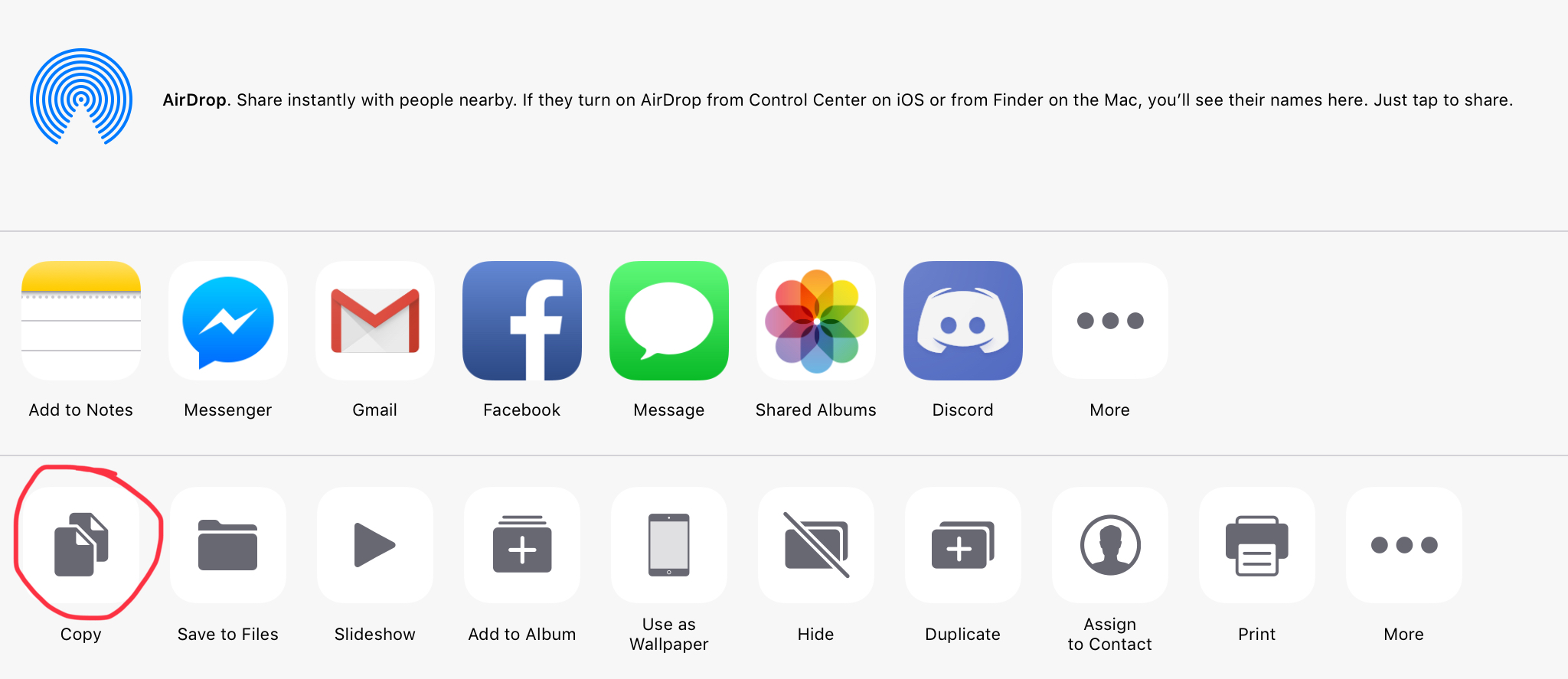
How can I add images (from my photos and not from google or whatever) on my signature?I’m really having a hard time, I copied the photo I have from the photos I’ve saved and I clicked ‘Save Changes’ and previewed it, it wasn’t popping up, please help. I can copy and paste it when I was editing my signature, IOS users, I need help. I’ve took some photos/screenshots;;
C42AAC4C-850D-4DBD-87A6-46E8836C5ABA.jpeg

1FB6CA25-1643-4451-B8CE-35D9E148D16F.jpeg

^^
I’ve clicked that icon and it did worked and popped up on my screen and signature, however, it didn’t popped up when I previewed it. :cry: :'(
I’m really desperate for some forum members to help me. :thinking-face:
 
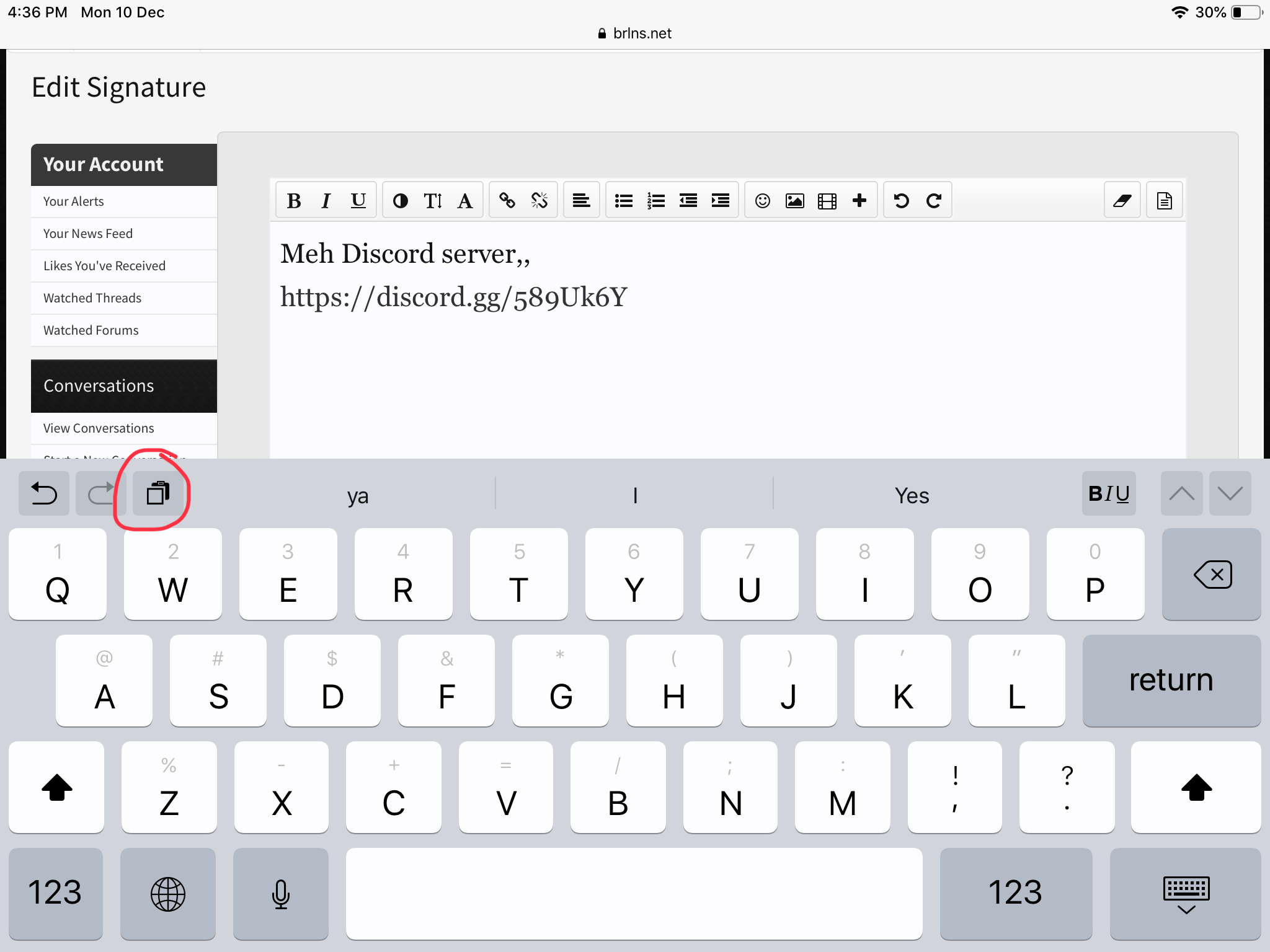
How can I add images (from my photos and not from google or whatever) on my signature?I’m really having a hard time, I copied the photo I have from the photos I’ve saved and I clicked ‘Save Changes’ and previewed it, it wasn’t popping up, please help. I can copy and paste it when I was editing my signature, IOS users, I need help. I’ve took some photos/screenshots;;
View attachment 139857
View attachment 139858
^^
I’ve clicked that icon and it did worked and popped up on my screen and signature, however, it didn’t popped up when I previewed it. :cry: :'(
I’m really desperate for some forum members to help me. :thinking-face:
Idk how to upload them from Photos, but you can upload them to https://imgur.com/ , press and hold on it until a few options come up, select Copy Image (if it shows up) and paste it into the image link

I haven't done that before, but it's pretty similar to uploading a gif or image from the internet to your signature
View reply.
 
Idk how to upload them from Photos, but you can upload them to https://imgur.com/ , press and hold on it until a few options come up, select Copy Image (if it shows up) and paste it into the image link

I haven't done that before, but it's pretty similar to uploading a gif or image from the internet to your signature
I didn’t understand anything at all ;-;
I have imgur though
View reply.
 
I’m so stressed out right now
Idek what to do ;-;
View reply.
 
Ah finally, thanks alot for helping me @Timeless~ And @Firefox1318 I tried using both tips and it finally worked out, I have so many images on Photos, I should probably delete it sometime, it just looks messy, from discord pics, instead of relaxing and enjoying life, I’m being busy ;-;
View reply.
 
Last edited:
And what about gif ?
Just copy the gif’s link and insert its link to the picture icon.
E4781271-94B9-4EE4-B6AD-A1BD7D7F86ED.jpeg

Almost the same but then gifs are easier to insert bc it can be in any size
View reply.
 
Status
Not open for further replies.

Users Who Are Viewing This Thread (Total: 0, Members: 0, Guests: 0)

Back
Top