
STuck on an old launcher

Status
Not open for further replies.

Hank

Notable Member
Emerald Member
Joined
Jul 11, 2020
Messages
197
Reaction score
1,447
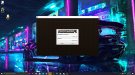
This isnt really anything to do with BL but if anyone can help me, please do! SO my java launcher was on 1.16 version, and then i had this problem so i trouble shooted it, and then it took me to a WAY lower version. It doesnt even let me use my microsoft account login for that, does someone know how to fix ths?
 

Attachments

  • 2020-12-17 (2).png
    2020-12-17 (2).png
    3.2 MB · Views: 18
This isnt really anything to do with BL but if anyone can help me, please do! SO my java launcher was on 1.16 version, and then i had this problem so i trouble shooted it, and then it took me to a WAY lower version. It doesnt even let me use my microsoft account login for that, does someone know how to fix ths?

I think it is probably an error in your windows folders but first I don't know if you get a red message when you try to enter?
View reply.
 
if so then it may be that error.

You have to enter your local disk, go to the windows folder, then look for the system x32 folder
You enter, then you enter the drivers folder, you will enter the etc folder and delete those files that appear, you will exit and delete the trash and restart your pc and it is assumed that you can enter Minecraft.

The truth is that I do not know if it works but it is an option only you decide if you try :)
View reply.
 
if so then it may be that error.

You have to enter your local disk, go to the windows folder, then look for the system x32 folder
You enter, then you enter the drivers folder, you will enter the etc folder and delete those files that appear, you will exit and delete the trash and restart your pc and it is assumed that you can enter Minecraft.

The truth is that I do not know if it works but it is an option only you decide if you try :)
I’ve restarted my pc and re downloaded it many times. It still just takes me to 1.6.93 and it’s saddening ): I’m currently not on my pc because I won’t use it till tmr. Im a bit confused on what you’re saying for me to do though. - Thanks for the response btw
View reply.
 
I’ve restarted my pc and re downloaded it many times. It still just takes me to 1.6.93 and it’s saddening ): I’m currently not on my pc because I won’t use it till tmr. Im a bit confused on what you’re saying for me to do though. - Thanks for the response btw
I wrote it as a tutorial guy but it's hard to understand.

but what I'm telling you is just delete some windos folders and that's it. ;)
View reply.
 
Status
Not open for further replies.

Users Who Are Viewing This Thread (Total: 0, Members: 0, Guests: 0)

Back
Top