xNekoXSweetx
Notable Member
- Jul 28, 2017
- 1,629
- 6,342
How can I put a Photo in my Info tab ;-;

Follow along with the video below to see how to install our site as a web app on your home screen.
Note: This feature may not be available in some browsers.
I did.. But it keeps showing The image symbol with the "X" thingy..1. Go to "Personal Details" to edit your info tab
2. View attachment 166294Press the little picture with the mountains next to the smiley face
3. View attachment 166295^^that should pop up. And then, put the image url

hmm, I just tried it, and the same thing is popping up...I did.. But it keeps showing The image symbol with the "X" thingy..


@_PineappleDeath_ how did yew manage to get your gifs in your info tab?
Does it work in the info tab too?View attachment 166312
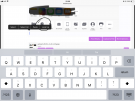
You’ll search up whichever gif you’d like, hold down on it until this pops up - press copy,
View attachment 166313
Paste the link into here;
View attachment 166314
Then, tadaaa! After you’re done pressing insert it’ll show. This words in your signature as well. ^w^
Yup, I have two in my information. qwqDoes it work in the info tab too?
Nothing is working pwqYup, I have two in my information. qwq