• Guest, To prevent spam, the BrokenLens Forums are not accepting new registrations at this time.

Only windows 10, xD.

SpikeTheHugger

Notable Member
Emerald Member
Joined
Jul 10, 2016
Messages
9,787
Reaction score
57,344
Hi, guys!

If you have windows 10 and minecraft windows 10 edition beta, did you really do it? :p This is so cool!!! I constantly connect to online forums and play on the servers, xD. If you don't have a computer or you have windows 7,8,9, you can't do it. Enjoy! :mrgreen:

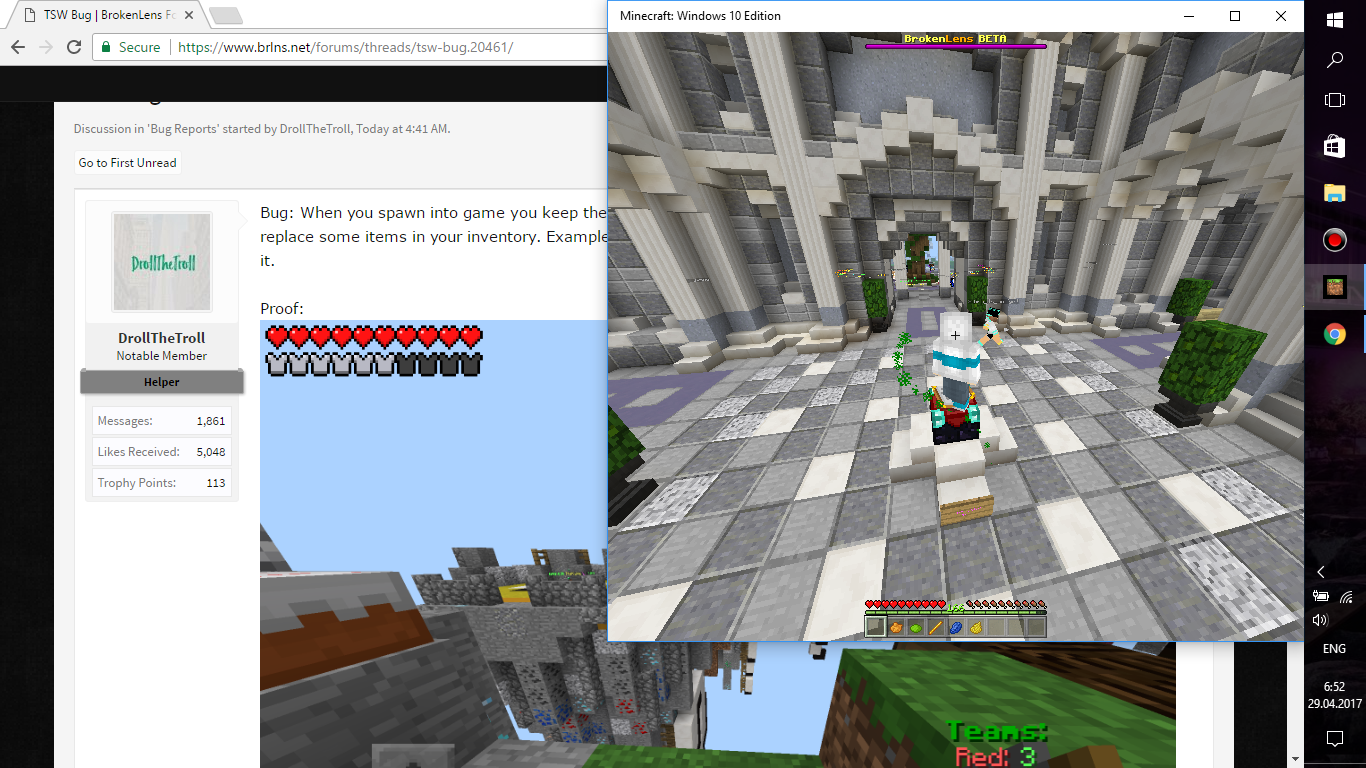
1. Looking at the forums.
Снимок экрана (124).png

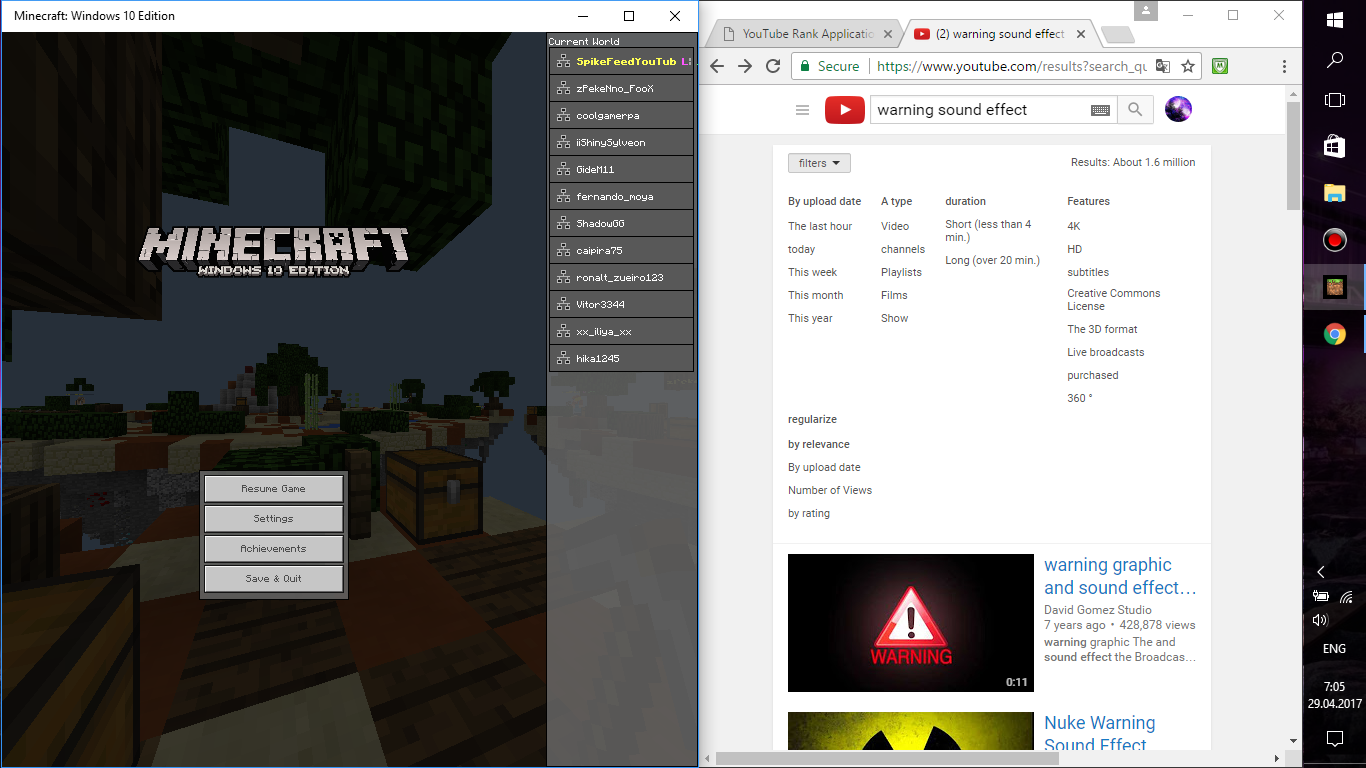
2. Watching YouTube As AFK.
Снимок экрана (125).png

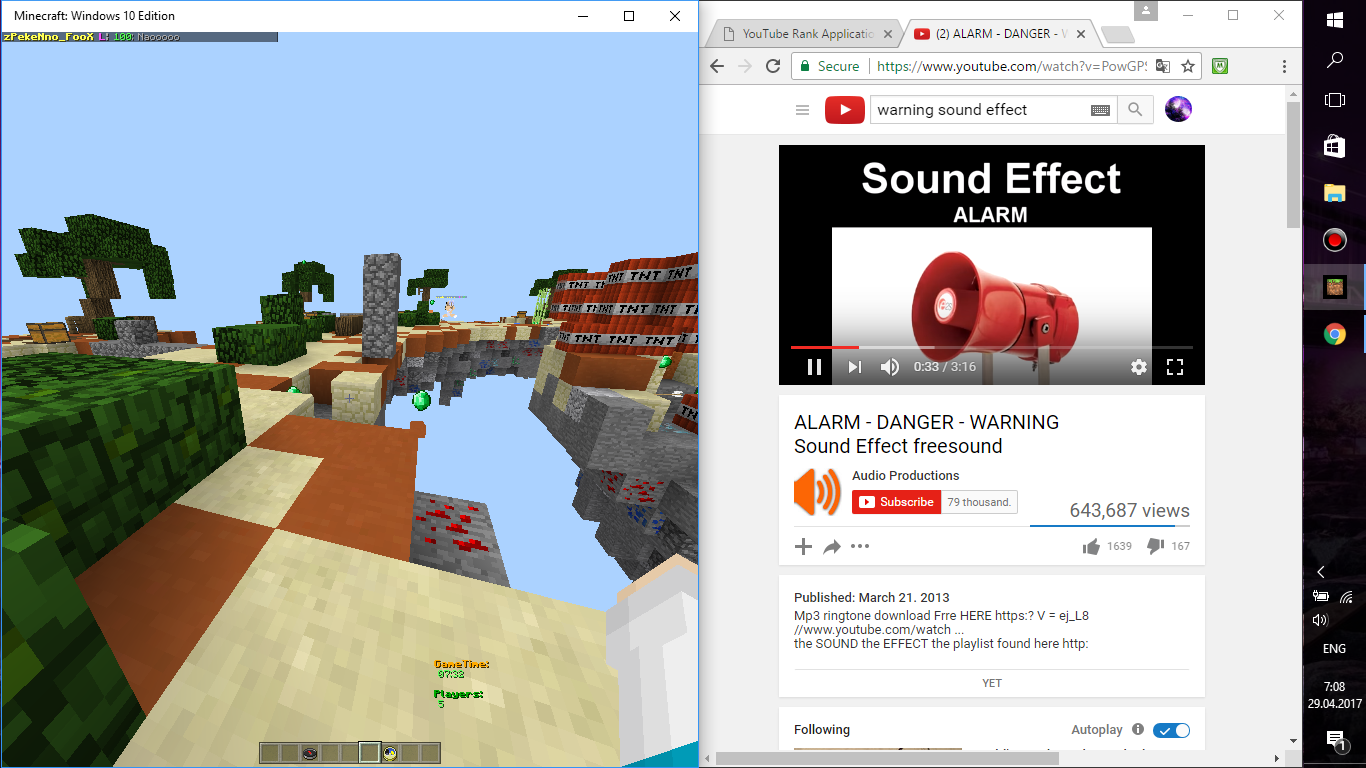
3. I'm listening to music! :)
kmfsrn.png


Thanks for reading the thread!! :laugh:
 
Hi, guys!

If you have windows 10 and minecraft windows 10 edition beta, did you really do it? :p This is so cool!!! I constantly connect to online forums and play on the servers, xD. If you don't have a computer or you have windows 7,8,9, you can't do it. Enjoy! :mrgreen:

1. Looking at the forums.
View attachment 25804
2. Watching YouTube As AFK.
View attachment 25805
3. I'm listening to music! :)
View attachment 25808

Thanks for reading the thread!! :laugh:
When you're on your iPad instead ._. XD the perks only Windows 10 users get XD
View reply.
 
Hi, guys!

If you have windows 10 and minecraft windows 10 edition beta, did you really do it? :p This is so cool!!! I constantly connect to online forums and play on the servers, xD. If you don't have a computer or you have windows 7,8,9, you can't do it. Enjoy! :mrgreen:

1. Looking at the forums.
View attachment 25804
2. Watching YouTube As AFK.
View attachment 25805
3. I'm listening to music! :)
View attachment 25808

Thanks for reading the thread!! :laugh:
On an iPad you can go to desktop version on YouTube and then make it a small screen and play Games at the same time
View reply.
 
On an iPad you can go to desktop version on YouTube and then make it a small screen and play Games at the same time
I know but I tend to not do it, as it blocks off one of the four corners that you need to use
View reply.
 
On an iPad you can go to desktop version on YouTube and then make it a small screen and play Games at the same time
I know but I tend to not do it, as it blocks off one of the four corners that you need to use
Thank you, guys! :) I only use an Android phone, not an iPad.
View reply.
 
Thank you, guys! :) I only use an Android phone, not an iPad.
Phones in general have too small screens for me in my opinion unless your using one of the more new phones (IPhone 6, Smamsung S6, etc.)
View reply.
 
Phones in general have too small screens for me in my opinion unless your using one of the more new phones (IPhone 6, Smamsung S6, etc.)
But my phone name is Sony Xperia, and the phone doesn't have it..
View reply.
 
Aww, this won't allow me to do this on my Sony Xperia 7.0. So, how do you make a floating video window? Thanks! :)
You have to enable desktop version on an IPad (something with a bigger screen). Next you start to watch a video. Then you click an icon at the bottom at the video (it is a little screen thing). Finally you can leave the YouTube and play a game with the floating screen
View reply.
 
You have to enable desktop version on an IPad (something with a bigger screen). Next you start to watch a video. Then you click an icon at the bottom at the video (it is a little screen thing). Finally you can leave the YouTube and play a game with the floating screen
Oh, ok, thank you for teaching me! I did it and it works for me, finally! :mrgreen:
View reply.
 

Users Who Are Viewing This Thread (Total: 0, Members: 0, Guests: 0)

Back
Top