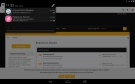
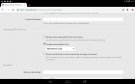
Go to contact details and scroll down to Messaging Preferences. You'll see the option to disable emails from conversation replies. Just uncheck the tick box and save it and it will stop giving you emails
Go to contact details and scroll down to Messaging Preferences. You'll see the option to disable emails from conversation replies. Just uncheck the tick box and save it and it will stop giving you emails
I am not sure if this is glitched because I have the same problem xD
But try putting BL in your spam file in emails to prevent messages on your desktop
This site uses cookies to help personalise content, tailor your experience and to keep you logged in if you register.
By continuing to use this site, you are consenting to our use of cookies.