

- Jul 12, 2019
- 1,744
- 35,028
Okay some of you may know this
But I'm just trying to help people that don't know this
You can unlock the Developer options in the (about device) section, search for (Build number) and click it 5 or 6 times til it open the (Developer options) turn it on and do this.
Step 1.
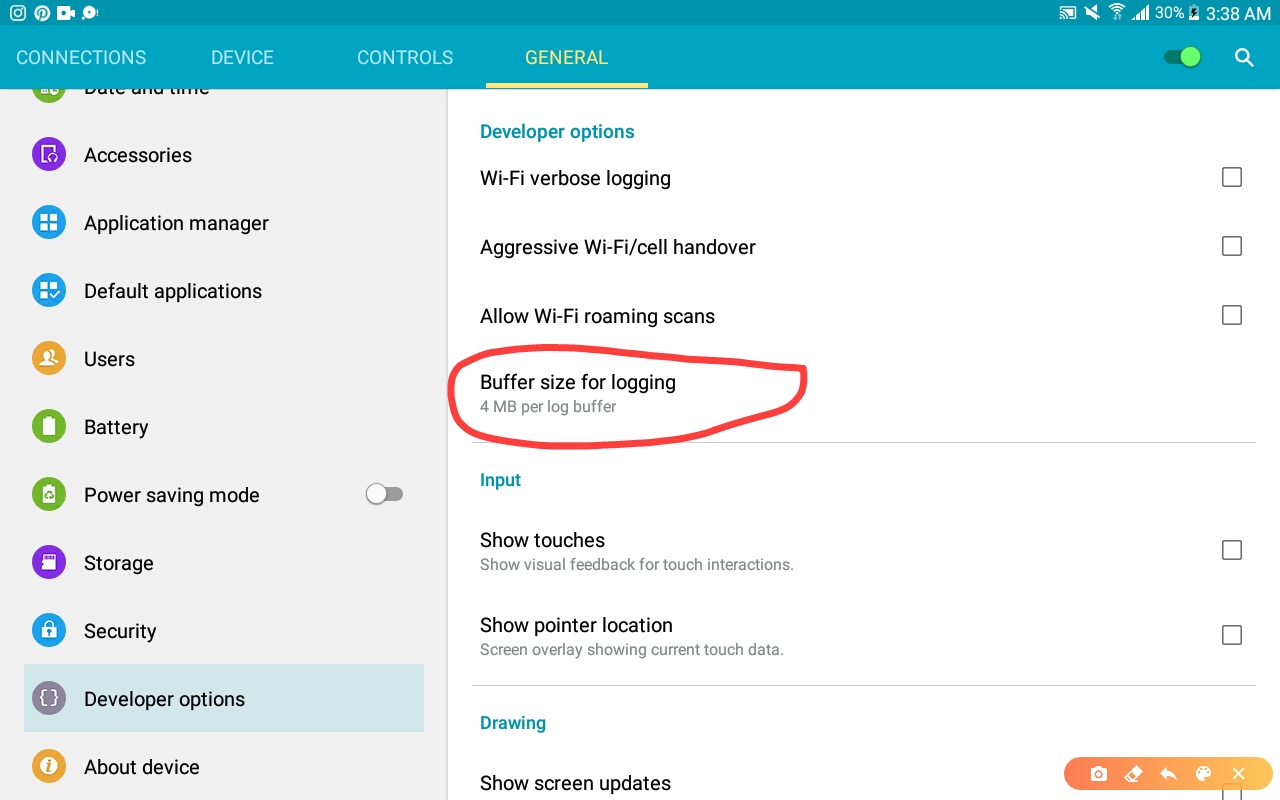 Make the number of (Buffer size for logging) 4 or more at least, the device will be more faster
Step 2.
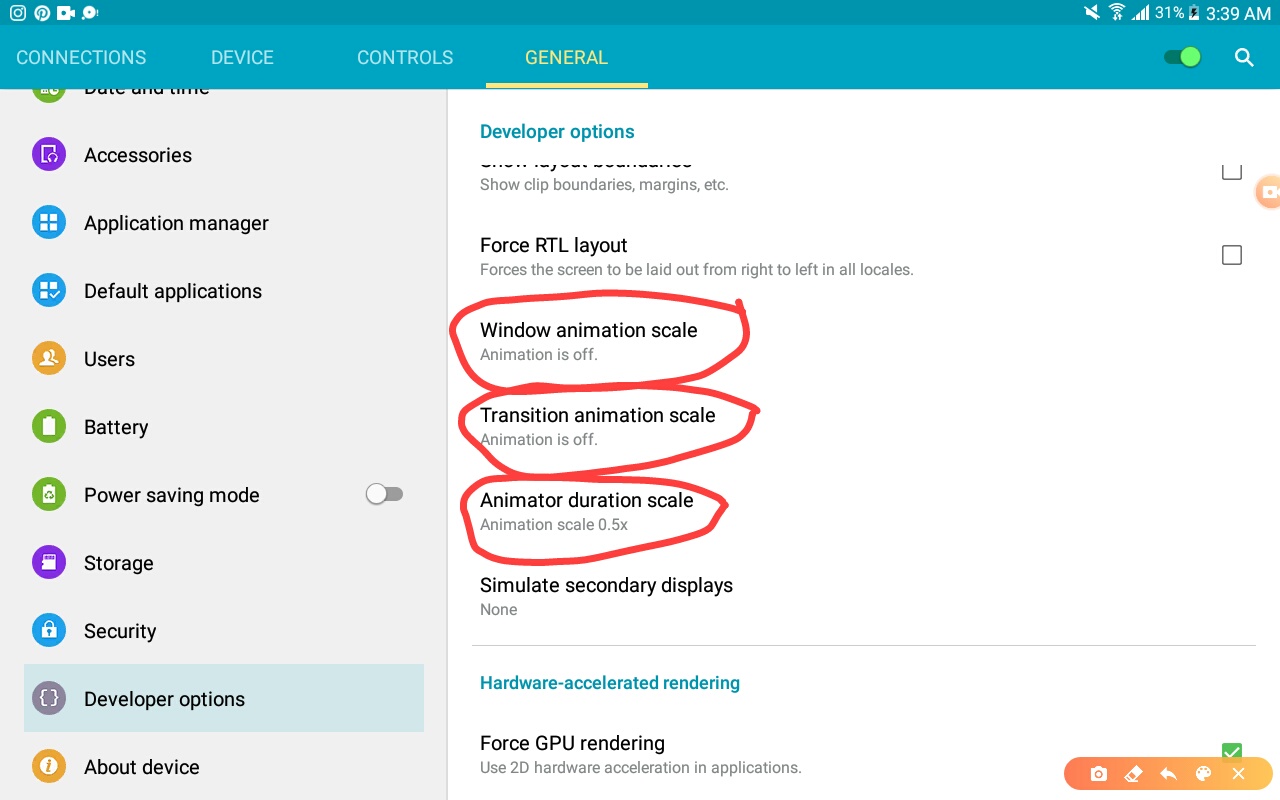 Turn off the (Window animation scale) and (Transition animation scale) and (Animator duration scale)
Trust me, this won't make bad effects or harm your device
Step 3.
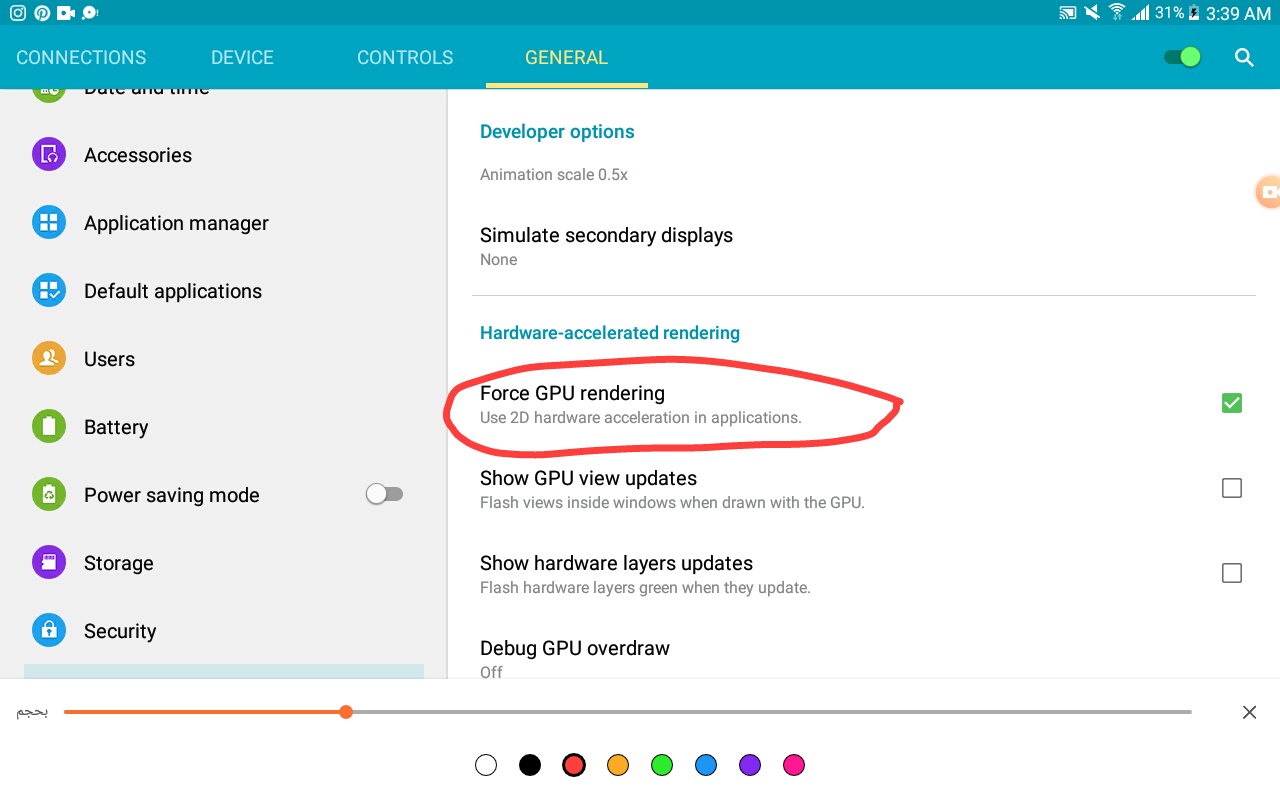 turn on this choice (Force GPU rendering)
Step 4.
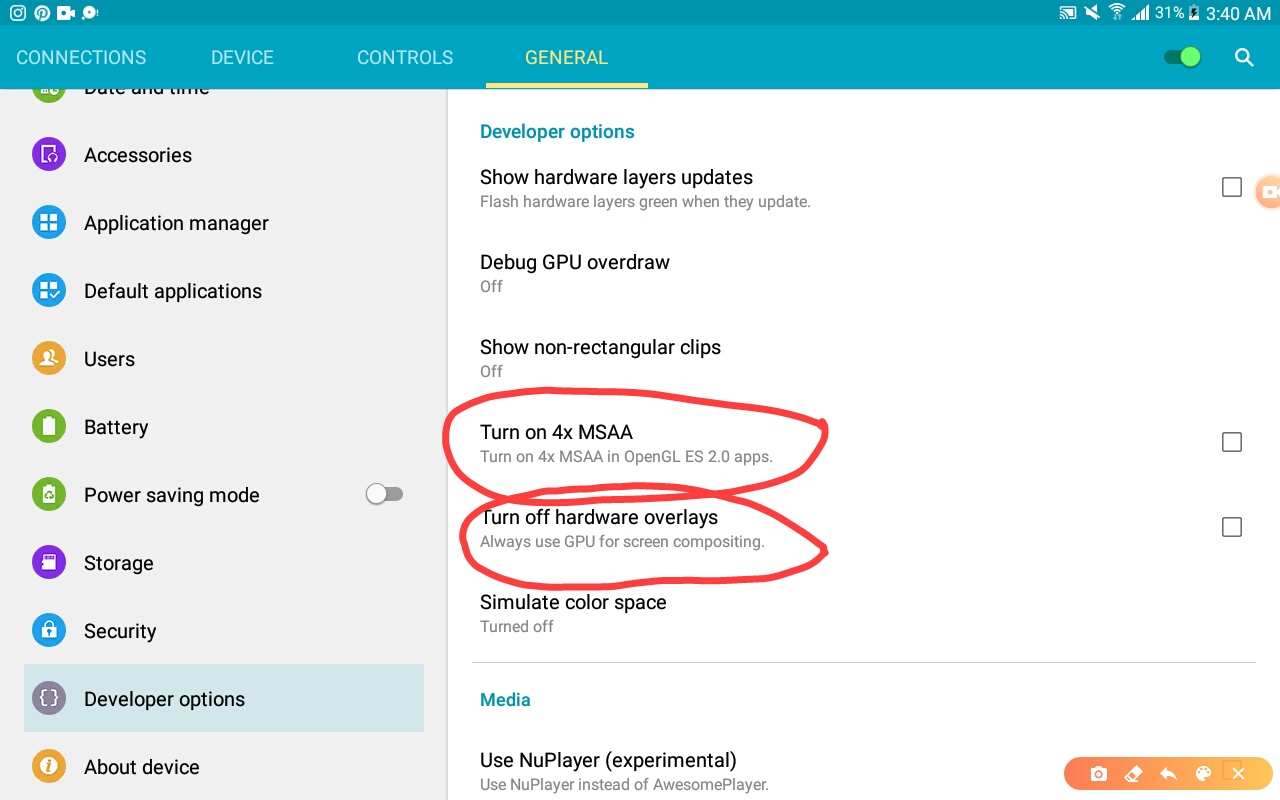 Turn on these 2 choices (Turn on 4x MSAA) and (Turn off hardware overlays)
This will make your phone more better in games
Step 5.
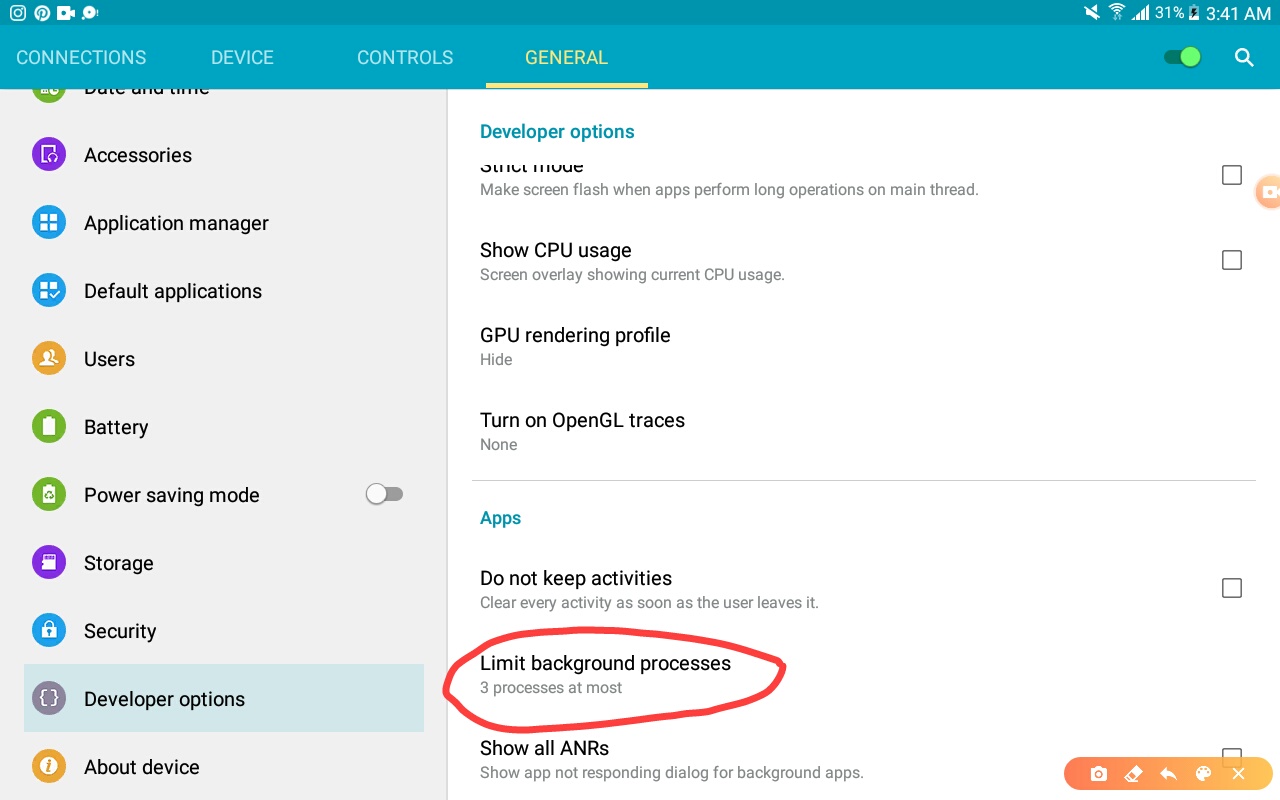 background processes makes the device slower, so you should make a limit for it
Step 6.
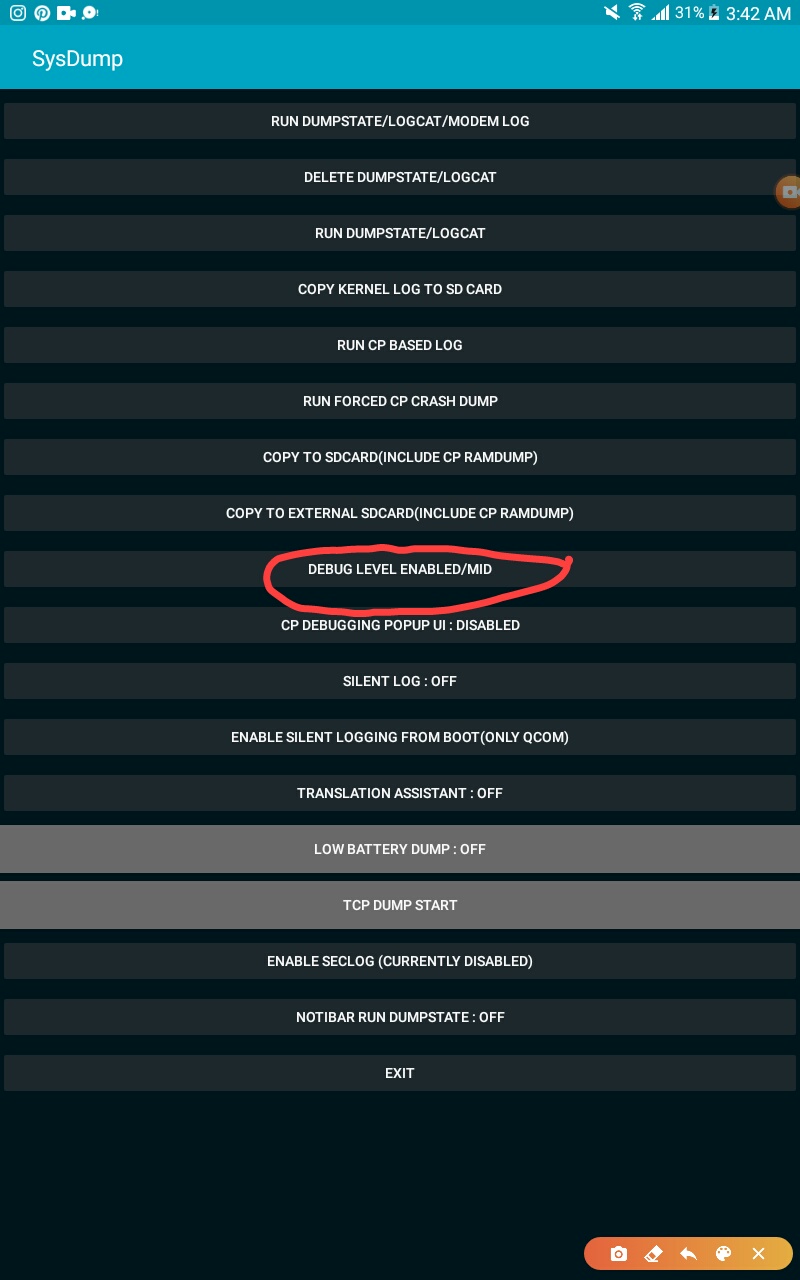 go to Calls app, then write *#9900#
It will give you this
You just choose the DEBUG LEVEL one and make it (Med) And the device will restart, when you open the device, it will be better!
And now your device will be more better!
But I'm just trying to help people that don't know this
You can unlock the Developer options in the (about device) section, search for (Build number) and click it 5 or 6 times til it open the (Developer options) turn it on and do this.
Step 1.
Step 2.
Trust me, this won't make bad effects or harm your device
Step 3.
Step 4.
This will make your phone more better in games
Step 5.
Step 6.
It will give you this
You just choose the DEBUG LEVEL one and make it (Med) And the device will restart, when you open the device, it will be better!
And now your device will be more better!


 . I’ll share this to her :>! Thanks