

- Nov 5, 2017
- 915
- 6,718
Hullo! It’s been a while, huh? 
So, a while ago I was gifted Minecraft Java for my birthday, and I decided to do something I’ve always wanted to do ever since I was introduced to Minecraft; build (but like, with the cool programs n stuff because... why not).
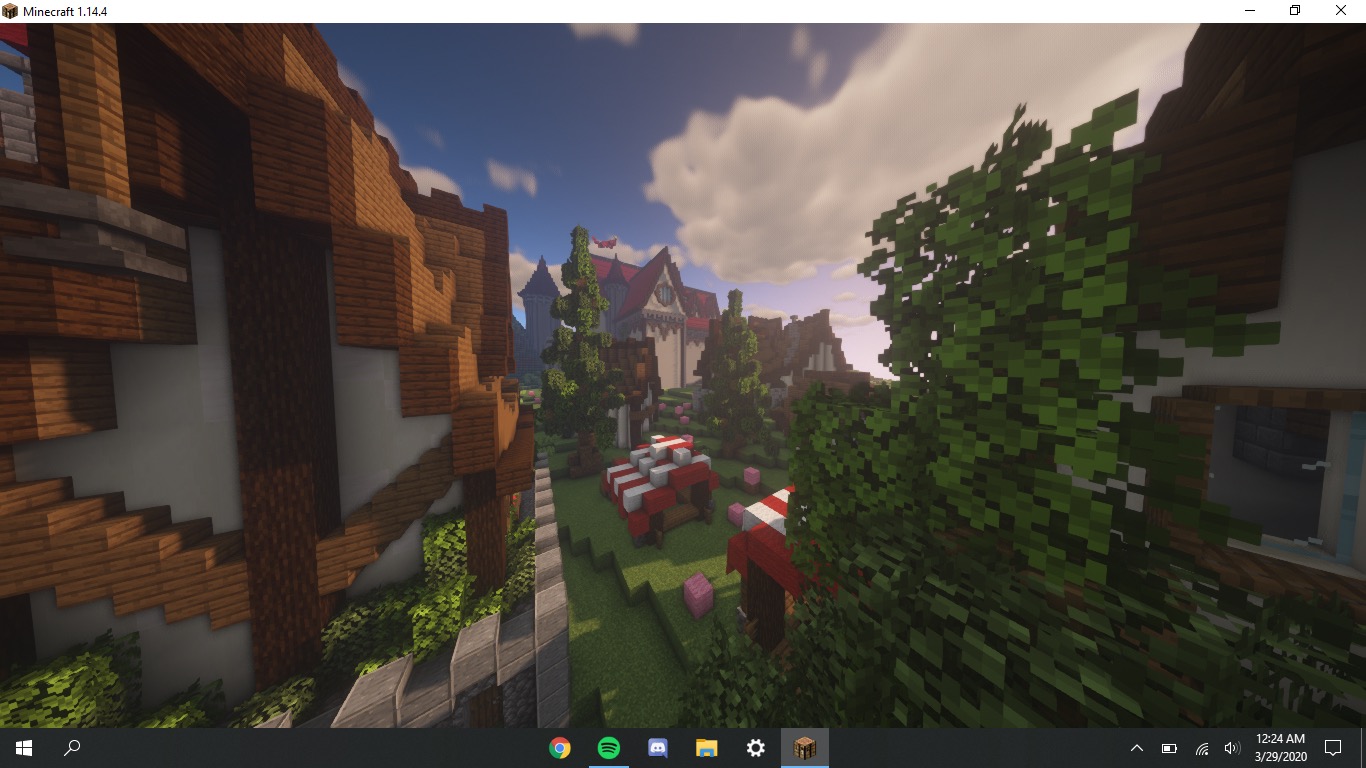
Anyway, I began this huge project that I started a few months back using all the cool programs and plugins I could use to make the workload easier. Although building everything by hand would be extremely cool, it’d also take ages to finish. Especially for the terrain. But, I did build most of it by hand and I’m pretty happy with the outcome. Anyway, here’s just a screenshot I have. Ignore the pink wool, it’s just a note for me to add the pathways there later on as the finishing touches
So, a while ago I was gifted Minecraft Java for my birthday, and I decided to do something I’ve always wanted to do ever since I was introduced to Minecraft; build (but like, with the cool programs n stuff because... why not).
Anyway, I began this huge project that I started a few months back using all the cool programs and plugins I could use to make the workload easier. Although building everything by hand would be extremely cool, it’d also take ages to finish. Especially for the terrain. But, I did build most of it by hand and I’m pretty happy with the outcome. Anyway, here’s just a screenshot I have. Ignore the pink wool, it’s just a note for me to add the pathways there later on as the finishing touches

 10/10 WHERE ARE MORE SCREENSHOTS!?!?!?


