

- Apr 22, 2017
- 8,822
- 62,579
Because a lot of people seem confused about it, and since I've been using it since december last year, I know how to do most things. Also, I'm bored.
Account differences - There are two types of accounts: adult and child. It's better if you choose adult, since you will be given ability to edit your account however you want, whereas a child account needs an adult account to edit it, and give it any ability.
Friends - When you log into a child account and go to the "Friends" section, you'll see this message:
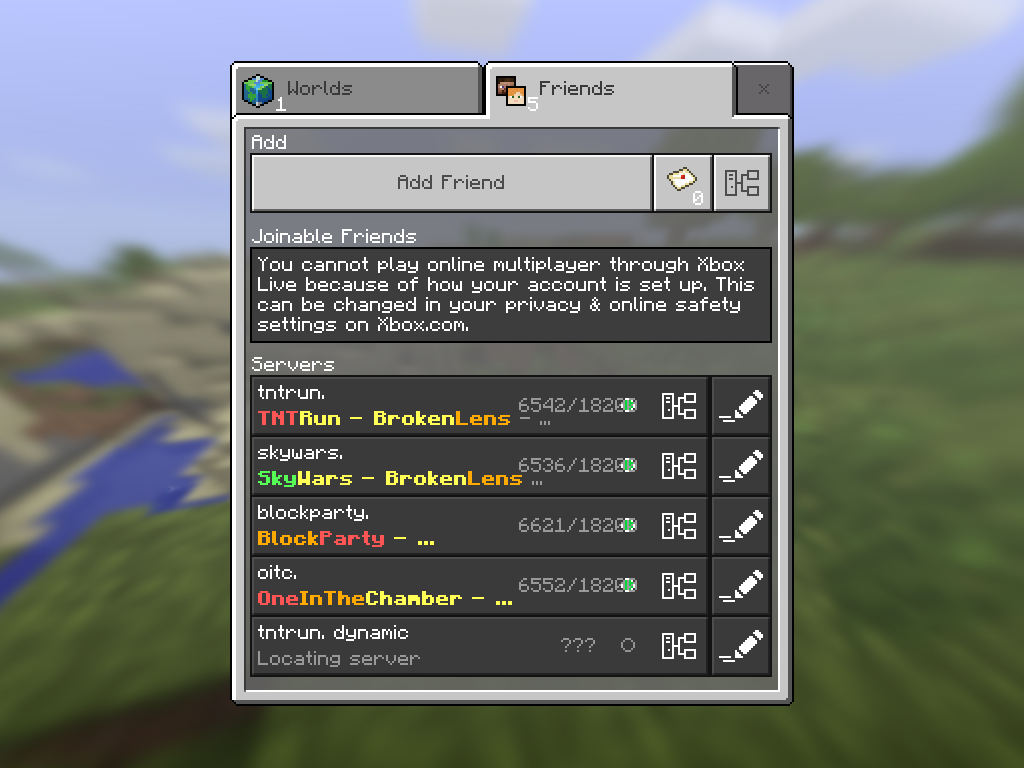
It'll say you can't play online multiplayer. This does NOT mean servers - it means you cannot play with any xbox live friends you have. Although, you can't add friends using a child account. But you can still go on servers, despite this message.
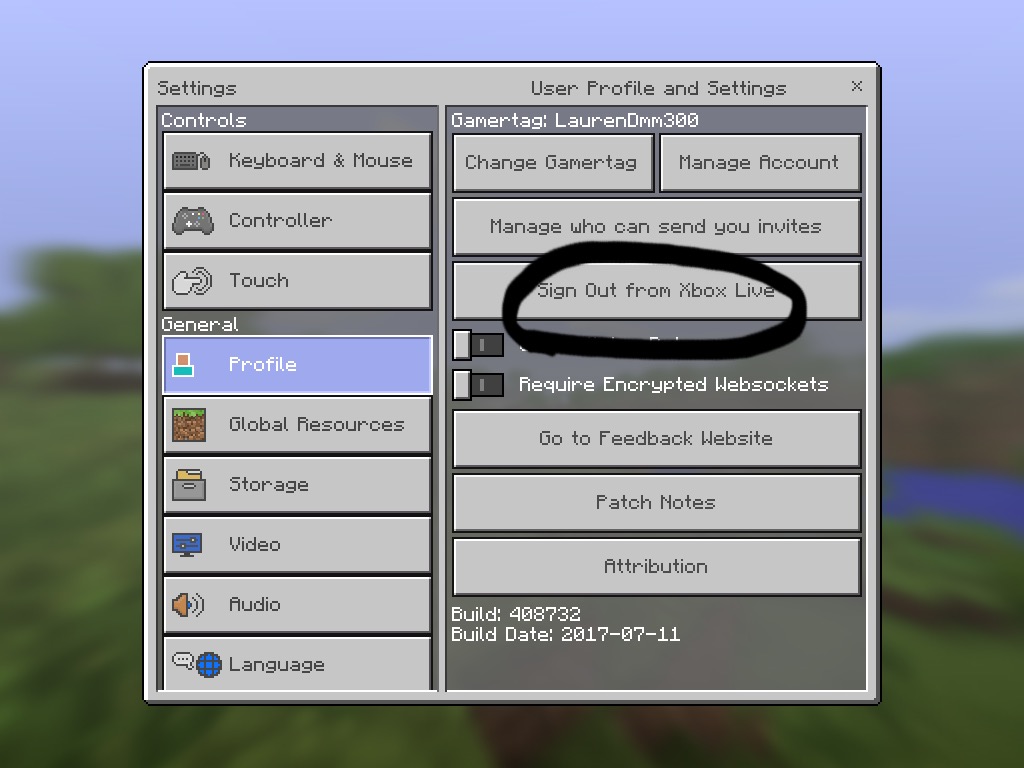
How to sign out -
How to change your gamertag:
Firstly, you need to buy a Gamertag change, and also, you have to be on an adult account.
Once you have completed those two steps, follow these instructions to get a different gamertag.
1 - Sign in to xbox.com OR the xbox app. (This tutorial will be for xbox.com)
2 - Click on "Your info". This will come up:
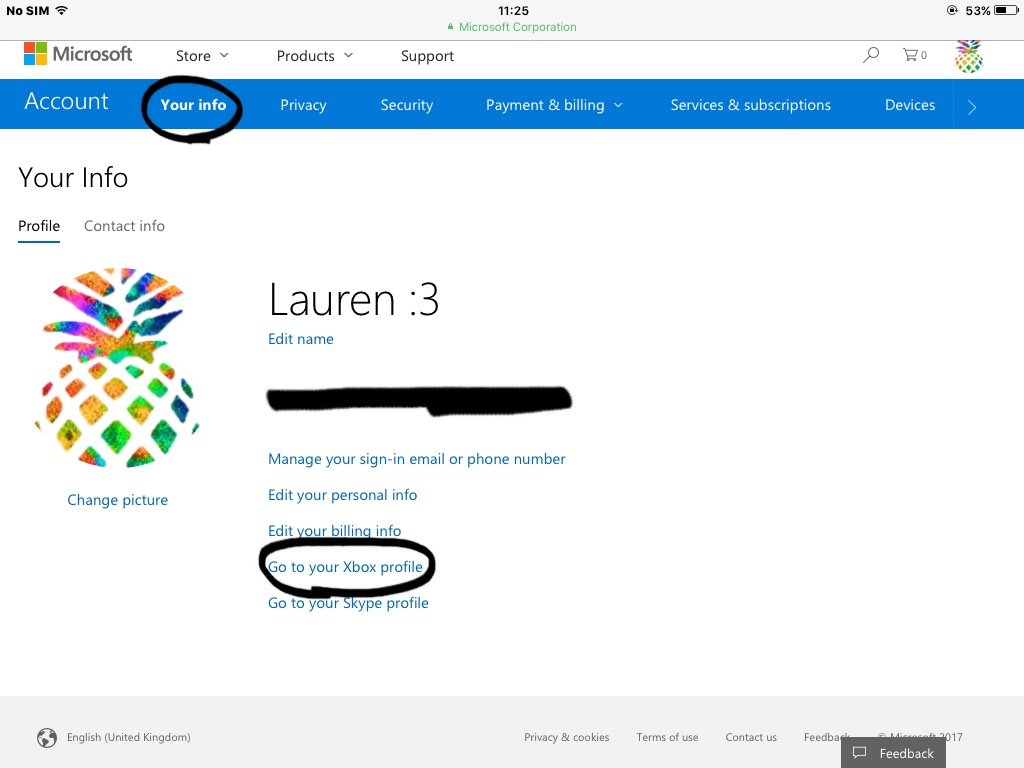
3 - Click on "Go to your Xbox profile". (Look above.)
4 - This will come up:
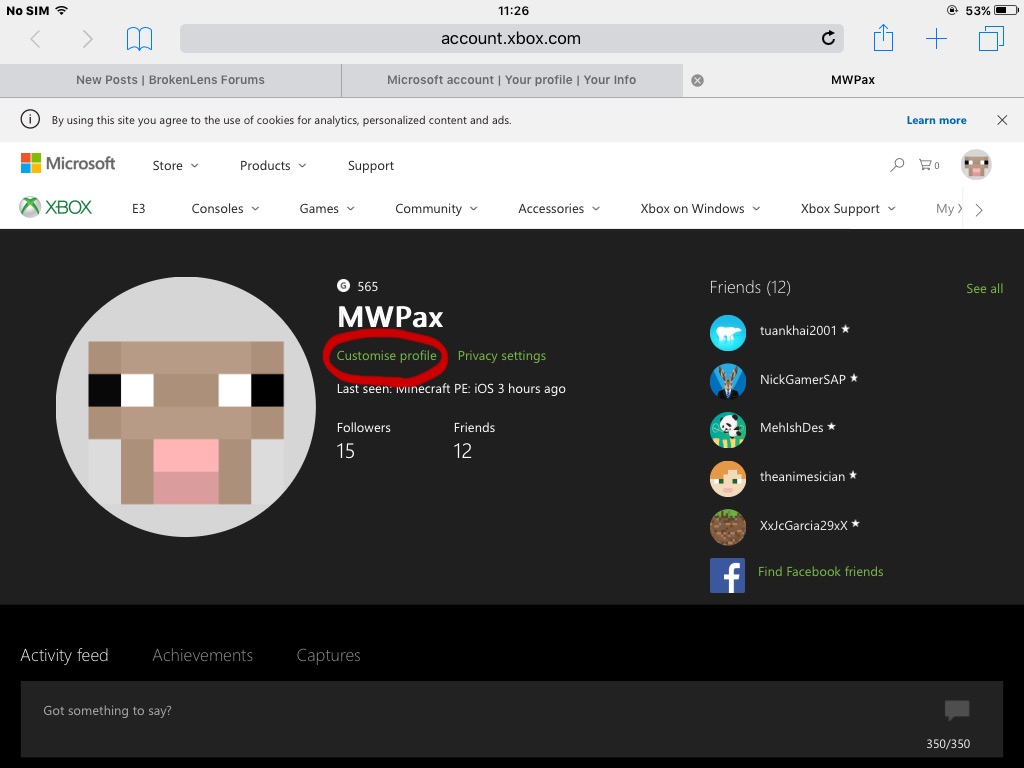
Click on "Customise profile". (Look above.)
5 - This will come up:
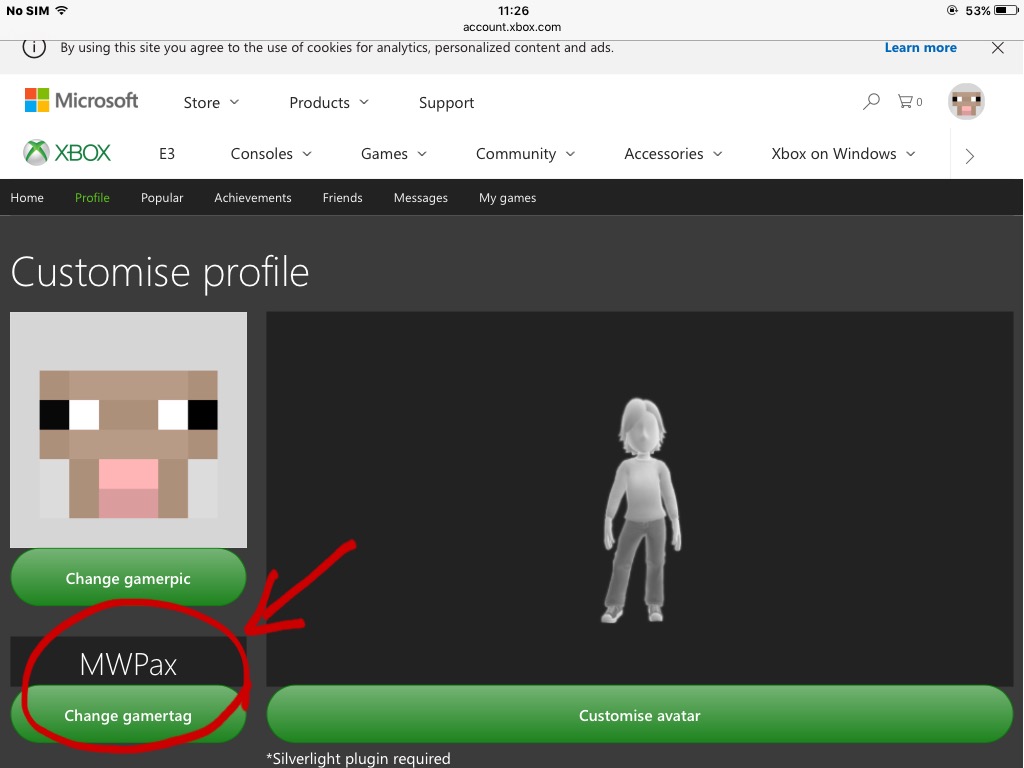
Click on "Change gamertag".
6 - Enter your preferred new username into the space given.
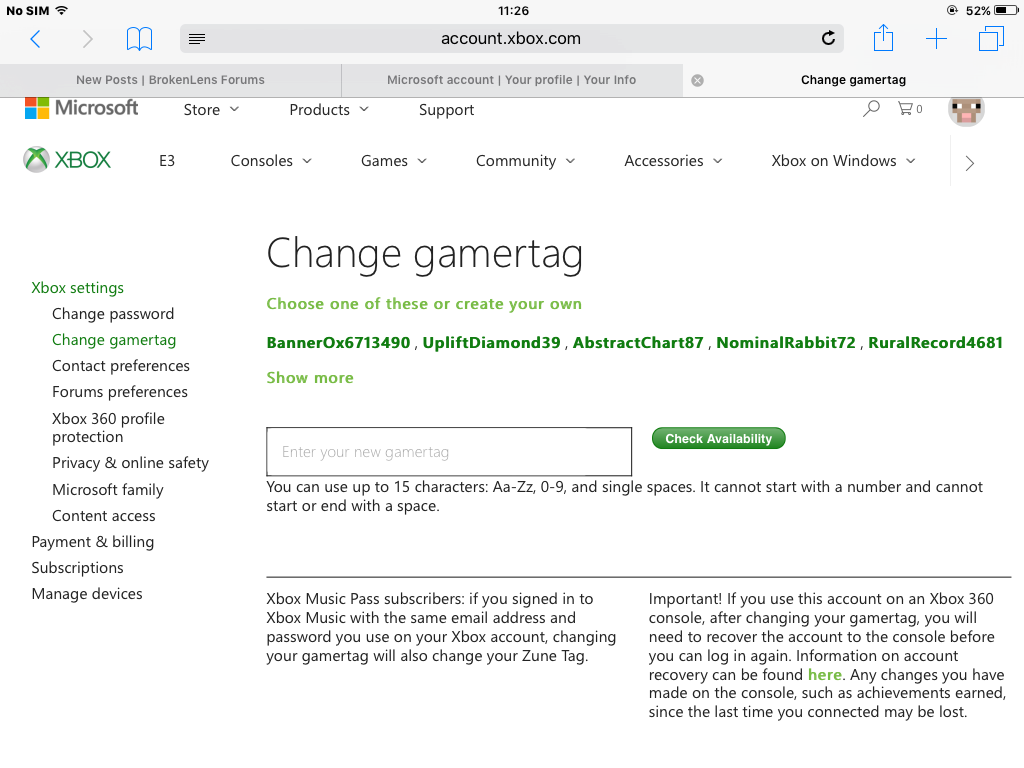
7 - Click "Check availability".
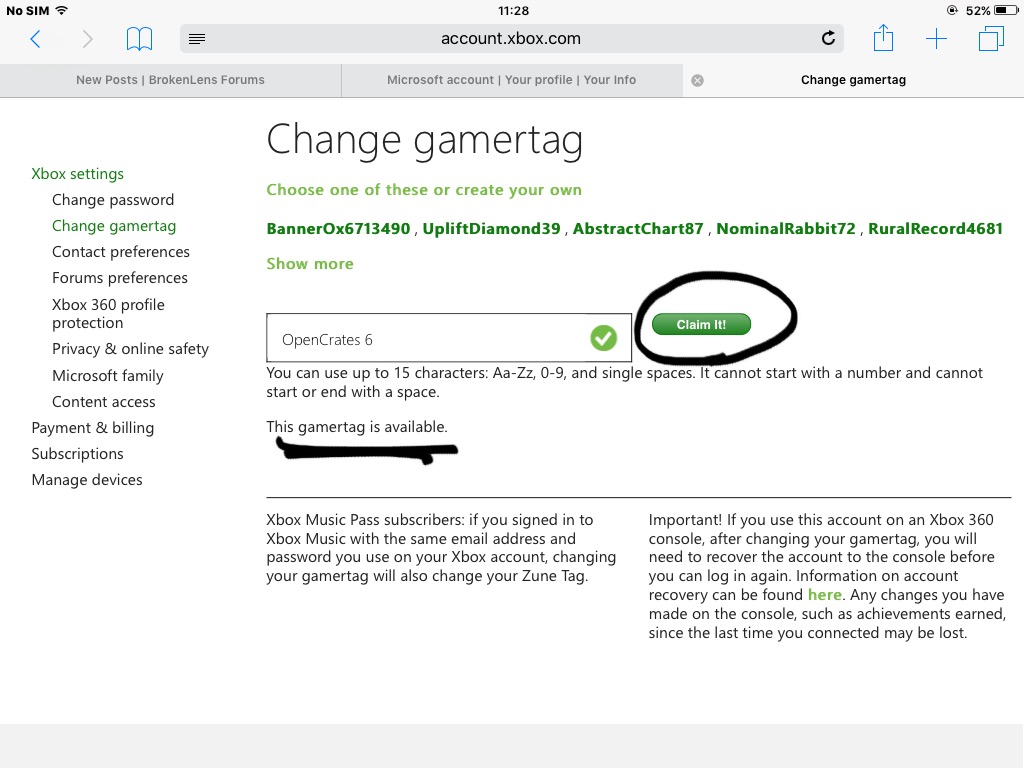
8 - If it says "This gamertag is available", click on "Claim It!"
9 - Confirm your email.
10 - You will be given a code. Use the code to confirm that you are the owner of the xbox account.
11 - Use the Gamertag change to confirm the change.
And you're done.
If you have other questions, ask in a comment below.
Account differences - There are two types of accounts: adult and child. It's better if you choose adult, since you will be given ability to edit your account however you want, whereas a child account needs an adult account to edit it, and give it any ability.
Friends - When you log into a child account and go to the "Friends" section, you'll see this message:
It'll say you can't play online multiplayer. This does NOT mean servers - it means you cannot play with any xbox live friends you have. Although, you can't add friends using a child account. But you can still go on servers, despite this message.
How to sign out -
How to change your gamertag:
Firstly, you need to buy a Gamertag change, and also, you have to be on an adult account.
Once you have completed those two steps, follow these instructions to get a different gamertag.
1 - Sign in to xbox.com OR the xbox app. (This tutorial will be for xbox.com)
2 - Click on "Your info". This will come up:
3 - Click on "Go to your Xbox profile". (Look above.)
4 - This will come up:
Click on "Customise profile". (Look above.)
5 - This will come up:
Click on "Change gamertag".
6 - Enter your preferred new username into the space given.
7 - Click "Check availability".
8 - If it says "This gamertag is available", click on "Claim It!"
9 - Confirm your email.
10 - You will be given a code. Use the code to confirm that you are the owner of the xbox account.
11 - Use the Gamertag change to confirm the change.
And you're done.
If you have other questions, ask in a comment below.


