

- Apr 9, 2017
- 355
- 2,205
I’m just going to do this for y’all because I saw a lot of threads on forums and many people don’t have proof or don’t know how to send a picture, so let’s get started!
(By the way, I’m using player reports for an example) You need to make a thread in order to do this, and if you don’t know how to make a thread, look at the picture below :
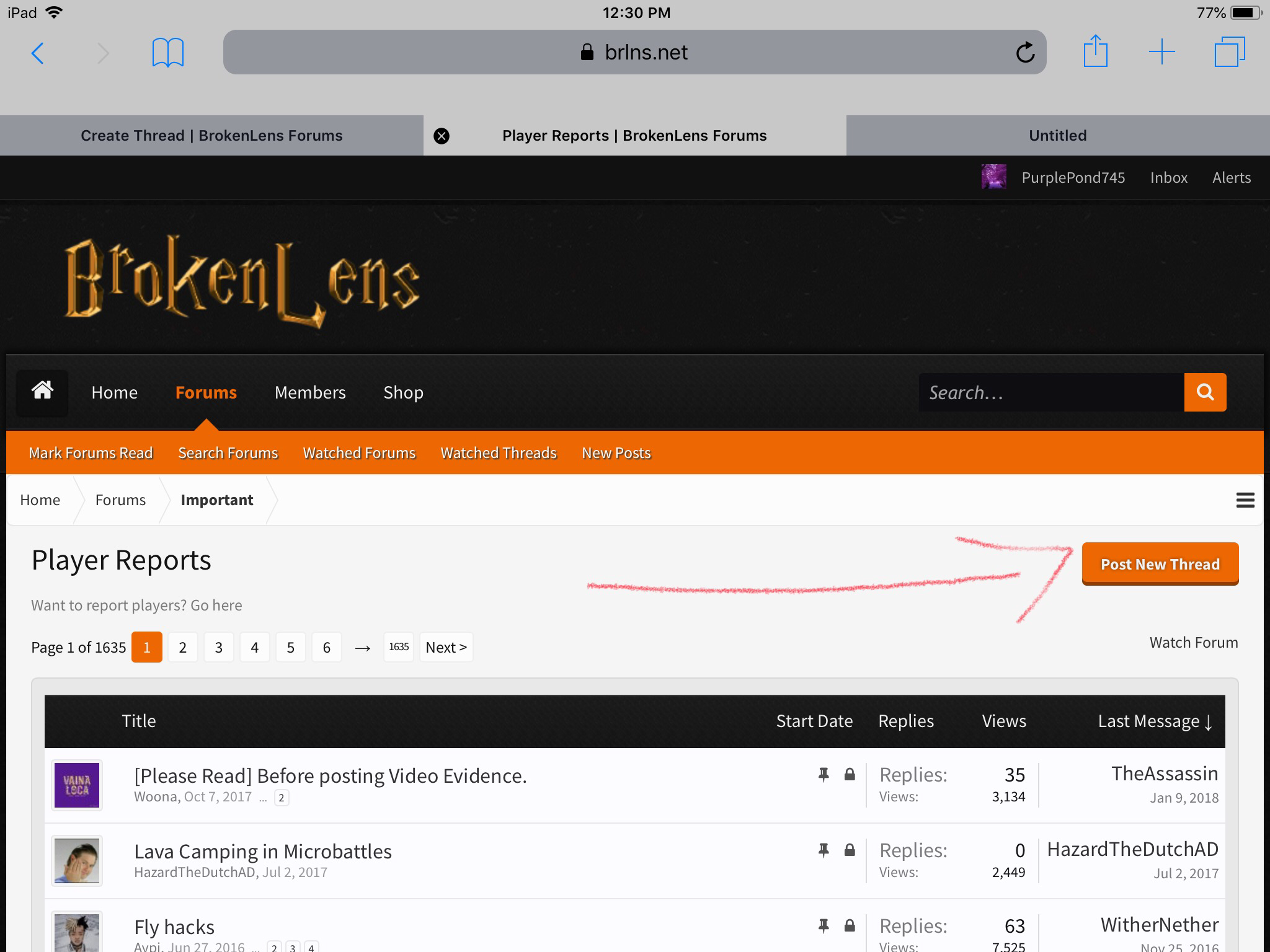 Now, tap or click on the “Post New Thread” wording in the orange rectangle. When you tap or click that box, it should look like this :
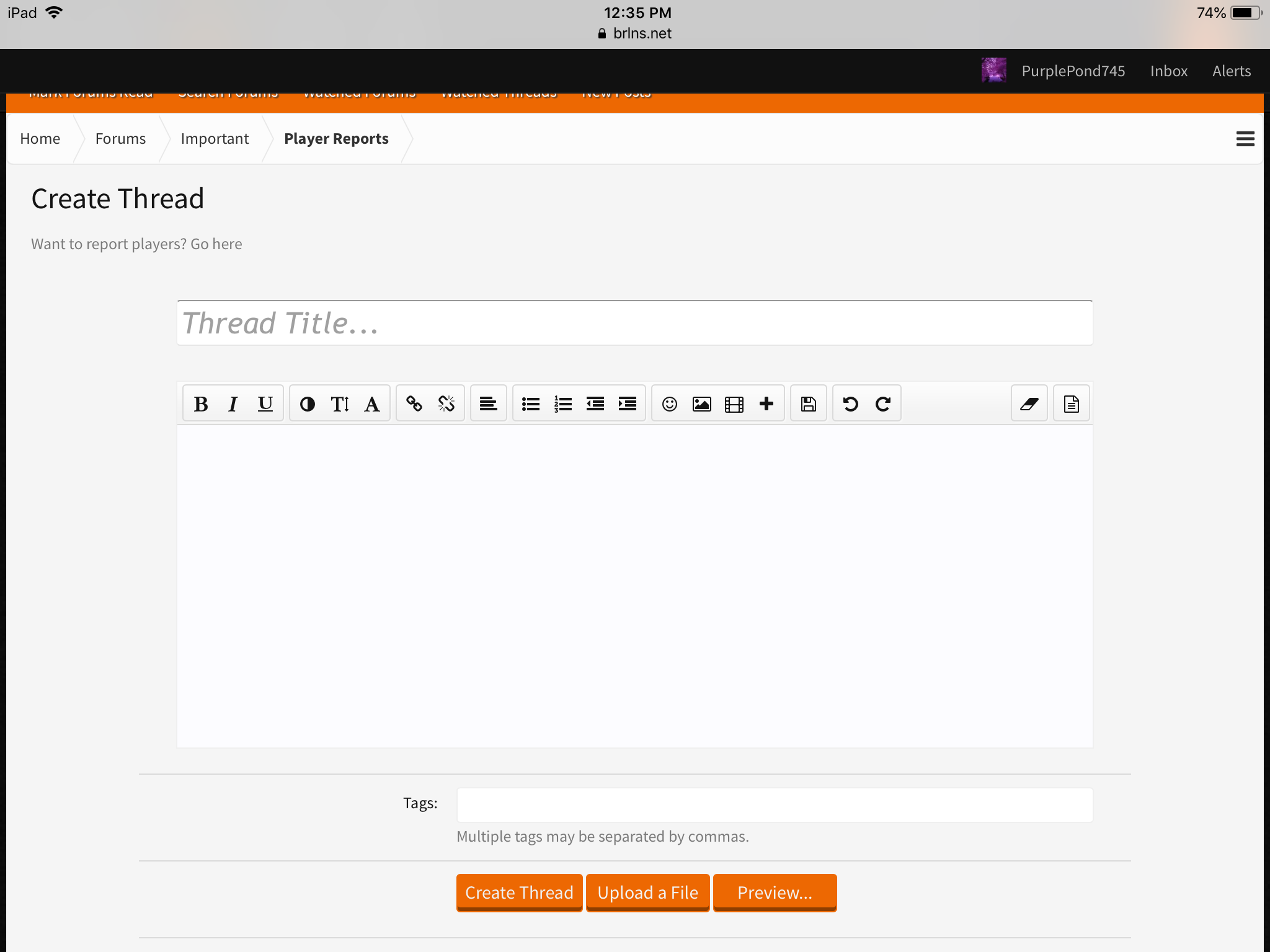 Do you see the 3 orange boxes at the bottom of the picture? Tap on “Upload a File” which is in the middle of the boxes. When you tap upload a file, it should look like this:
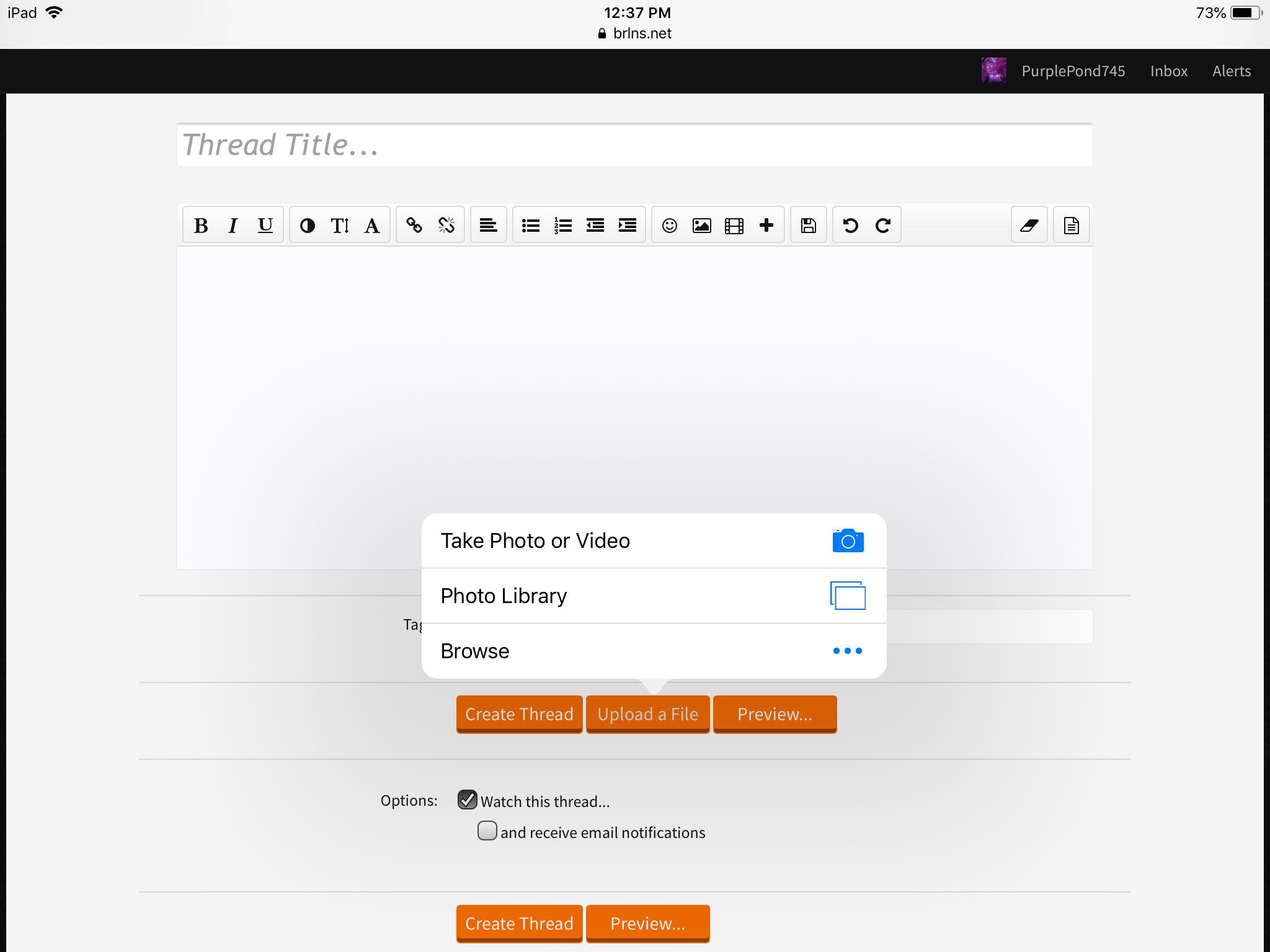 Tap or Click on Photo Library. If you want to make a video, tap Take Photo or Video. But let’s do Photo Library. So tap or click on that. Now it should look like this :
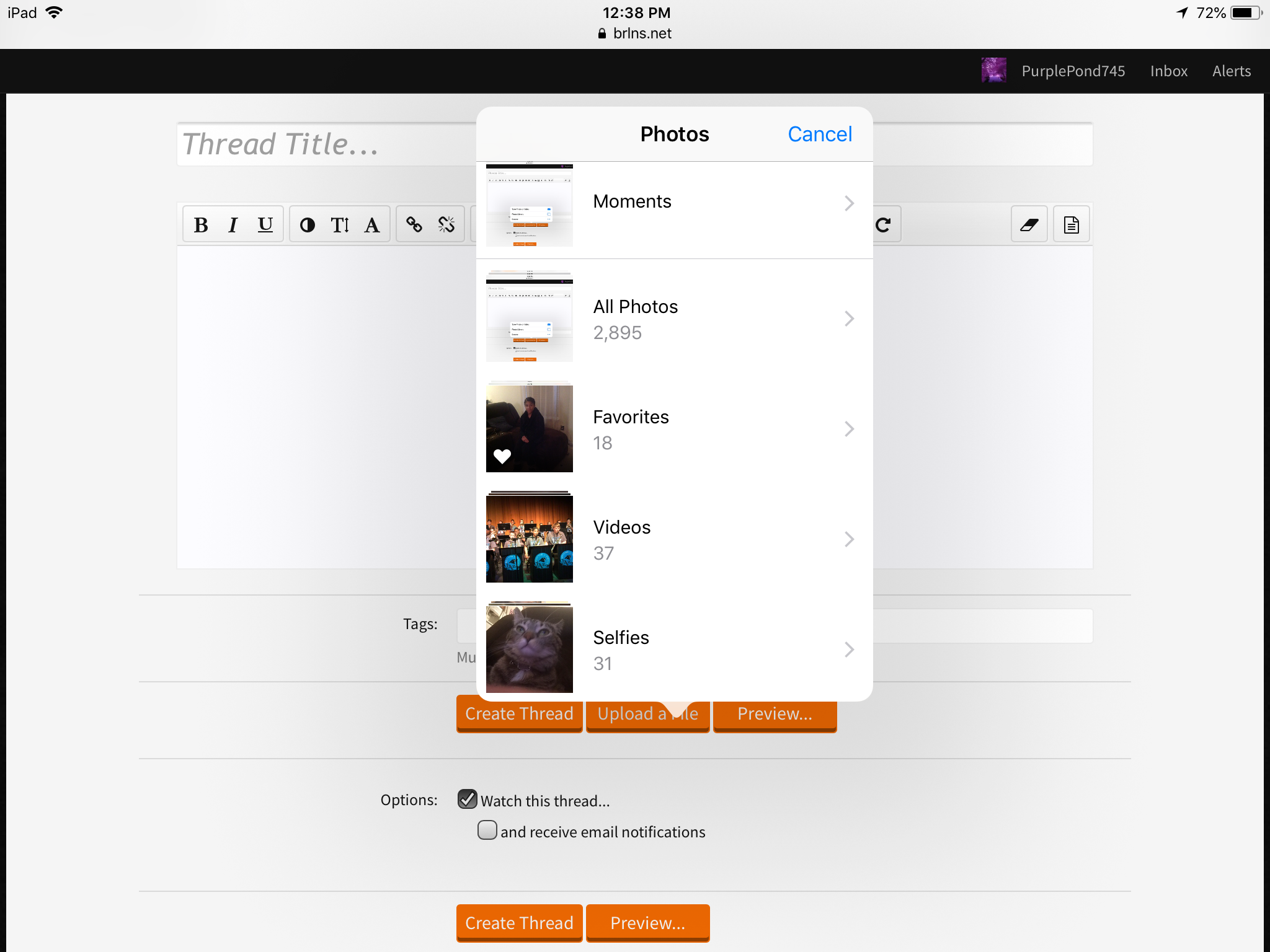
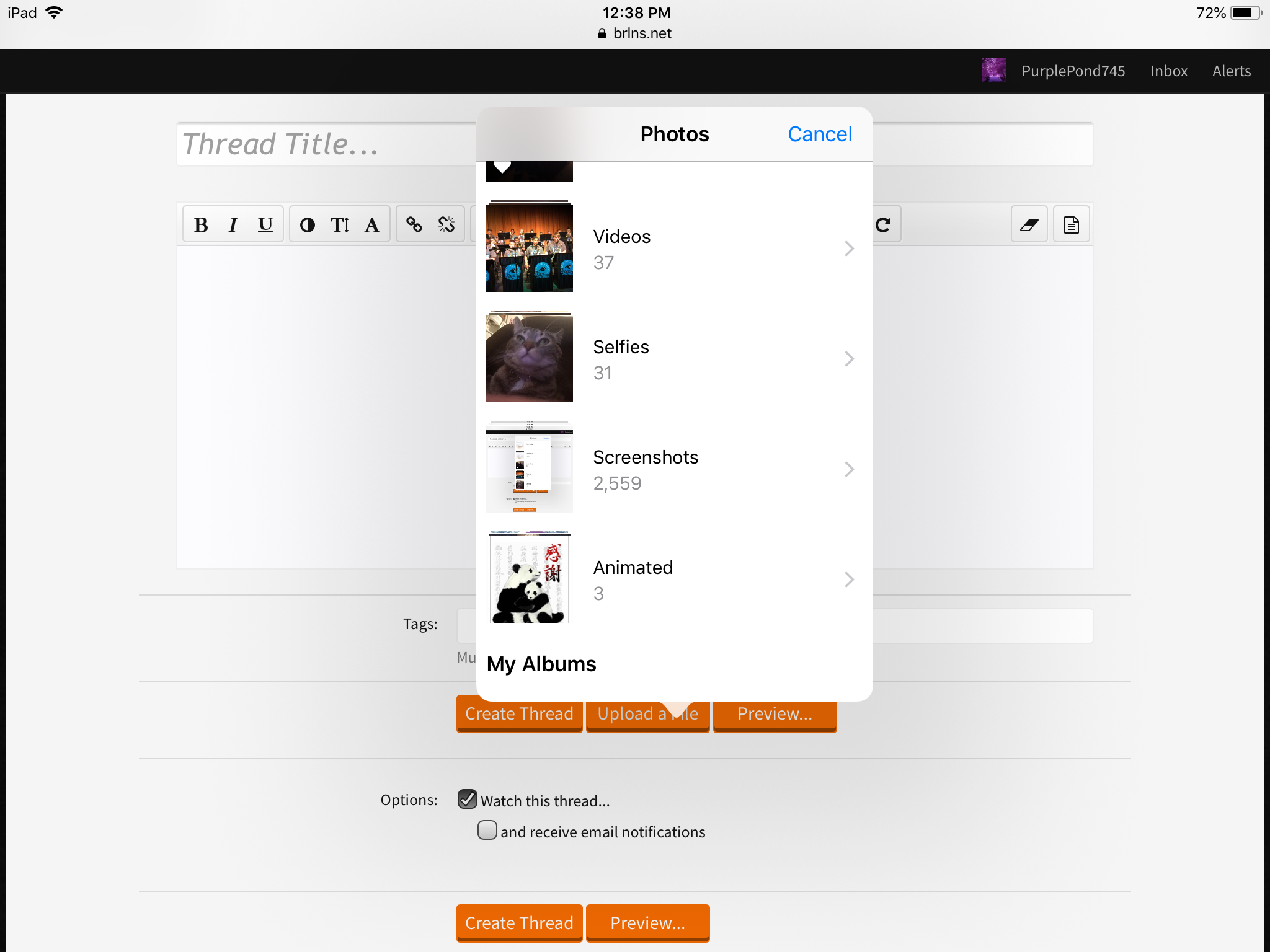 And yes I have a lot of photos and a lot of tabs while doing this thread lol. Anyway, tap screenshots, or photos of any evidence you are trying to post to report hackers, trash talkers, etc. And videos if possible. To upload a picture on the thread, tap or click on an album and it should give you some pictures if you have some. Tap or click on the picture, or image you want to show. You can select them and when you are finish selecting, click or tap on done. If you are looking for the picture or image(s) you want, go to Attached Files, which is below upload a file, create thread and preview. Now, you can only do thumbnail or full image. If you got the wrong picture or image, tap or click on delete. I’m going to use my profile picture for an example.

I’m sorry that it’s long. And the thumbnail is smaller, looking like this :

You can always get more images or pictures! If you are done with the images, tap or click on create thread, which posts this thread, which I am going to do now!
Thanks for reading! Have a great day!
(By the way, I’m using player reports for an example) You need to make a thread in order to do this, and if you don’t know how to make a thread, look at the picture below :
I’m sorry that it’s long. And the thumbnail is smaller, looking like this :
You can always get more images or pictures! If you are done with the images, tap or click on create thread, which posts this thread, which I am going to do now!
Thanks for reading! Have a great day!


