

addi
Notable Member
- Oct 10, 2019
- 2,850
- 59,118
Hello! I've heard many people asking how to do this, so I thought I'd show a step-by-step tutorial of how to add a picture in your information or signature : )
I don't know if there is already a thread like this, but i just wanted to help ^^
Step 1:
Go to a convo, doesnt matter which one and click upload a file.
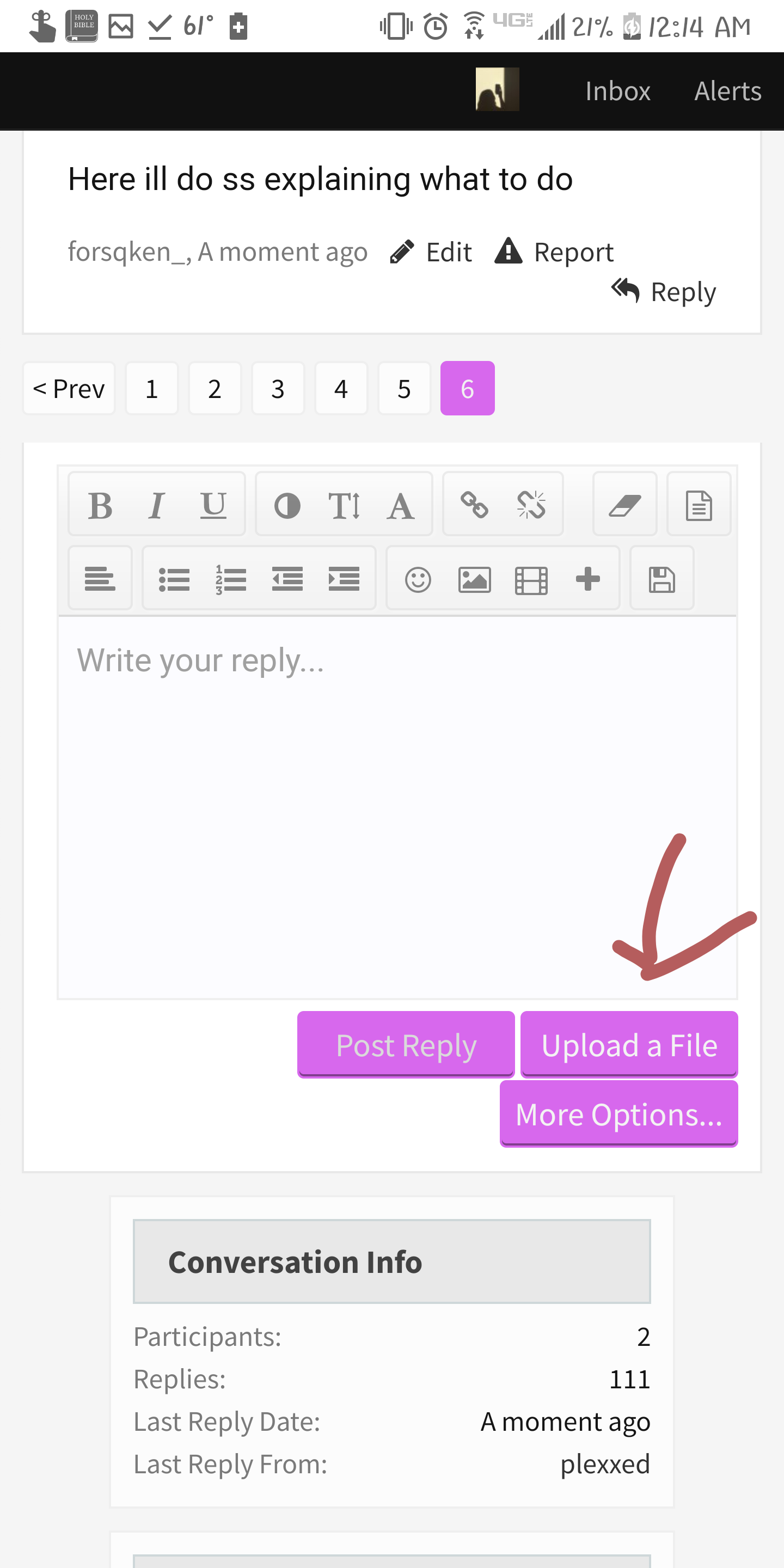
Step 2:
Click files.

Step 3:
Click whatever picture you want to put in your information.
Step 4:
Press and hold the link address.
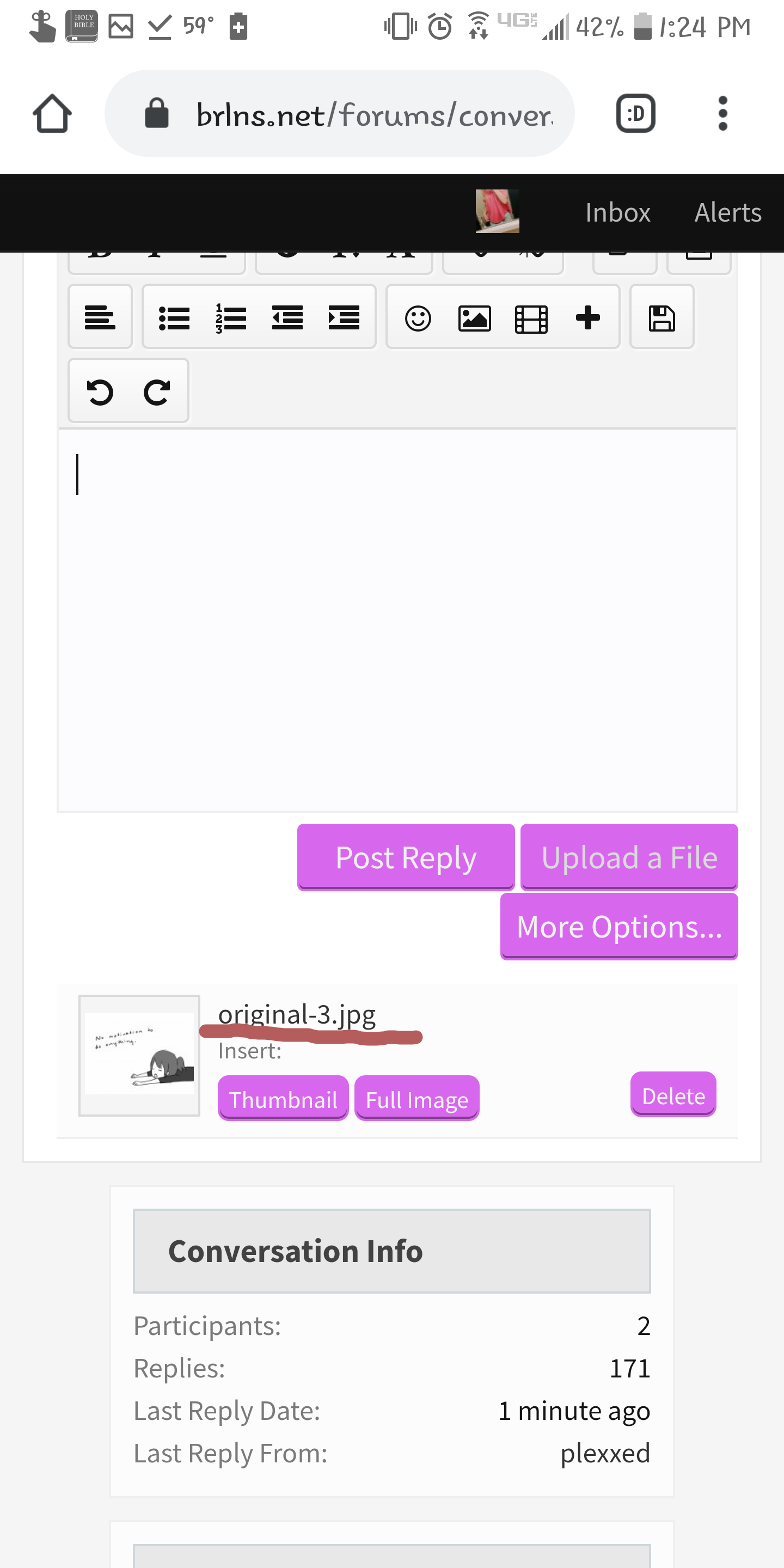
Step 5:
Press "Copy link address."
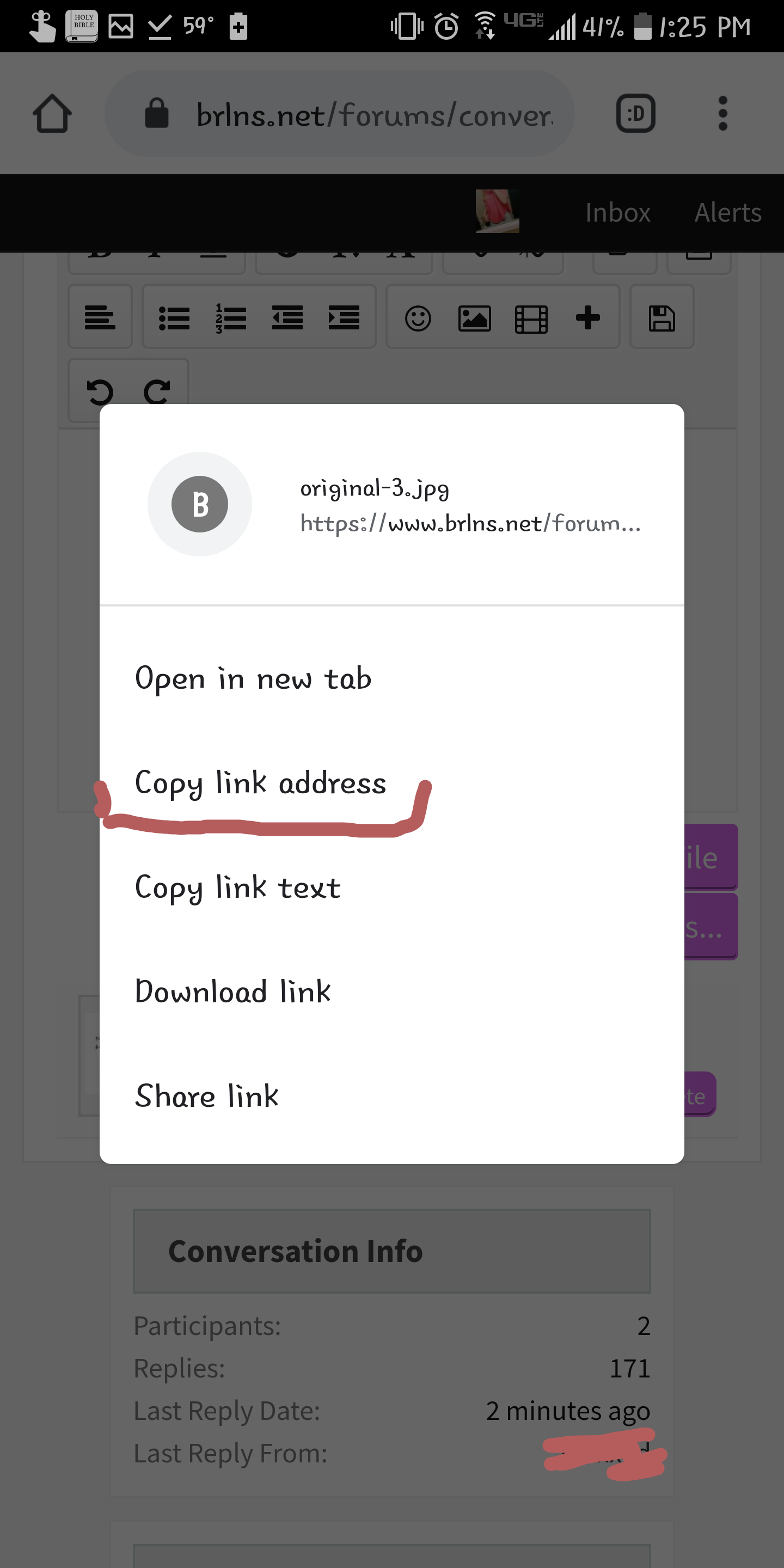
Step 6:
Go in to your information or signature and press the image button.
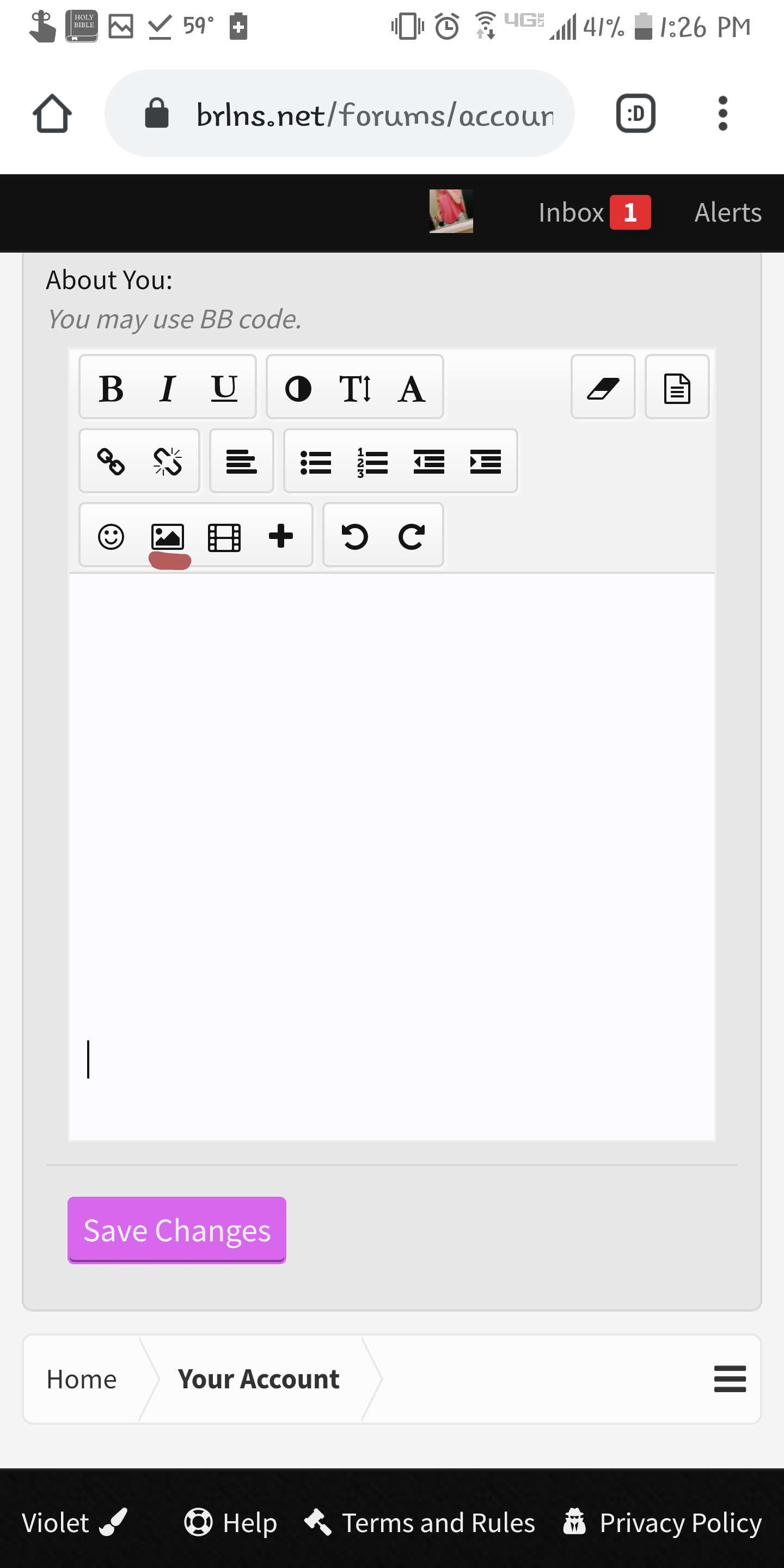
Step 7:
Press and hold in the bar and click paste. Click insert after you have pasted the link address.
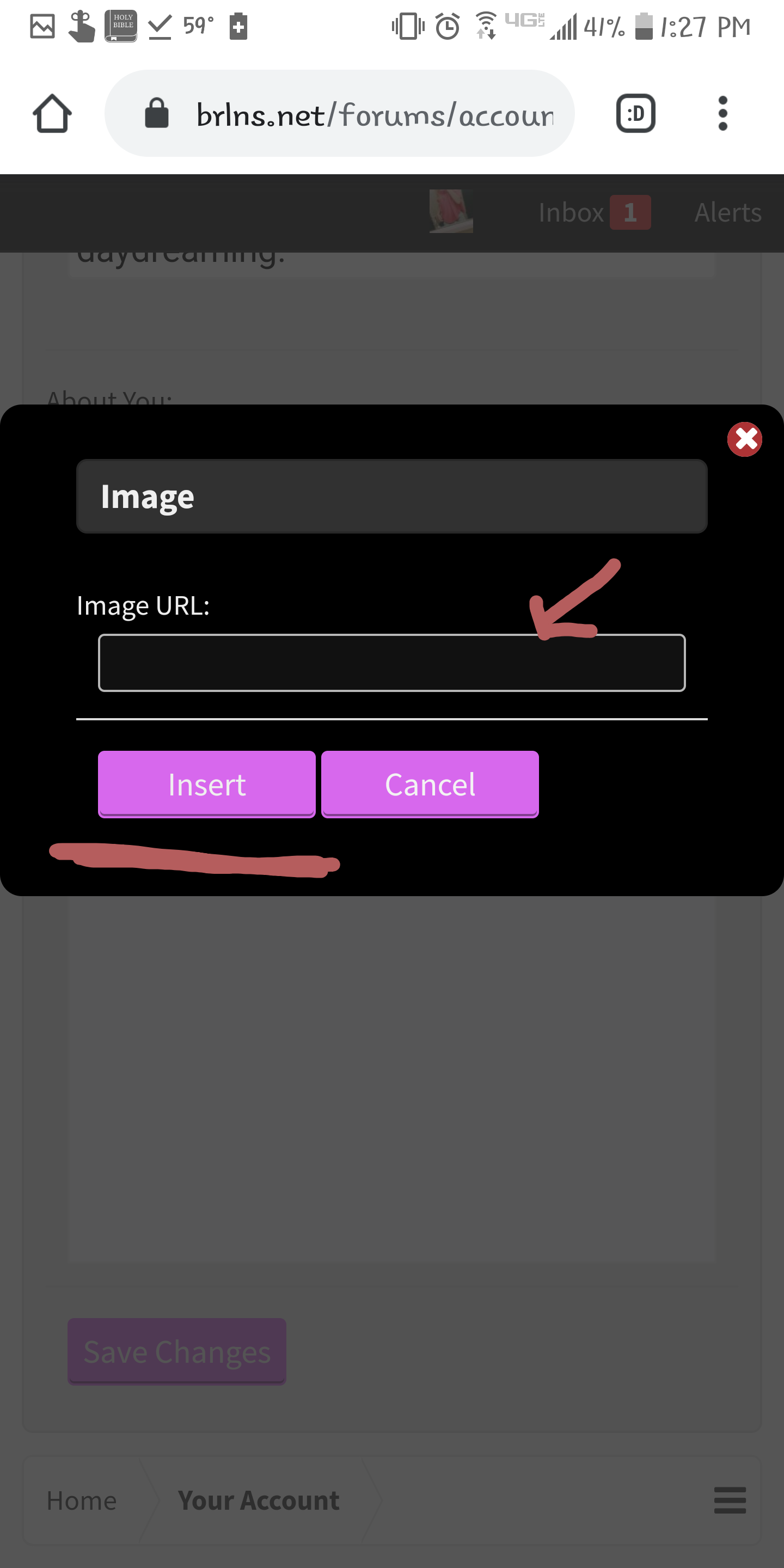
And, youre done! The image should appear in your info/signature. Repeat these steps for each photo. : )
Hope I helped.
I don't know if there is already a thread like this, but i just wanted to help ^^
Step 1:
Go to a convo, doesnt matter which one and click upload a file.
Step 2:
Click files.
Step 3:
Click whatever picture you want to put in your information.
Step 4:
Press and hold the link address.
Step 5:
Press "Copy link address."
Step 6:
Go in to your information or signature and press the image button.
Step 7:
Press and hold in the bar and click paste. Click insert after you have pasted the link address.
And, youre done! The image should appear in your info/signature. Repeat these steps for each photo. : )
Hope I helped.
Last edited:

 oh
oh


