

HazardTheDutchAD
Muted
- Sep 24, 2016
- 7,217
- 21,922
First of all, No i am not talking about tagging players in TNT Tag if you wanna get better at that game make a thread in general discussion or TNT Tag discussion if there even is one but lets get down to business.
The actual tagging that this thread is about is how to mention a player in a thread so it will show in their "Alerts" section of the forums depending on their privacy settings.
The one thing I constantly see is this...

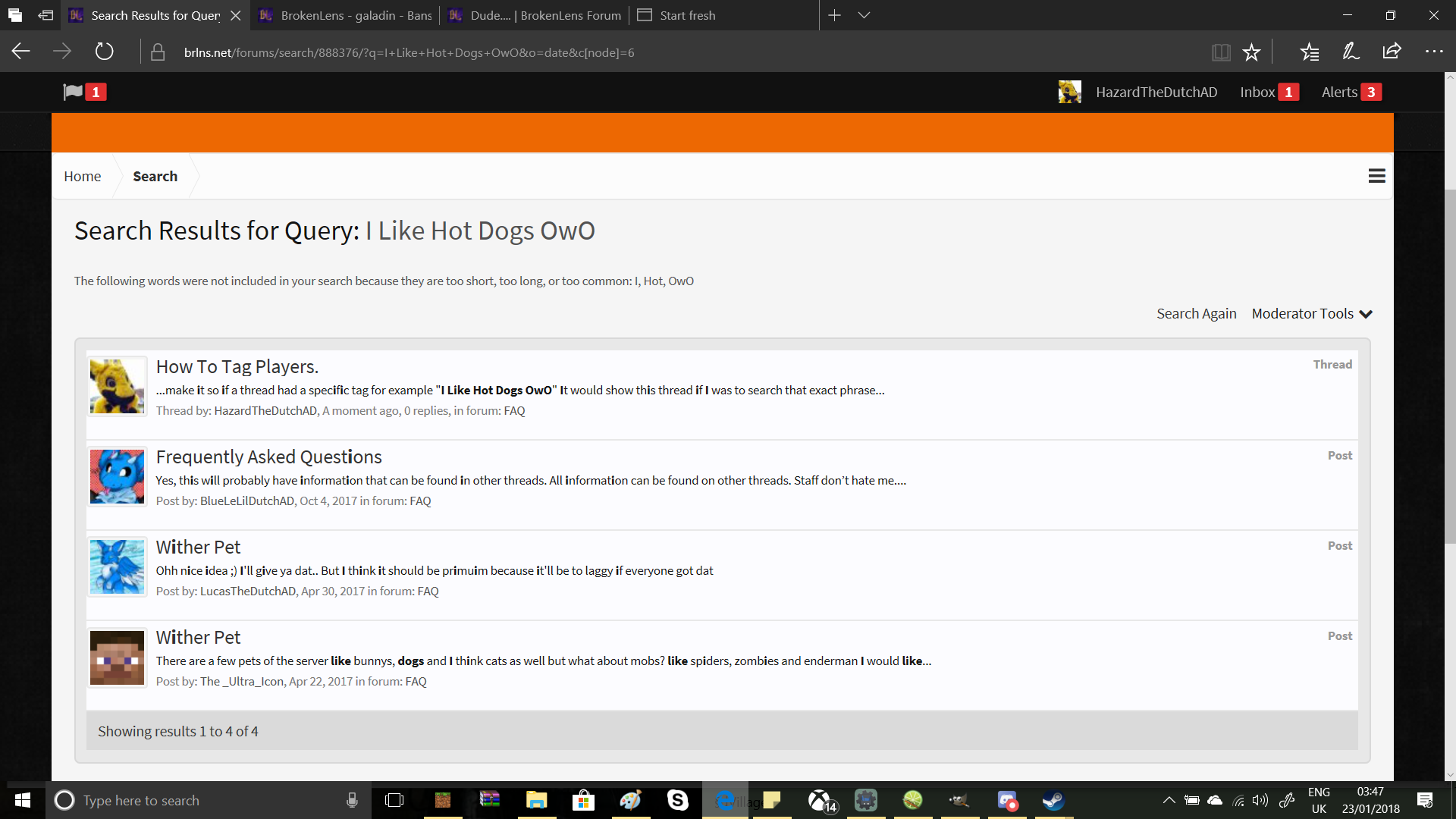
Players using the "Tags:" section when creating a thread. This is not the correct type of tag if you have been using this method. The tags in this field make it so if a thread had a specific tag for example "I Like Hot Dogs OwO" It would show this thread if I was to search that exact phrase using the forum search bar.
The Correct Method
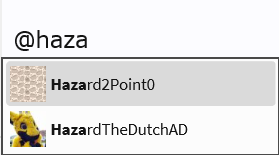
Now if you wanna know how to mention a user in a thread it is fairly simple if you follow the steps below. This is kind of different than the tags above. When trying to mention a user you must first start off with the "@" symbol. Then if you start typing a users name it would show members of the forums who might have the same name or a name similar to them for example below if I was to type @haza it would show forum users with haza at the start of their username. The example below can show you how this works
When you are finished creating your thread and don't need to tag anyone else you can finish adding tags to your thread (The tags that help users search) and then create the thread. Depending on the mentioned users privacy settings the user will get a notification in their "Alerts" tab.
That's pretty much it! I did say it was a pretty simple straight forward and easy thing to do Thanks for reading this tutorial and hope it helped.
The actual tagging that this thread is about is how to mention a player in a thread so it will show in their "Alerts" section of the forums depending on their privacy settings.
The one thing I constantly see is this...
Players using the "Tags:" section when creating a thread. This is not the correct type of tag if you have been using this method. The tags in this field make it so if a thread had a specific tag for example "I Like Hot Dogs OwO" It would show this thread if I was to search that exact phrase using the forum search bar.
The Correct Method
Now if you wanna know how to mention a user in a thread it is fairly simple if you follow the steps below. This is kind of different than the tags above. When trying to mention a user you must first start off with the "@" symbol. Then if you start typing a users name it would show members of the forums who might have the same name or a name similar to them for example below if I was to type @haza it would show forum users with haza at the start of their username. The example below can show you how this works
When you are finished creating your thread and don't need to tag anyone else you can finish adding tags to your thread (The tags that help users search) and then create the thread. Depending on the mentioned users privacy settings the user will get a notification in their "Alerts" tab.
That's pretty much it! I did say it was a pretty simple straight forward and easy thing to do
Thanks for reading this tutorial and hope it helped.


