So on iOS 11, the latest iPhone update, I have found that it is possible to screen record
Requirements
• A up to date phone (iPhone 5s-?)
• Internet connection
• 50% or more battery or in a charger
1.
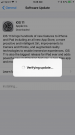
Look in updates, there will be a iOS 11 update. Update to iOS 11!
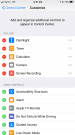
2. After it is done updating, Look in settings->control center->customize controls-> screen recording
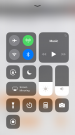
3. In any game, swipe up to see the control center, there will be a circle. It will go 3..2..1.. and it will start recording. Tap it again to stop recording!
Notes:
If your uploading to YT
•run it through a editor, the file cannot be uploaded for some reason
How to get mic
•hard, quick tap the record button, there will be a mic button
If there are any questions, please commet!
Requirements
• A up to date phone (iPhone 5s-?)
• Internet connection
• 50% or more battery or in a charger
1.
Look in updates, there will be a iOS 11 update. Update to iOS 11!
2. After it is done updating, Look in settings->control center->customize controls-> screen recording
3. In any game, swipe up to see the control center, there will be a circle. It will go 3..2..1.. and it will start recording. Tap it again to stop recording!
Notes:
If your uploading to YT
•run it through a editor, the file cannot be uploaded for some reason
How to get mic
•hard, quick tap the record button, there will be a mic button
If there are any questions, please commet!