

HazardTheDutchAD
Muted
- Sep 24, 2016
- 7,217
- 21,922
Hey Everyone. It's Hazard again.
back with a new Tutorial. You may have already seen the title.
this post is about:
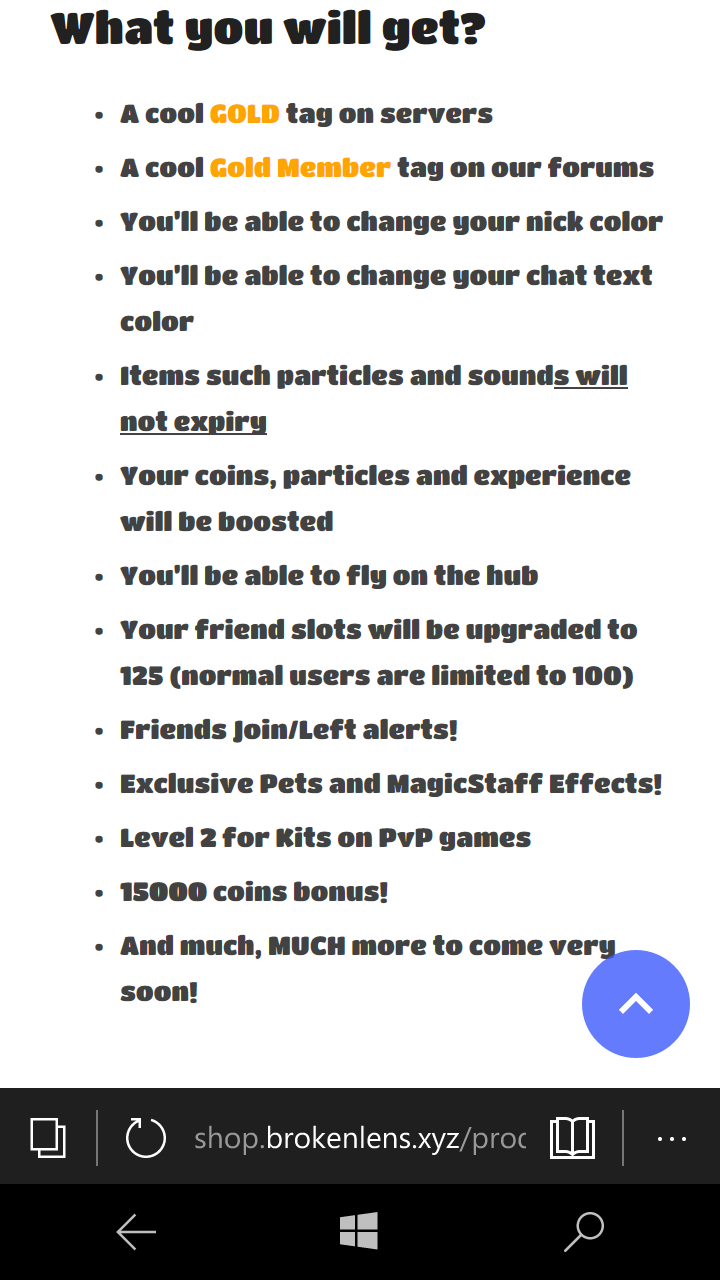
Gold (1 month VIP)
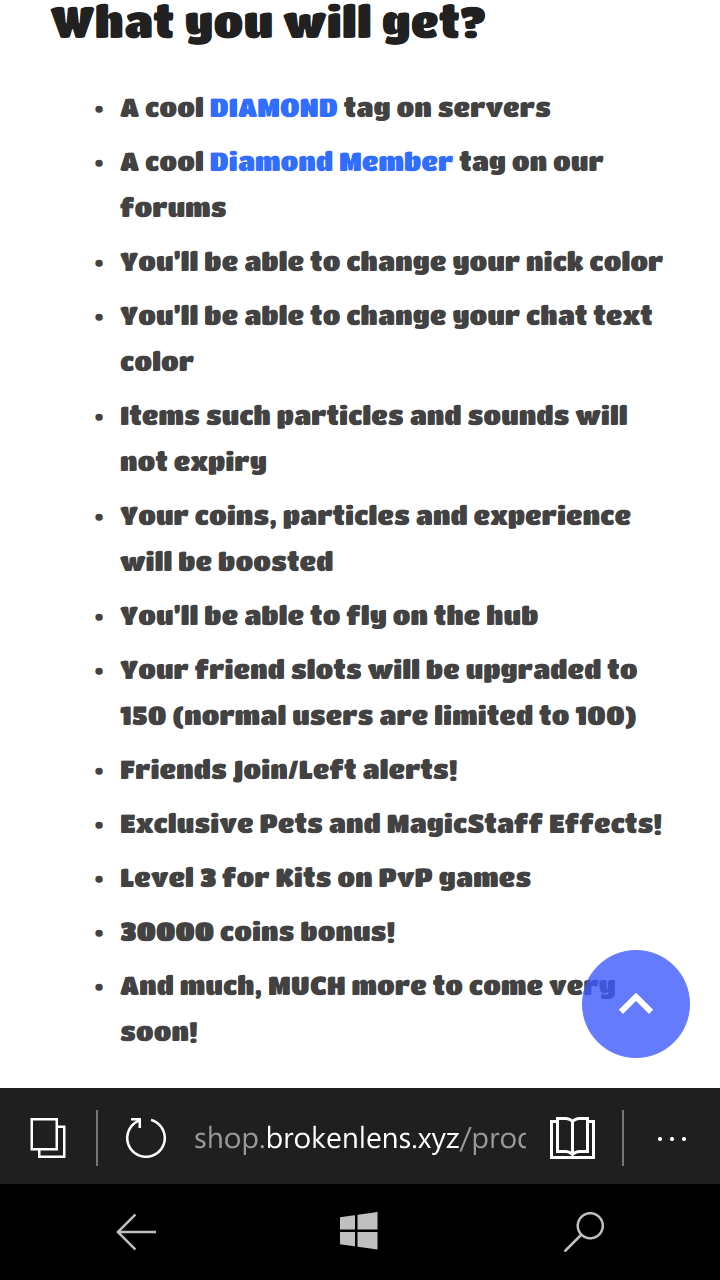
Diamond (60 Days VIP)
Emerald (LIFETIME VIP)
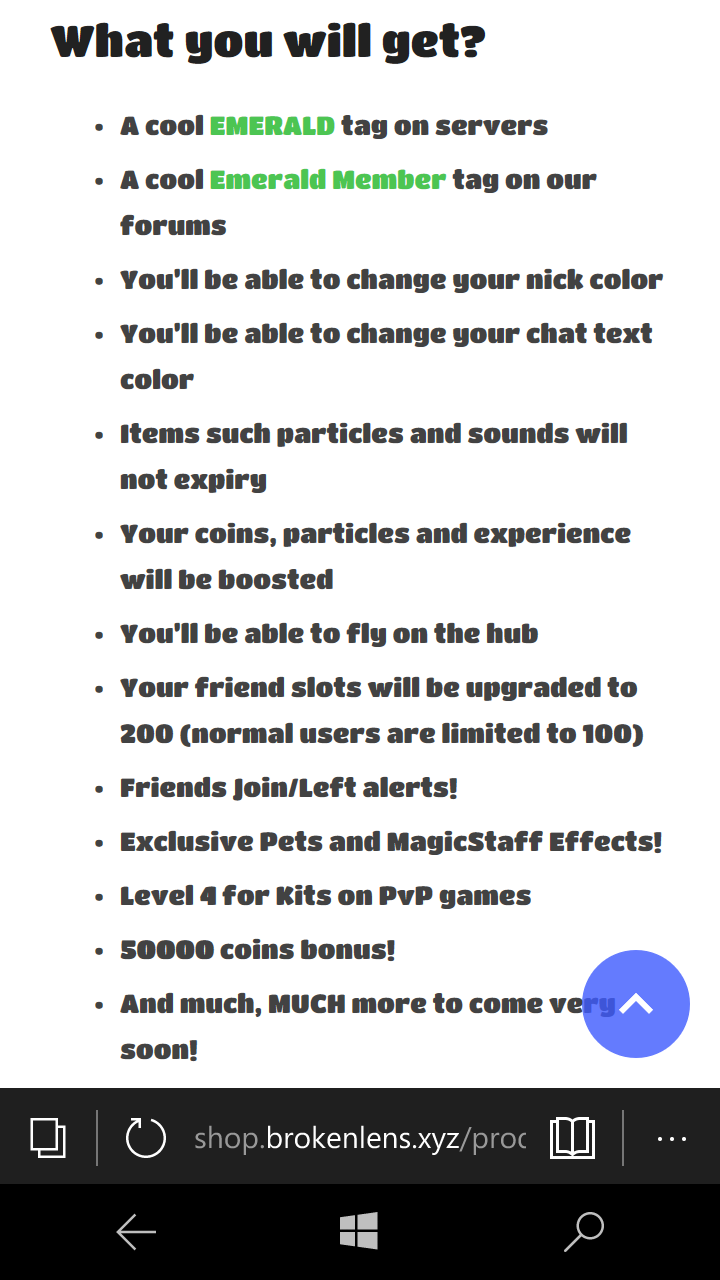
With these ranks come some awesome perks and in game extras!
So...How can I purchase my own awesome rank?
You can purchase any ranks in the online store. Just make sure you are purchasing one rank so you are not overcharged. Ranks cost real money and will end when the server ends but with your support that shouldn't happen.
the steps below will show you how YOU can purchase your very own rank and help donate to the server.
Step 1
Access the store website.
To access the store website you can type this link into your search bar or you can click on the link below.
http://shop.brokenlens.xyz/
Now that you are on the store you should see this page load.
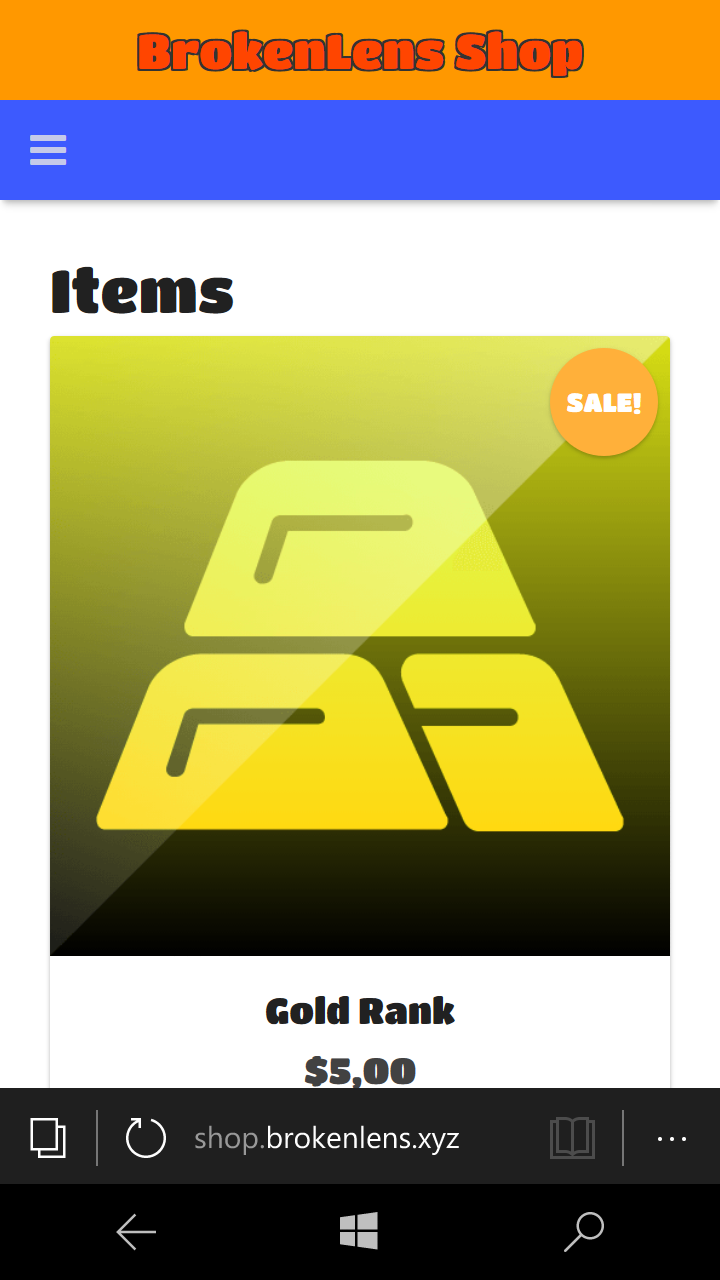
Congratulations. You are now on the store.
Step 2
Purchasing your rank
to purchase your rank press Add to cart on the selected rank you are after. After this you click on the shopping cart icon.
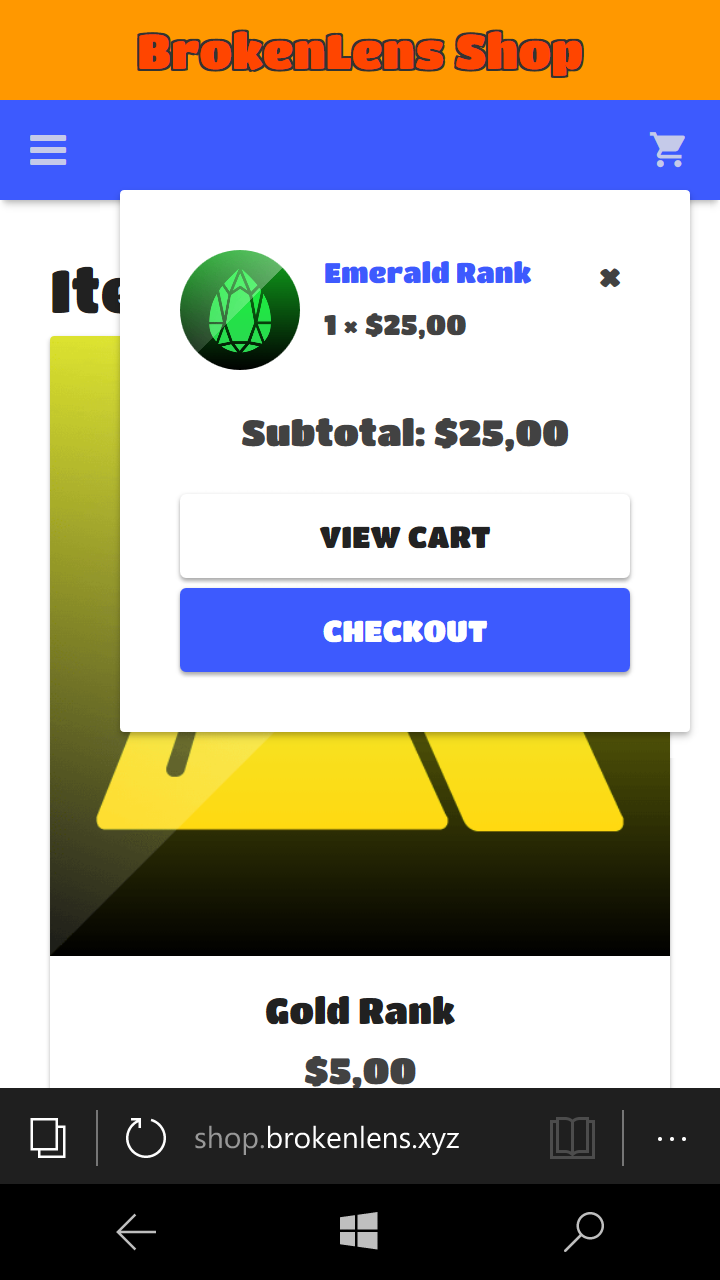 After this click on Checkout.
Step 3
The Payment.
when you enter the checkout you will see this screen
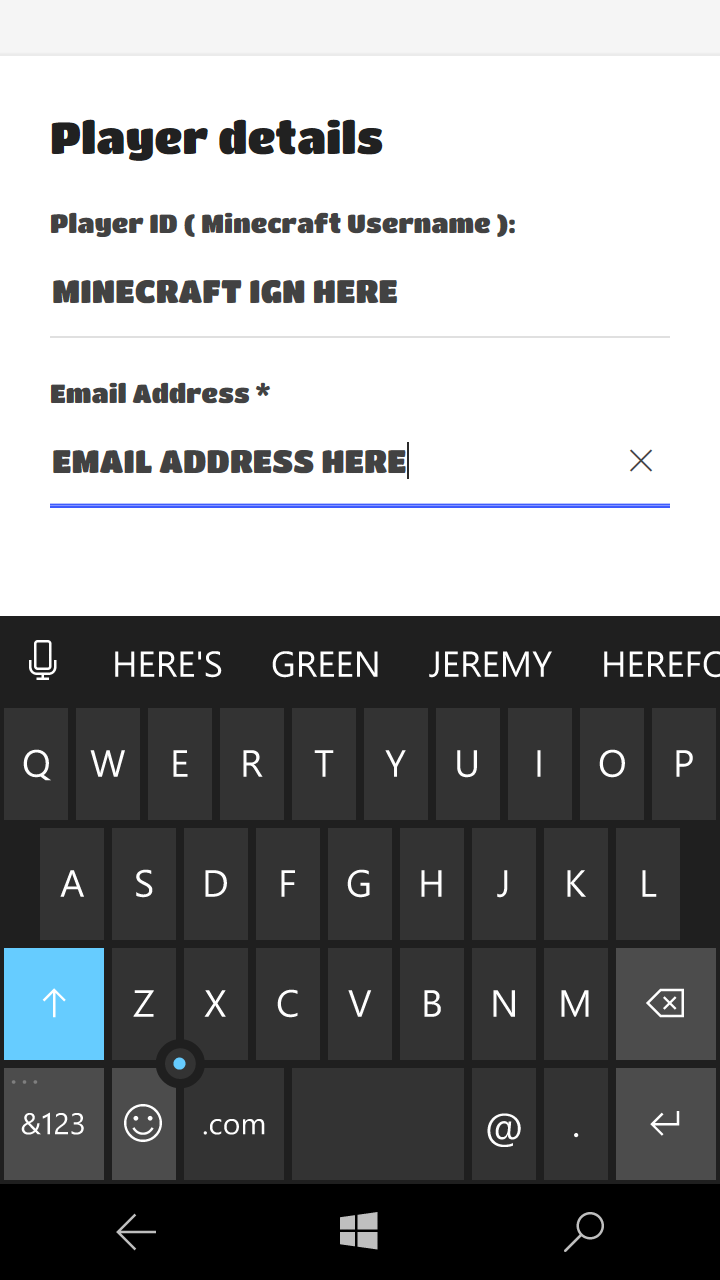
Here Input your Minecraft IGN and email address. Then below it will say
"Proceed To PayPal"
click on that button and you will be redirected to your PayPal login page.
input your PayPal details and login to confirm your purchase. Once confirmed you will receive an Email saying you purchased [insert item here].
wait a few moments and join the server you should have your rank.if not wait a few more minutes and contact support via the forums.
I hope that this guide to purchasing ranks helps you all out. Don't forget to like or comment any more guides you would like me to make
-Hazard
back with a new Tutorial. You may have already seen the title.
this post is about:
- How To Purchase Ranks
Gold (1 month VIP)
Diamond (60 Days VIP)
Emerald (LIFETIME VIP)
With these ranks come some awesome perks and in game extras!
So...How can I purchase my own awesome rank?
You can purchase any ranks in the online store. Just make sure you are purchasing one rank so you are not overcharged. Ranks cost real money and will end when the server ends but with your support that shouldn't happen.
the steps below will show you how YOU can purchase your very own rank and help donate to the server.
Step 1
Access the store website.
To access the store website you can type this link into your search bar or you can click on the link below.
http://shop.brokenlens.xyz/
Now that you are on the store you should see this page load.
Congratulations. You are now on the store.
Step 2
Purchasing your rank
to purchase your rank press Add to cart on the selected rank you are after. After this you click on the shopping cart icon.
Step 3
The Payment.
when you enter the checkout you will see this screen
Here Input your Minecraft IGN and email address. Then below it will say
"Proceed To PayPal"
click on that button and you will be redirected to your PayPal login page.
input your PayPal details and login to confirm your purchase. Once confirmed you will receive an Email saying you purchased [insert item here].
wait a few moments and join the server you should have your rank.if not wait a few more minutes and contact support via the forums.
I hope that this guide to purchasing ranks helps you all out. Don't forget to like or comment any more guides you would like me to make
-Hazard
Last edited:


