

- Apr 4, 2016
- 8,070
- 76,388
Hey! This is a mini tutorial on how to easily edit the information of your crew. Before the "BrokenLens Beta" thing came out, there was no way to change your crew name. But now there is, and that is what I will be showing you guys how to do today, as well as all the other features that you can edit.
ALL CREDITS GO TO: @AshyNashy!!
--------------------------------------------------------------------------------------------------
Step 1:
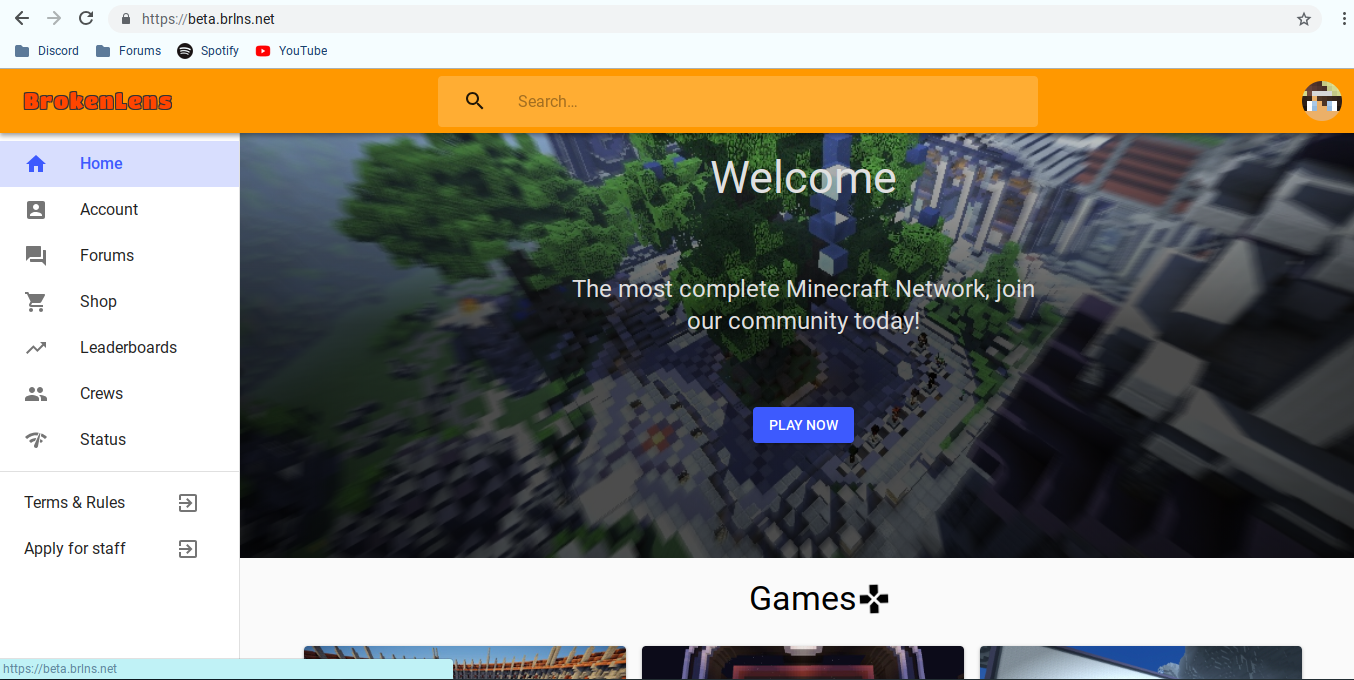
Go to https://brokenlens.xyz/app/. Make sure you are logged in!!
--------------------------------------------------------------------------------------------------
Step 2:
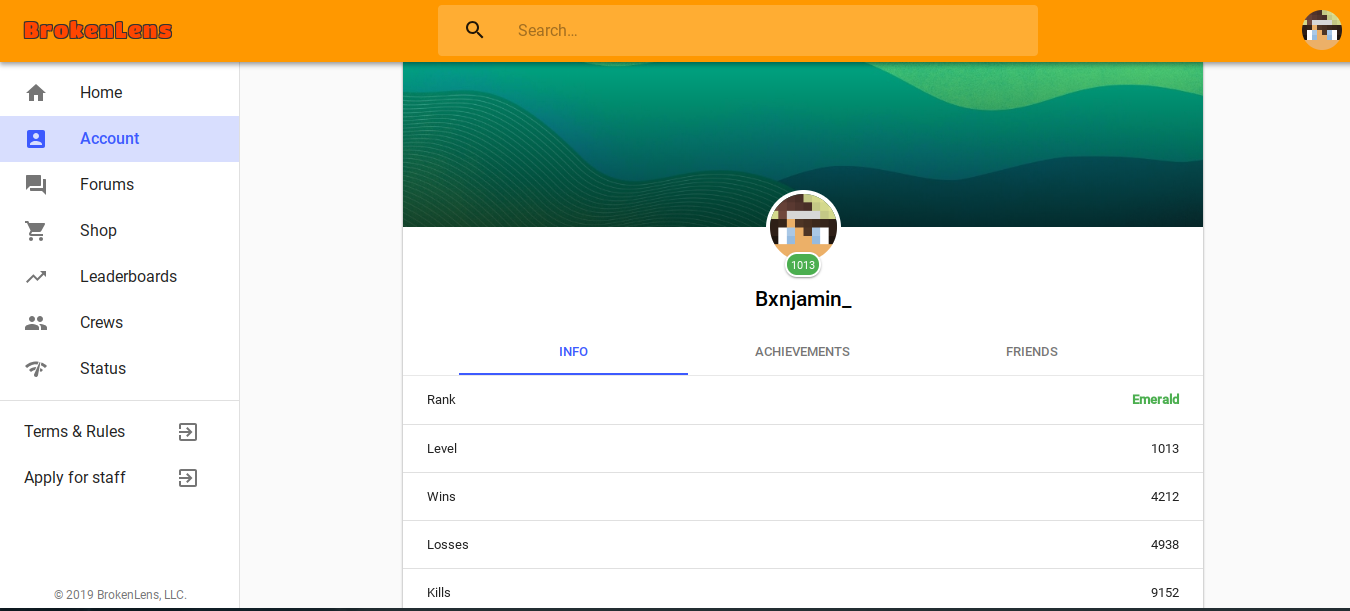
Press "Account" and scroll down to where it says "Crew {Crew Name} >"

--------------------------------------------------------------------------------------------------
Step 3:
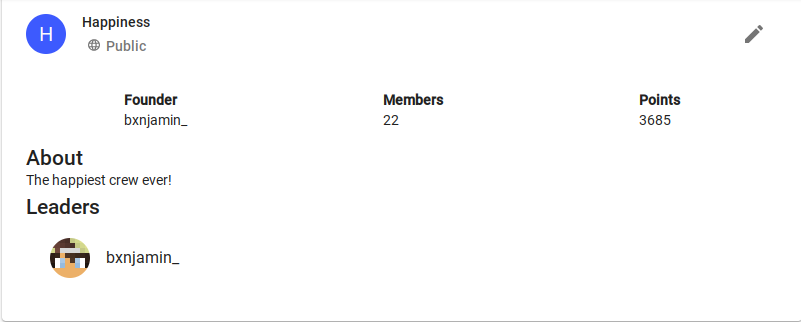
Click the arrow that shows up next to your crew name.

--------------------------------------------------------------------------------------------------
Step 4:
Click the little pencil in the top right.
--------------------------------------------------------------------------------------------------
Step 5:
Feel free to edit whatever you'd like!
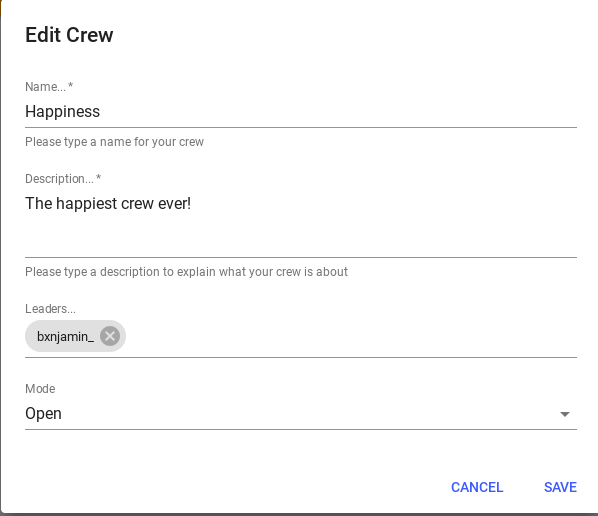
If you want to edit the custom ranks for the crew, scroll down until you see "Show More" and click it!
--------------------------------------------------------------------------------------------------
Step 6:
Make sure to press "Save"!
--------------------------------------------------------------------------------------------------
I hope this helped you guys out a lot. I'm so sorry if someone ever made a thread on this, I wouldn't have made this if I saw one.
Have an amazing day!
ALL CREDITS GO TO: @AshyNashy!!
--------------------------------------------------------------------------------------------------
Step 1:
Go to https://brokenlens.xyz/app/. Make sure you are logged in!!
--------------------------------------------------------------------------------------------------
Step 2:
Press "Account" and scroll down to where it says "Crew {Crew Name} >"
--------------------------------------------------------------------------------------------------
Step 3:
Click the arrow that shows up next to your crew name.
--------------------------------------------------------------------------------------------------
Step 4:
Click the little pencil in the top right.
--------------------------------------------------------------------------------------------------
Step 5:
Feel free to edit whatever you'd like!
If you want to edit the custom ranks for the crew, scroll down until you see "Show More" and click it!
--------------------------------------------------------------------------------------------------
Step 6:
Make sure to press "Save"!
--------------------------------------------------------------------------------------------------
I hope this helped you guys out a lot. I'm so sorry if someone ever made a thread on this, I wouldn't have made this if I saw one.
Have an amazing day!
Last edited:


 I just know