

ChibiFoxie
Notable Member
- Dec 16, 2017
- 257
- 418
Fisrt of all this is a tutorial that may not work for all if it's later in da time
(THIS IS FOR TABLET AND PHONE USERS)
First u got to find a gif and hold
Then a button will pop up saying save image on top and cop on bottom

Hit save image
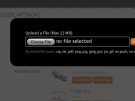
Now hit Upload a file when u are ready to add to ur tread or reply

Now hit that button
I'm making a part 2
(THIS IS FOR TABLET AND PHONE USERS)
First u got to find a gif and hold
Then a button will pop up saying save image on top and cop on bottom
Hit save image
Now hit Upload a file when u are ready to add to ur tread or reply
Now hit that button
I'm making a part 2
Attachments

Last edited:
