

- Jan 17, 2018
- 1,729
- 18,871
Hello , Today I will show you some ways to get the YouTube Rank on The Server .
What is the YouTube rank ?
The YouTube rank is a custom rank on the server .
What do you get from the YouTube rank ?
You get a cool custom YT tag and access to /party invites
What are the Requirements ?
You Need at least 1,000 Subscribers on YouTube + 1 BrokenLens Video.
How to get The YouTube rank ?
There's 3 ways that you can get the YouTube rank
The First Method :
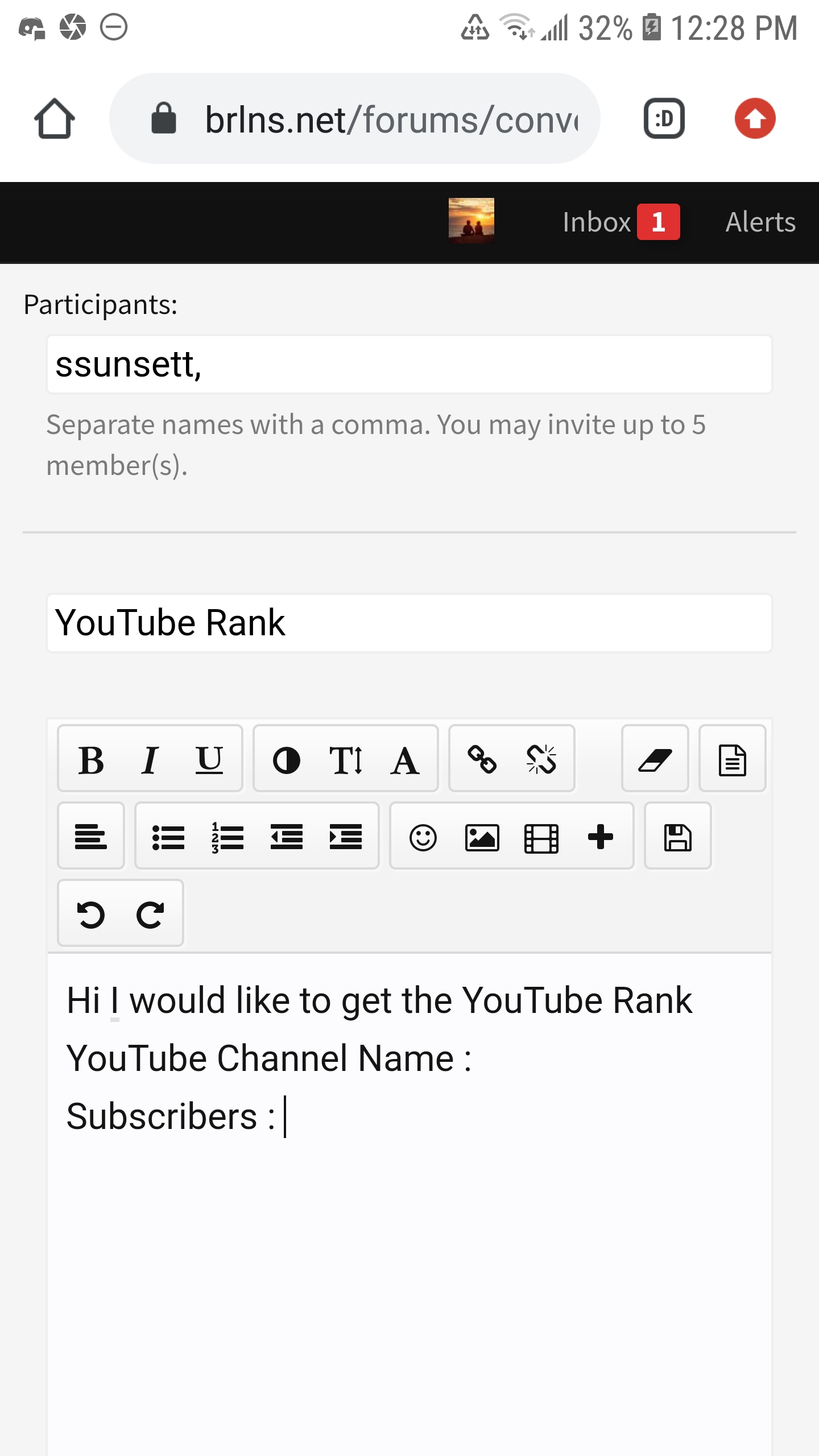
Make a Conversation whit an Admin or a Moderator
You can start a Conversation by pressing the word "here" in black : here
After that : Start By Adding a Participant ,
The "Participant" has to be an Admin or a Moderator
! Do not Add More then 1 Admin , 1 is enough !
Here are all the Admins you can add as a Participant.
Ssunsett
x_Arisa_x
Laura_Aria
WarriorGirl333
_PineappleDeath_
Then Start by Adding a Title , The Title could be anything , but if you want too , you can name it : "Can I get the YouTube Rank ? It makes it easier for the
And Finally Start By Writing Your Info's like :
Minecraft Username :
YouTube Channel Name :
Subscribers :
Channel URL :
Here is an Example
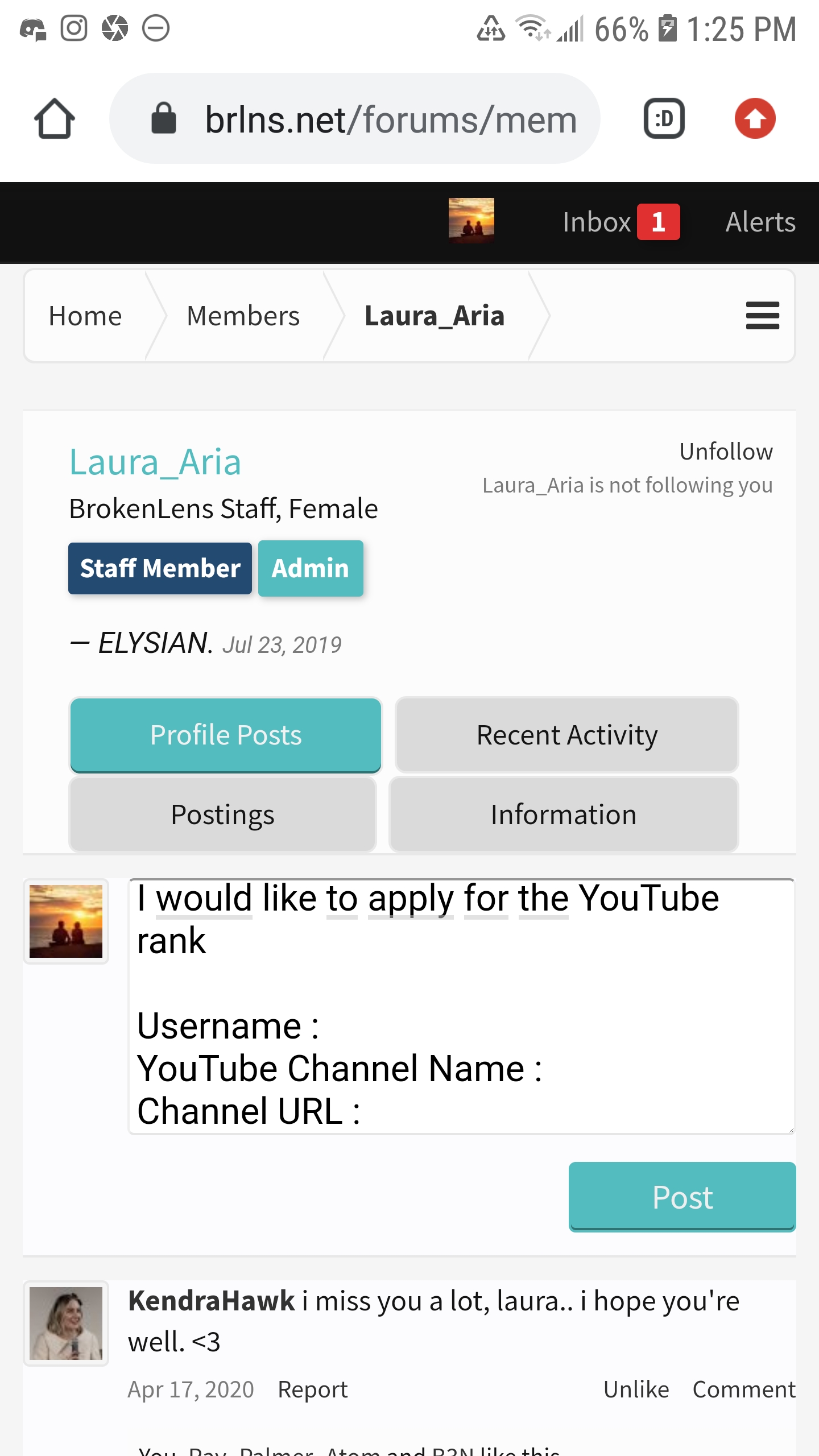
You can also write a message in an Admin's or Moderators profile , I would recommend to do it on Ssunsett's or Pineapple's Profile but either way you can do on any Admin's or Moderator Profile
Start By Clicking One of their Names and you will be send straight to their profiles
Ssunsett
WarriorGirl333
Laura_Aria
x_Arisa_x
_PineappleDeath_
! Also you have to be patient as it sometimes takes a while for them to reply back !
Here is an Example
Second Method :
Message an Admin or a Moderator on Discord
If you aren't logged in on The Forums you can always try Discord
If You Don't have Discord can download it here
You can join the BrokenLens Discord here
You can Start Off By Joining the BrokenLens Discord
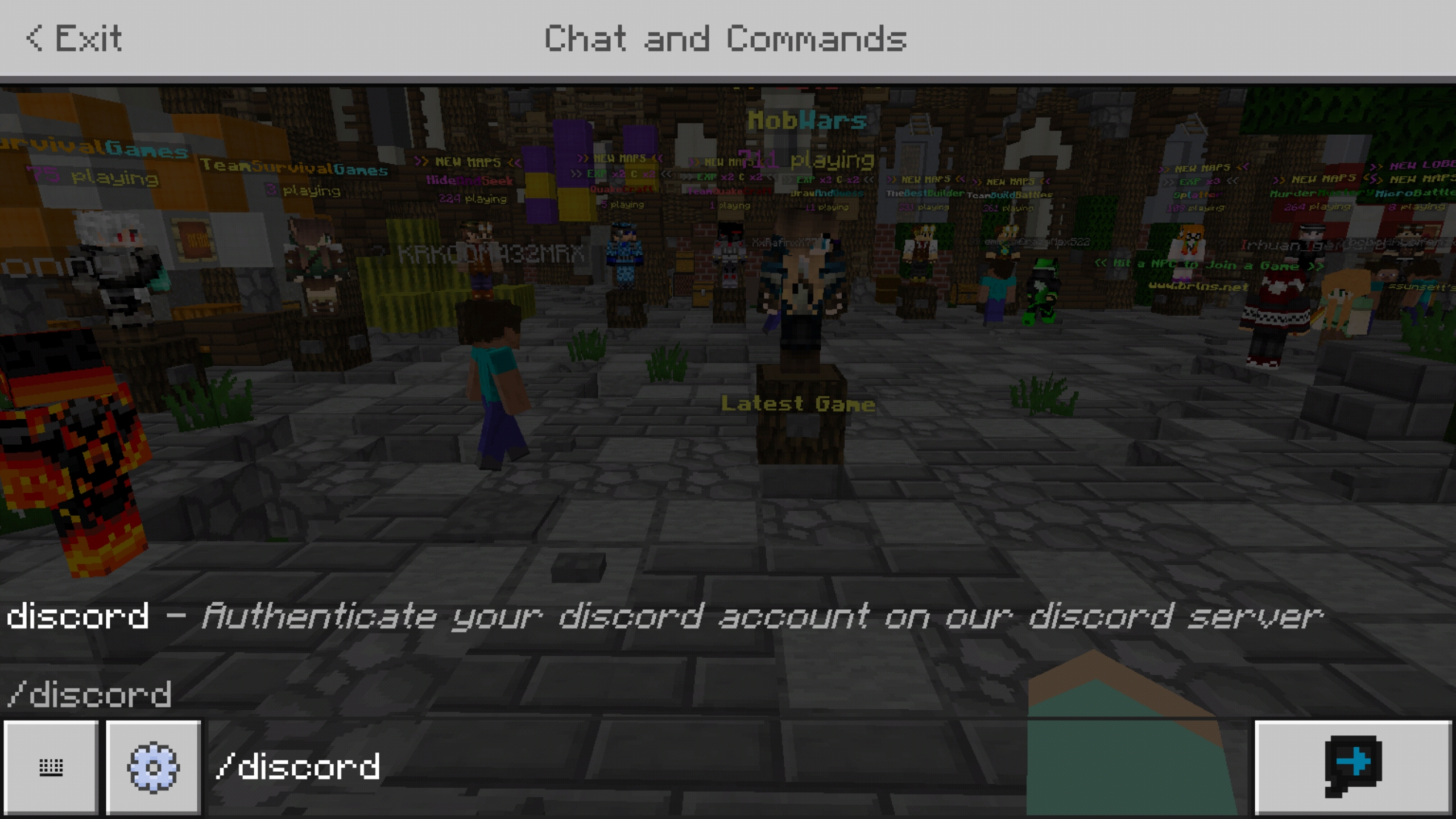
You need to Add Your BrokenLens Account to the Discord Server , to do that you need to Go on The Server and type /discord
After That You will receive a code
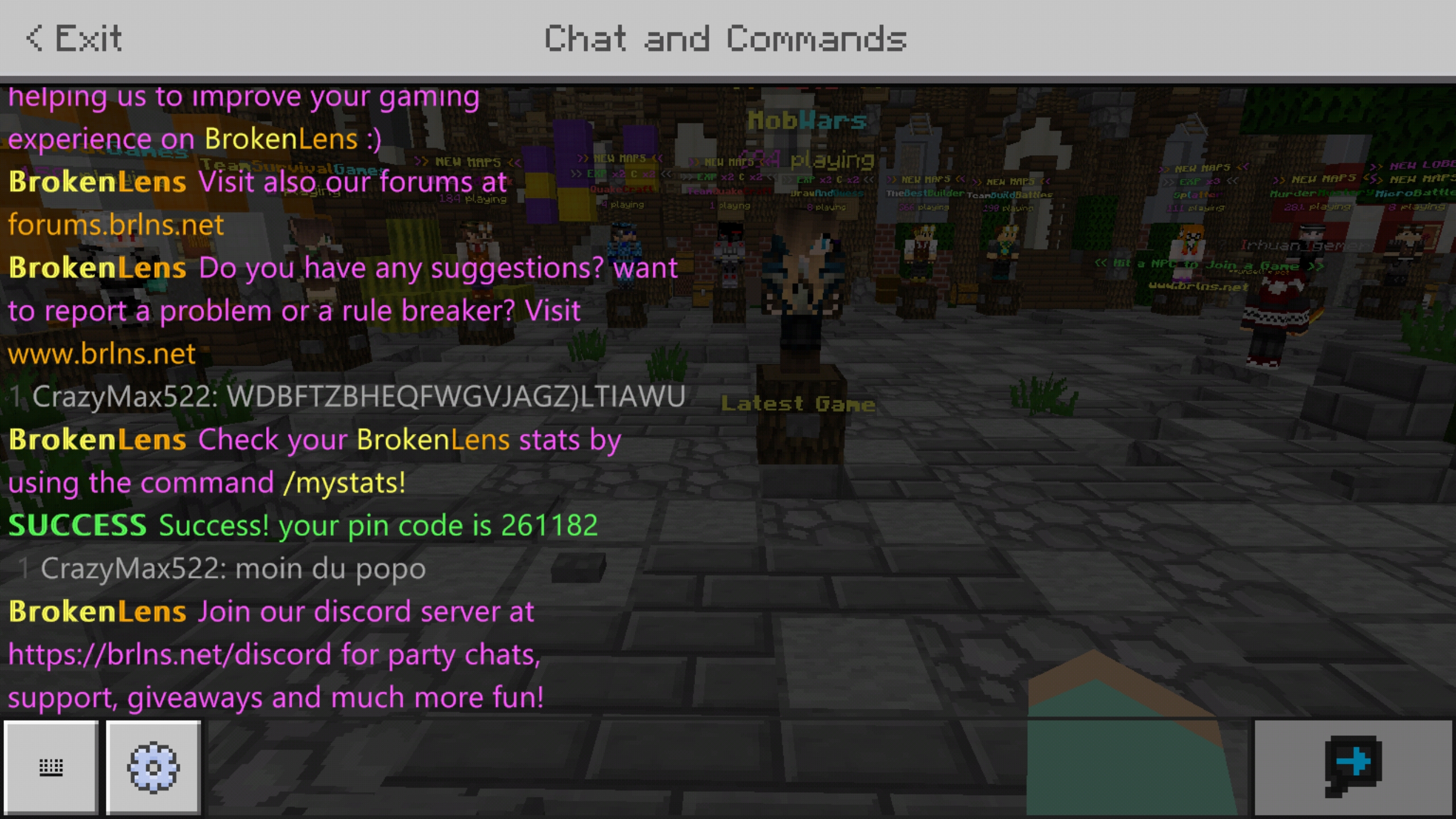
Once you got the Code you need to send the Code to the BrokenLens Discord Bot and then you should be logged in
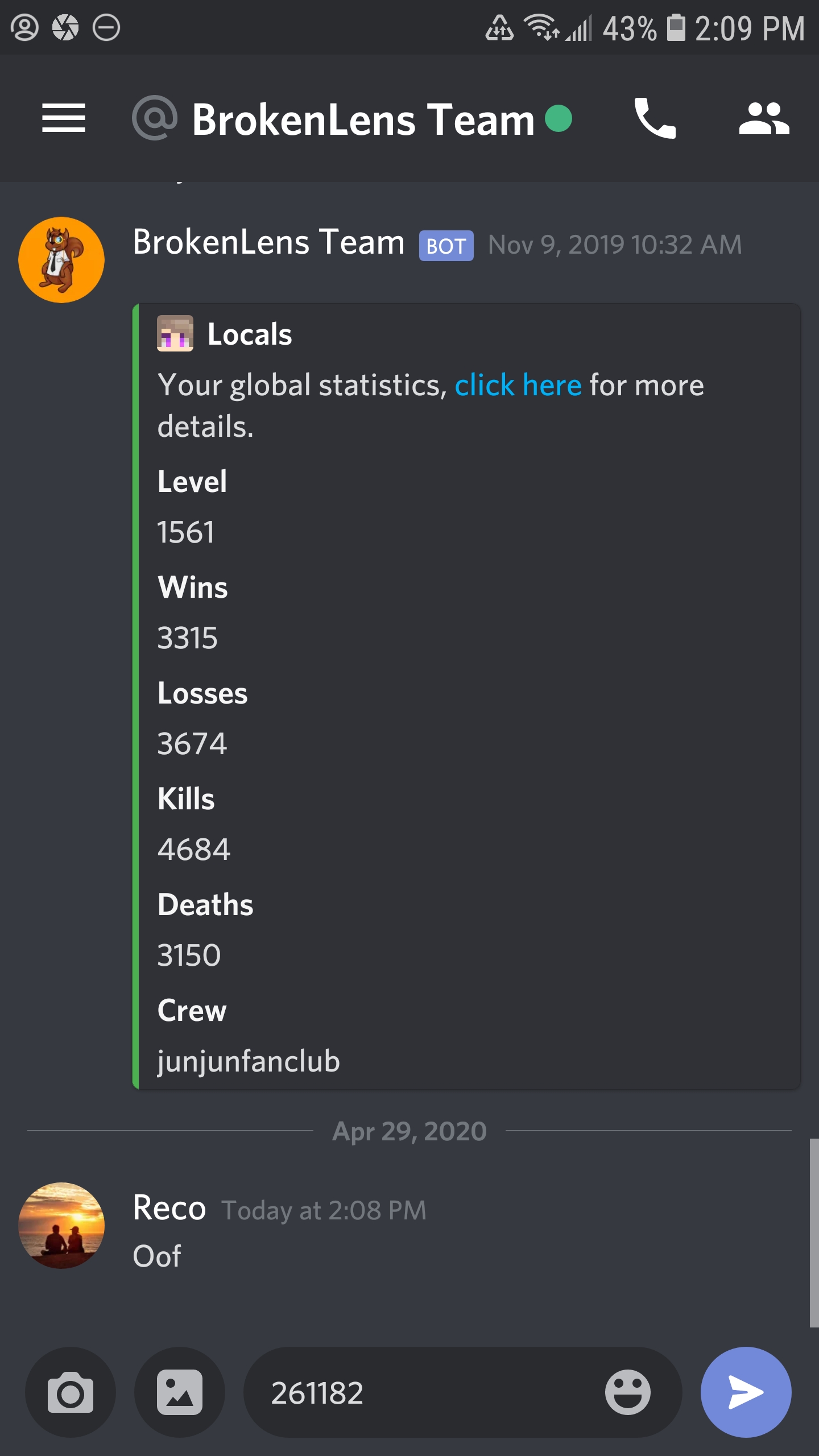
After that Press the BrokenLens Logo
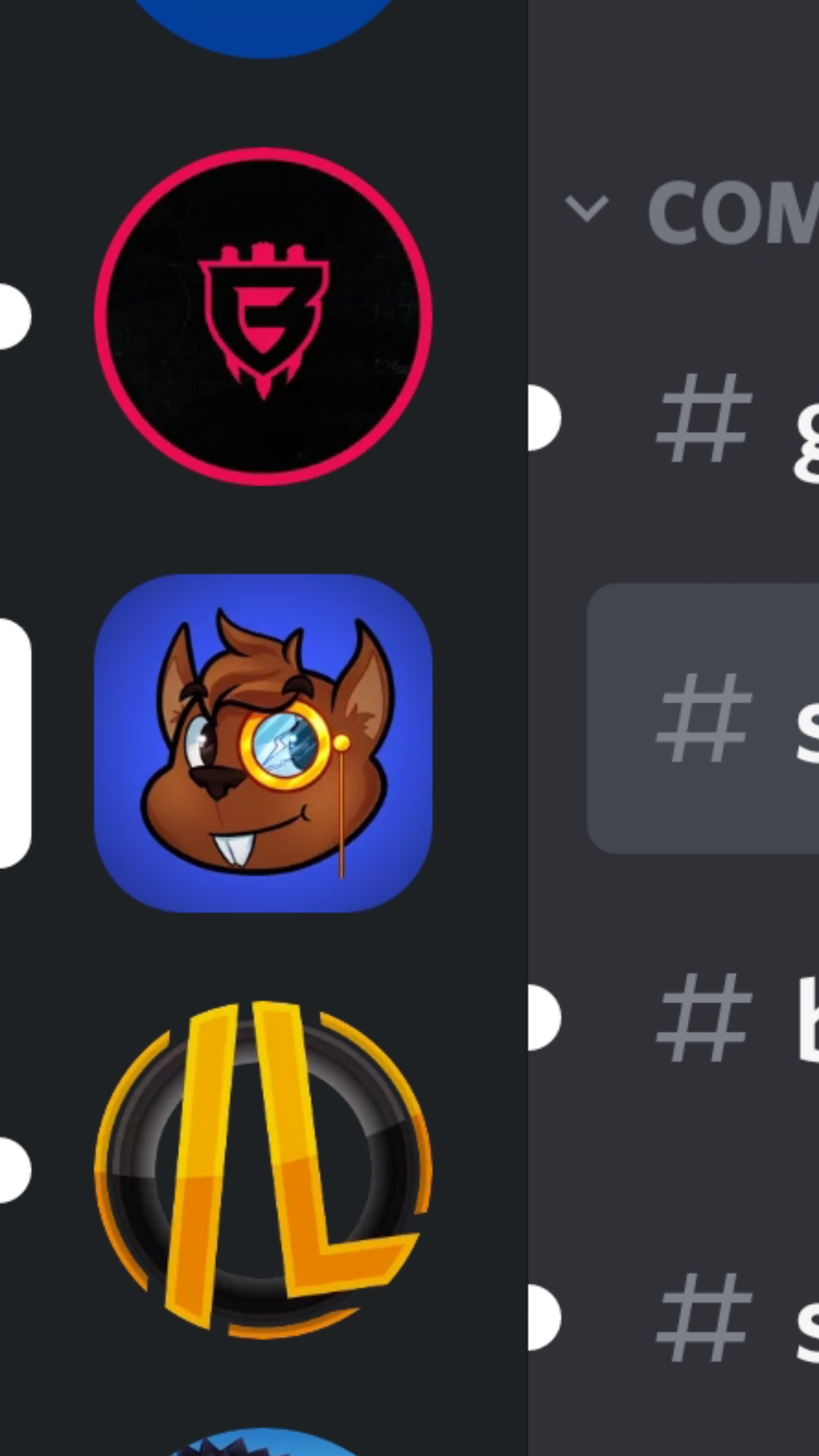
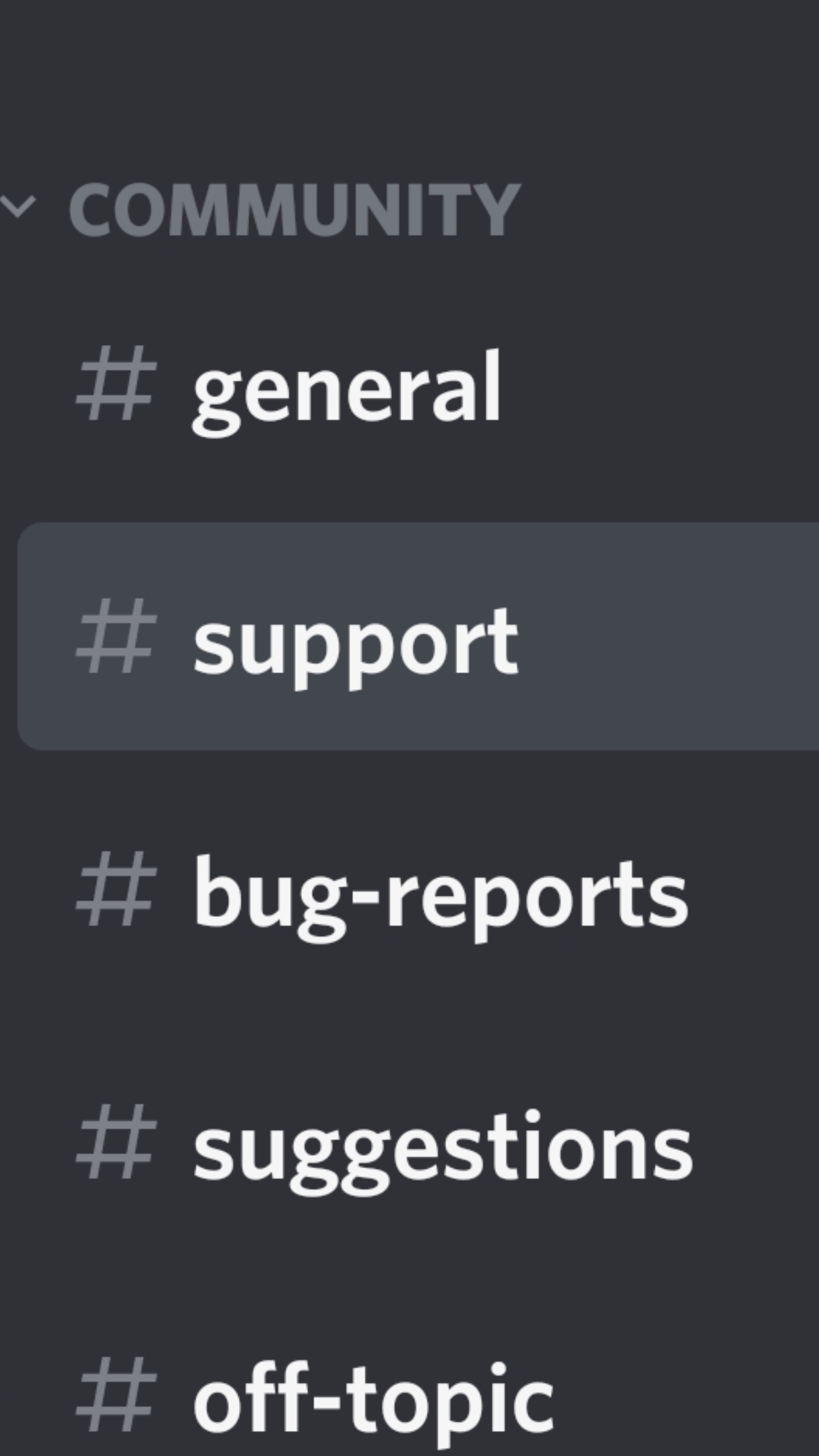
Then Go To #support
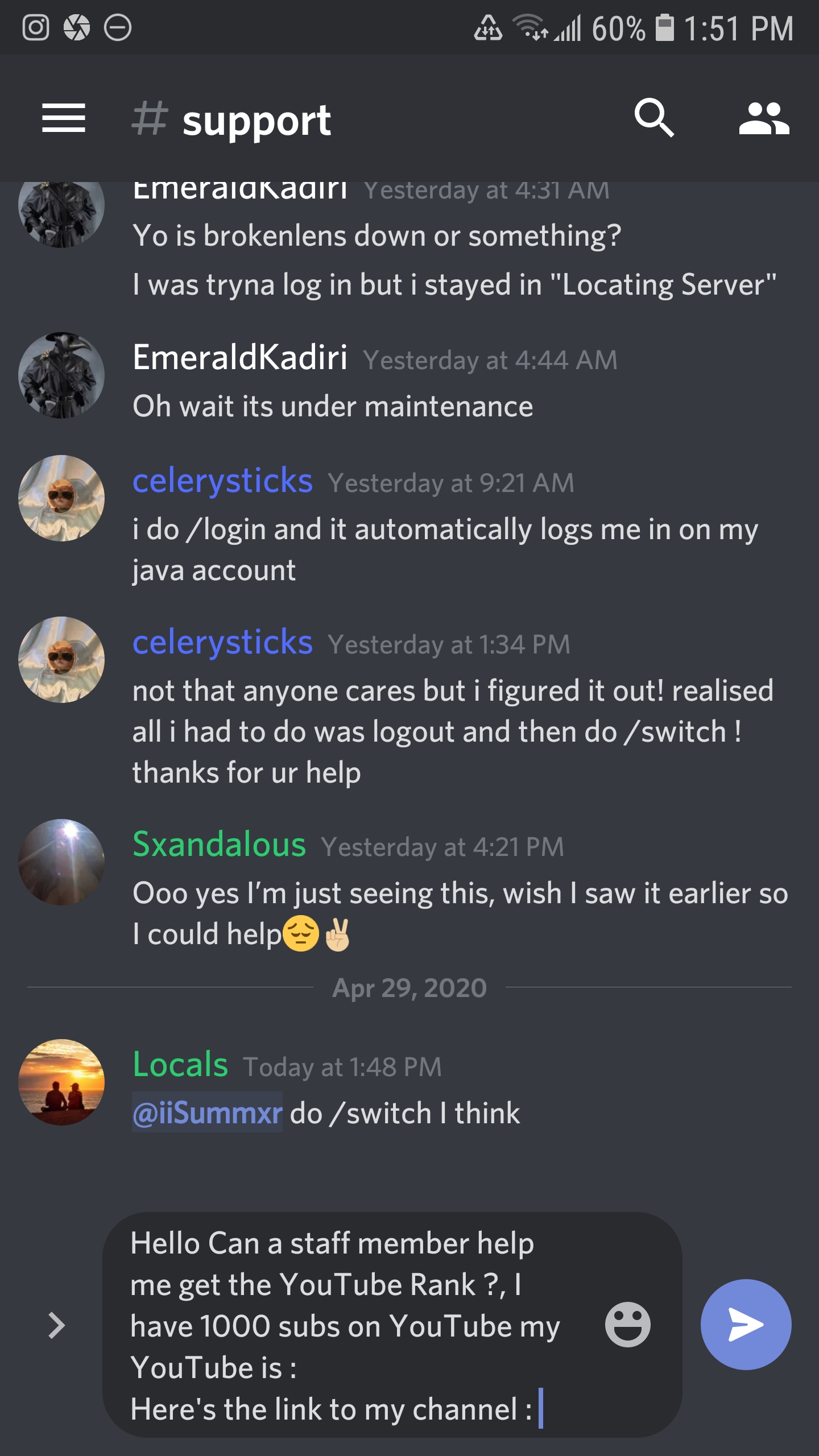
And Finally send a Message on you applying for the YouTube rank.
Here is an Example
Third Method :
Set your rank in-game
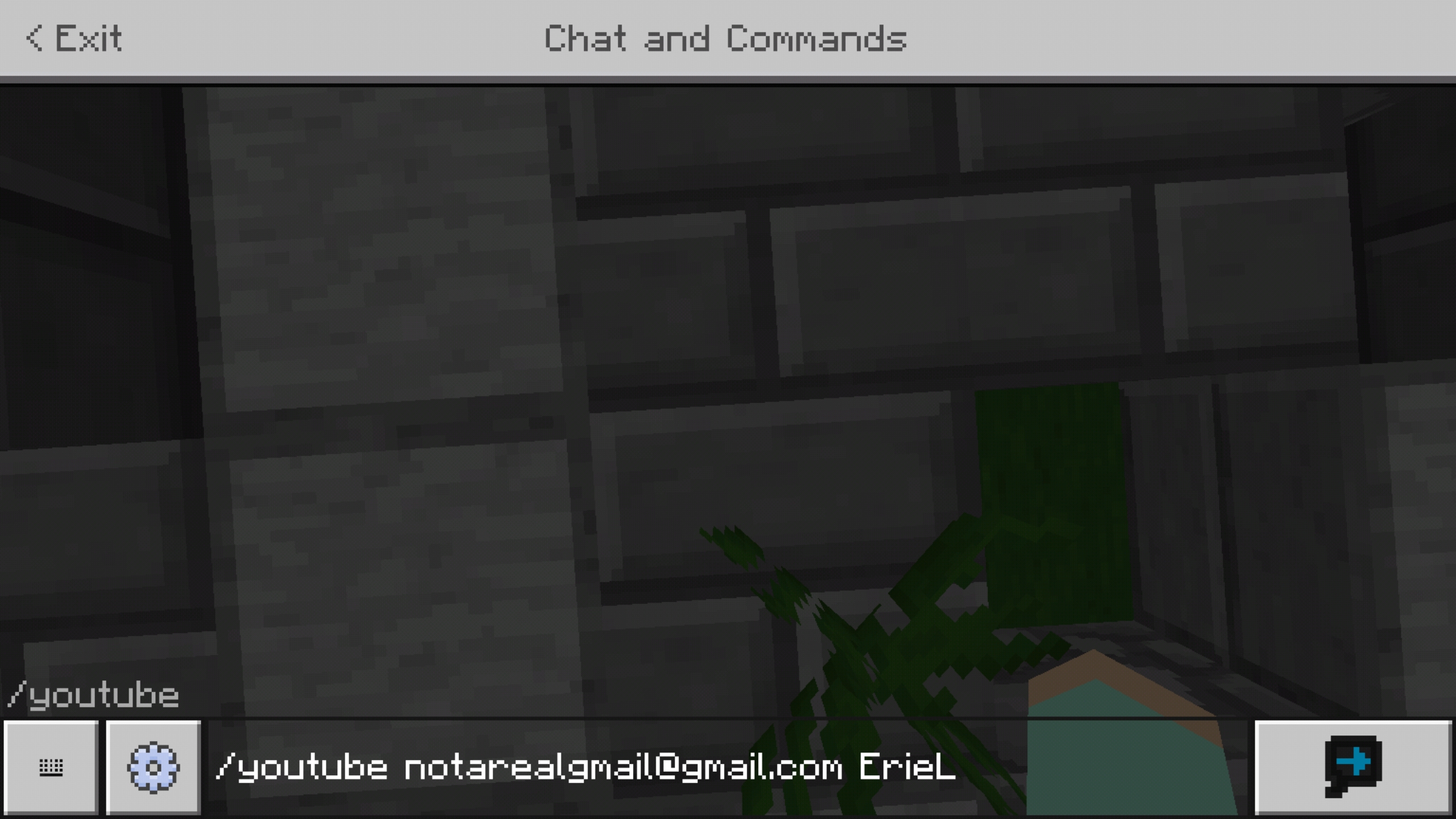
You can actually set your rank in-game just by doing the /youtube command .
When you join BrokenLens
Do /youtube ( email ) ( channel name )
If it doesn't work you can try the other methods
Here is an Example
Thank you for watching
I hope this thread was helpful
What is the YouTube rank ?
The YouTube rank is a custom rank on the server .
What do you get from the YouTube rank ?
You get a cool custom YT tag and access to /party invites
What are the Requirements ?
You Need at least 1,000 Subscribers on YouTube + 1 BrokenLens Video.
How to get The YouTube rank ?
There's 3 ways that you can get the YouTube rank
The First Method :
Make a Conversation whit an Admin or a Moderator
You can start a Conversation by pressing the word "here" in black : here
After that : Start By Adding a Participant ,
The "Participant" has to be an Admin or a Moderator
! Do not Add More then 1 Admin , 1 is enough !
Here are all the Admins you can add as a Participant.
Ssunsett
x_Arisa_x
Laura_Aria
WarriorGirl333
_PineappleDeath_
Then Start by Adding a Title , The Title could be anything , but if you want too , you can name it : "Can I get the YouTube Rank ? It makes it easier for the
And Finally Start By Writing Your Info's like :
Minecraft Username :
YouTube Channel Name :
Subscribers :
Channel URL :
Here is an Example
You can also write a message in an Admin's or Moderators profile , I would recommend to do it on Ssunsett's or Pineapple's Profile but either way you can do on any Admin's or Moderator Profile
Start By Clicking One of their Names and you will be send straight to their profiles
Ssunsett
WarriorGirl333
Laura_Aria
x_Arisa_x
_PineappleDeath_
! Also you have to be patient as it sometimes takes a while for them to reply back !
Here is an Example
Second Method :
Message an Admin or a Moderator on Discord
If you aren't logged in on The Forums you can always try Discord
If You Don't have Discord can download it here
You can join the BrokenLens Discord here
You can Start Off By Joining the BrokenLens Discord
You need to Add Your BrokenLens Account to the Discord Server , to do that you need to Go on The Server and type /discord
After That You will receive a code
Once you got the Code you need to send the Code to the BrokenLens Discord Bot and then you should be logged in
After that Press the BrokenLens Logo
Then Go To #support
And Finally send a Message on you applying for the YouTube rank.
Here is an Example
Third Method :
Set your rank in-game
You can actually set your rank in-game just by doing the /youtube command .
When you join BrokenLens
Do /youtube ( email ) ( channel name )
If it doesn't work you can try the other methods
Here is an Example
Thank you for watching
I hope this thread was helpful
Last edited by a moderator:

 ? Also can Moderators Give Players the YT rank?
