A working PC to PE converter

Builderwither

Insane Builder .
Builder
Joined
Sep 23, 2017
Messages
1,607
Reaction score
9,280
after hours and hours of procrastination on the Internets , i found a working PC to PE converter .

WARNING ! THE CONVERTER IS A .JAR FILE , YOU NEED A COMPUTER FOR RUN IT !!!

How it works ?

1) download the converter at this link :

https://www.planetminecraft.com/mod/anvil-to-leveldb-converter-java-to-pocket-edition/
(if you have a PMC account , leave a diamond , his work is amazing ! :D )

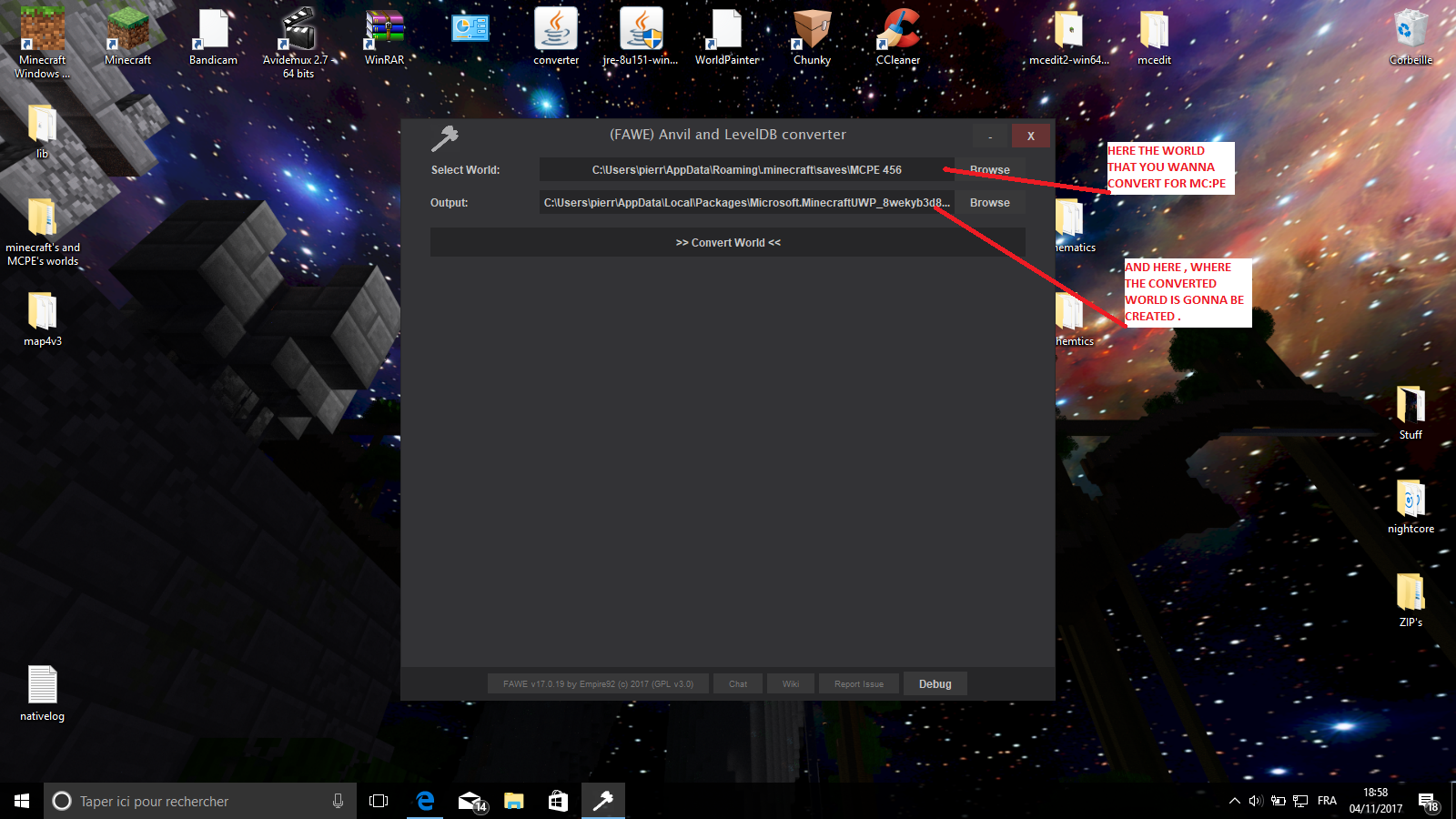
2) double-click on the converter for open it , then you have this window :
upload_2017-11-4_19-4-24.png


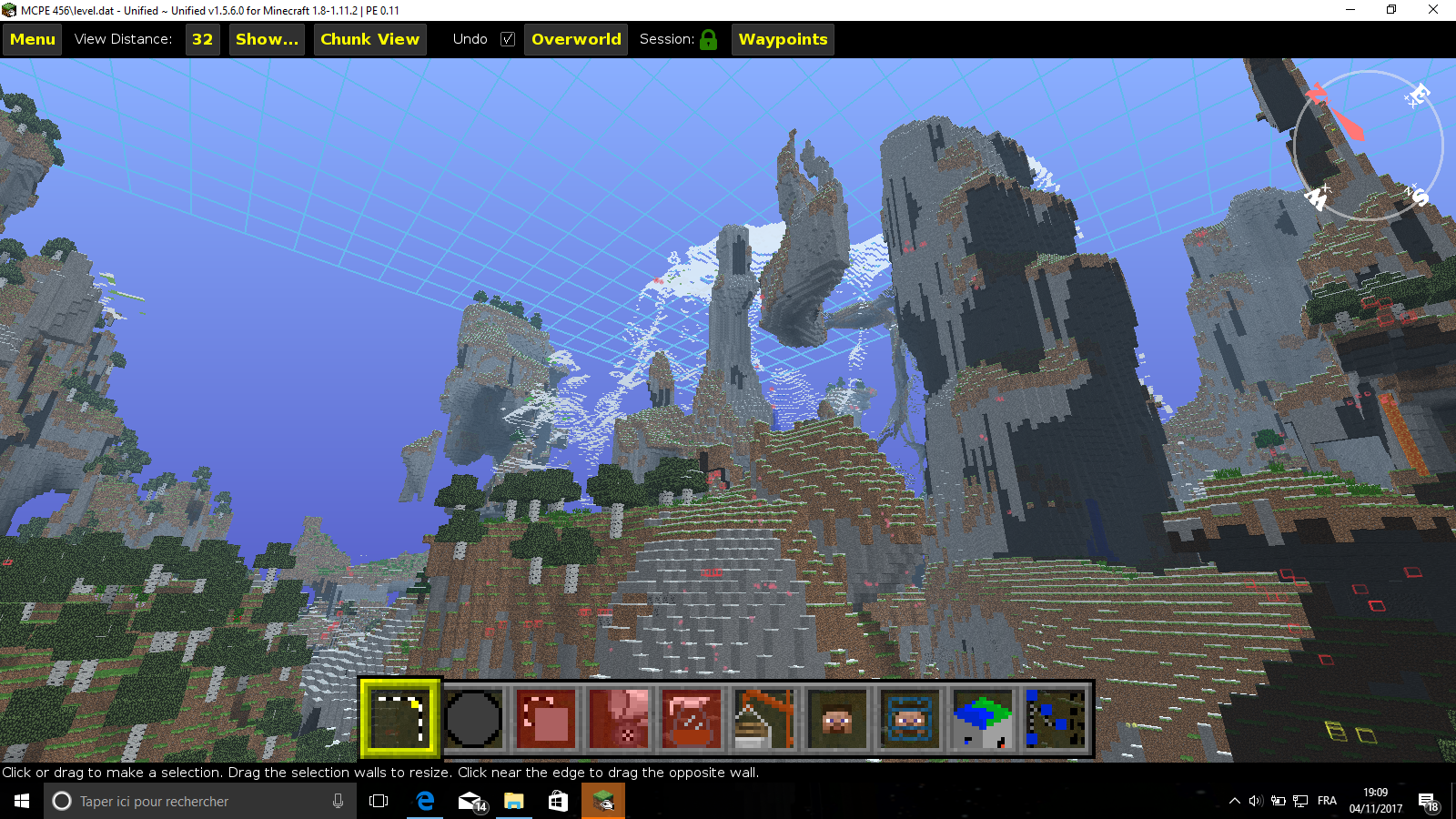
For this exemple i choose MCPE 456 , MCPE 456 is a fully AMPLIFIED world of 160x160 chunks generated Via MCEdit :
upload_2017-11-4_19-9-37.png


3) then , click on convert

WARNING : THE CONVERTER MAY TAKE A WHILE FOR CONVERT YOUR WORLD !!!

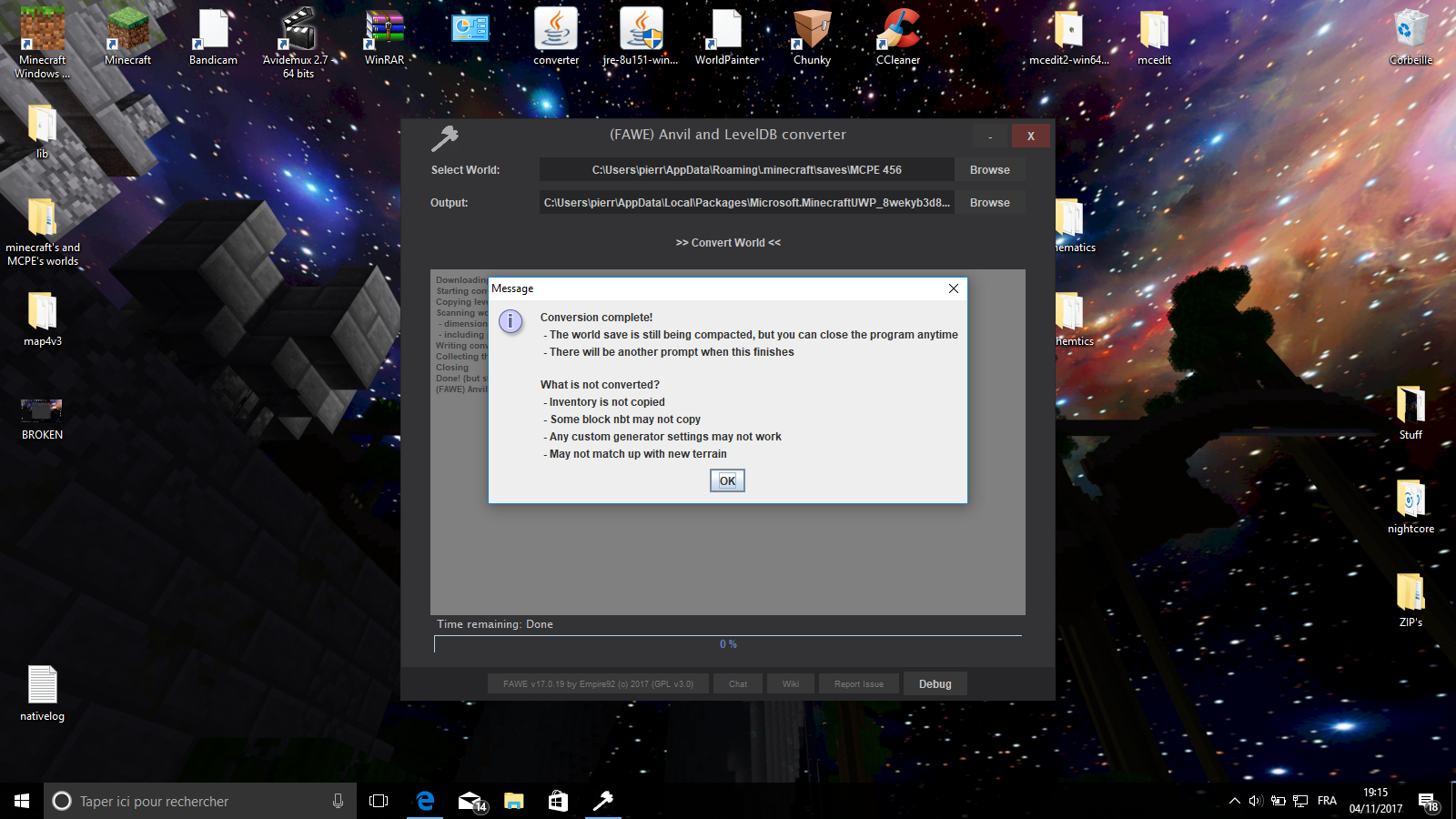
if the conversion works , you will have this message :
upload_2017-11-4_19-16-15.png


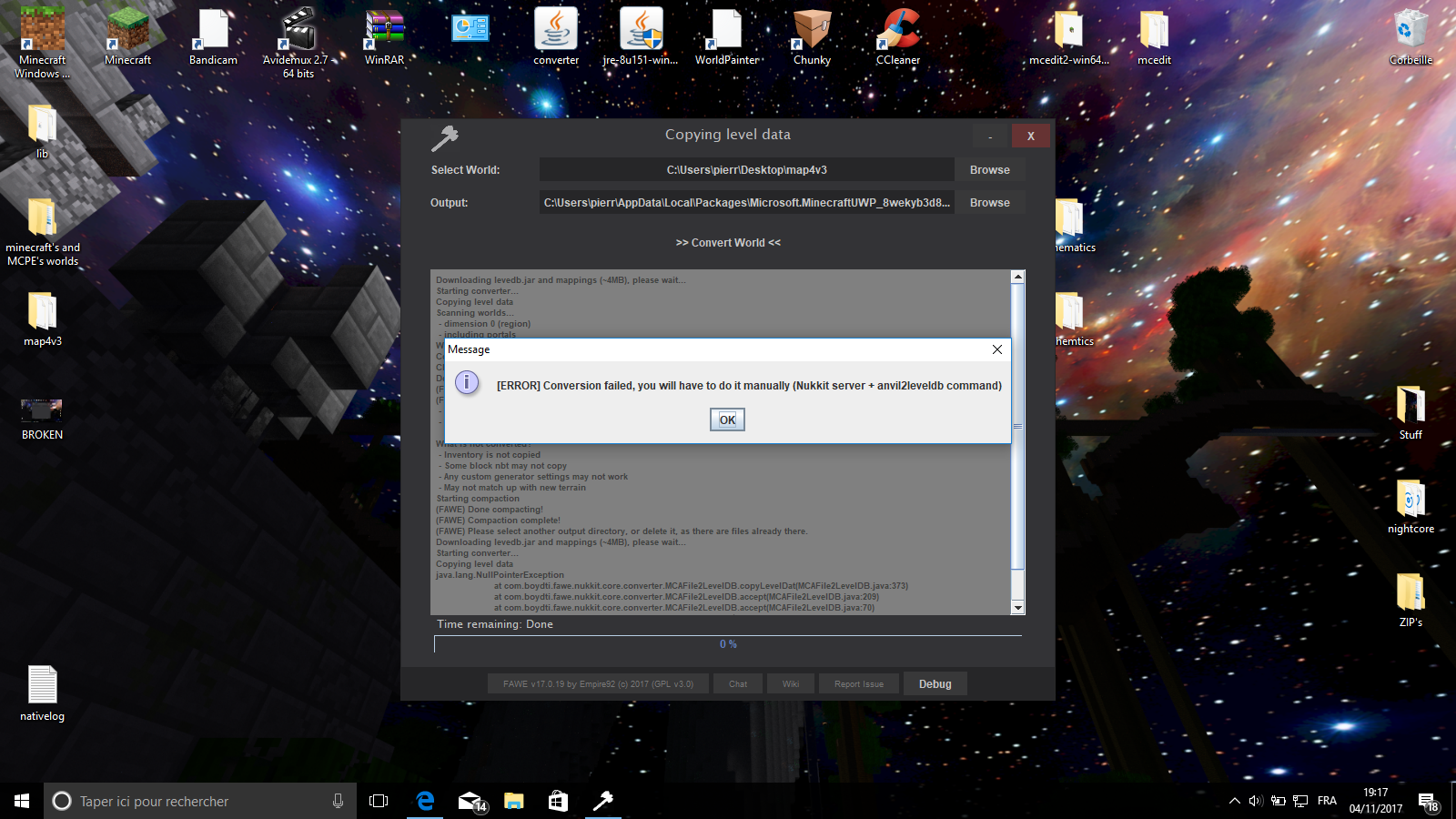
if not :

upload_2017-11-4_19-17-59.png

and here , i dunno how to do ...


when the conversion is done , you can close the programm , open mcpe and play the world :
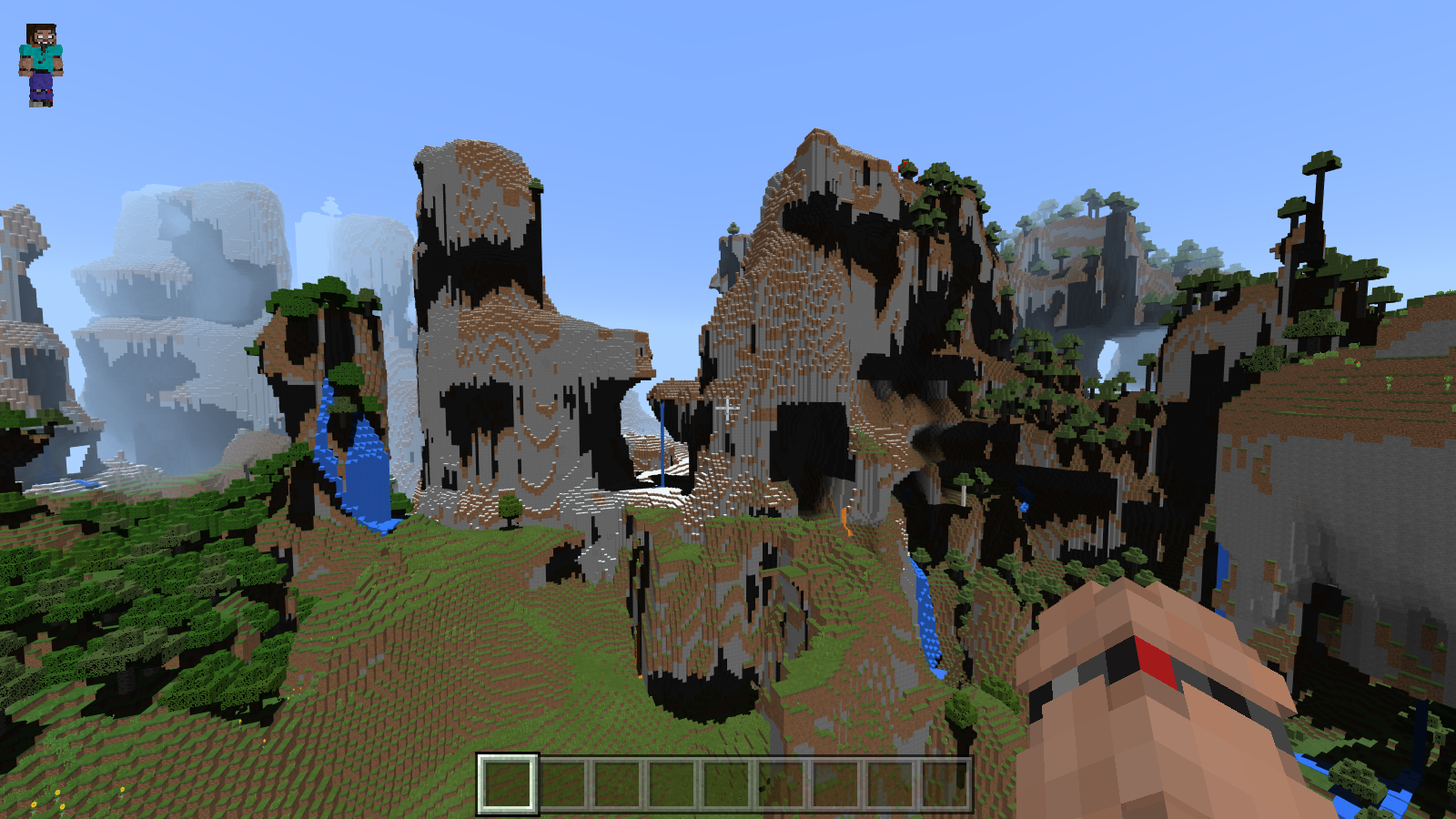
upload_2017-11-4_19-33-19.png


WARNING : .nbt files for blocks aren't converted , so in dungeons you didn't get any loot.

EDIT: i'm not the Creator of this amazing converter , i do this only for peoples who wanna convert MCPC worlds to MCPE , thats why i ask you to leave a diamond for his work :)
 
Last edited:

I dunno if you know , but for a long time peoples thinks that converting Minecraft PC maps to Minecraft PE was impossible cuz' PC is coded in Java and PE in C++... I try and retry a lot of programms , even one who give me a f***ing virus , and i found this one ...
2 thing about this one :

1_as a .jar file , no installation needed , it means that the risks of having a virus radically decrease !
2_this one works ! even when you can't convert automatically , you need to do it manually , this means that ALL maps are possible to be converting , thats a 100% working converter !

so yeah ...It's cool !
View reply.
 
I dunno if you know , but for a long time peoples thinks that converting Minecraft PC maps to Minecraft PE was impossible cuz' PC is coded in Java and PE in C++... I try and retry a lot of programms , even one who give me a f***ing virus , and i found this one ...
2 thing about this one :

1_as a .jar file , no installation needed , it means that the risks of having a virus radically decrease !
2_this one works ! even when you can't convert automatically , you need to do it manually , this means that ALL maps are possible to be converting , thats a 100% working converter !

so yeah ...It's cool !
If you have a build in pc but the blocks are not yet added in pe will it cause errors or the blocks will turn into an update block?
View reply.
 
I don't even try , let me try and i answer you


EDIT:here's the answer :)

I try with a barrier_block , a structure_block , a minecart_furnace and my own custom head , then i convert the world .

2017-11-05_09.29.23.png


after the conversion , heres the result :

upload_2017-11-5_9-36-24.png


The barier_block is here (see the connection with the fence) the structure_block was turn into an Update_block , the minecart_furnace disappear and my head become a simple head (.nbt wasn't supported by the converter CQFD ) so now i have the answer :

IF you try converted a world , entities who wasn't added in MCPE diseappears and blocks who wasn't added turn into an Update_block :)
View reply.
 
Last edited:
*pretends to act like a computer nerd*
Umm... umm... oh heah just go into the settings, type C+O, open the source code, change the third string from coah925_47_E to pabk026_68_A and voila you can now go into all the programs. You can delete viruses (highlighted in red) and do whatever you want!*


*May be inaccurate. Bluewillow, INC. is not responsible for any mishaps, injuries or explosions caused by this process. Manufactured in China, 1101. (C) 1990 BlueWillow.
View reply.
 
*pretends to act like a computer nerd*
Umm... umm... oh heah just go into the settings, type C+O, open the source code, change the third string from coah925_47_E to pabk026_68_A and voila you can now go into all the programs. You can delete viruses (highlighted in red) and do whatever you want!*


*May be inaccurate. Bluewillow, INC. is not responsible for any mishaps, injuries or explosions caused by this process. Manufactured in China, 1101. (C) 1990 BlueWillow.
I got an injury and my computer exploded :/
View reply.
 
OF COURSE !!!!!!!!!!!!!!!
THANKS GOD !!! THIS ASTUCE CHANGE MY ENTIRE LIFE !!!!!!!!!!!!!!!!!!!
MY MISSION HERE IS NOW OVER !!!
*slowly disapearing*
Goodbye my friends ... thank you so much ...
goodbyyyyyyyyyyyyyyyyyyyyyyyyyyyyyyyyeeeeeeeeeee
*totaly disapearing*


no seriously , thanks but i've delete the virus a few month ago :)
View reply.
 

Users Who Are Viewing This Thread (Total: 0, Members: 0, Guests: 0)

Back
Top