

- Nov 24, 2019
- 2,397
- 20,436
Helloo!!
This is for the people new to World Edit and it's commands.
I just now realized that you can make a Build Guide type Thread when you are a non-staff-ranked-player. (I saw Wishing's Thread and got inspired) So, I wanted to show you how to Terraform Island base's using World Edit.
Mob Wars / SkyWars Island Bases:
World Edit
1. Get a Shovel and do //br Cyl -h Minecraft:sand 1 2 While Holding Your Shovel
("//br Cyl -h Minecraft:sand 1 2" is the command I like to use, but there are many other ways you could use it)
2. Use your shovel to make pile of sand. Make the pile look either pointed or bulky, depending on the theme of the Sky Wars / Mob Wars map you would be making. (The pile is going to be the bottom of the Islands)
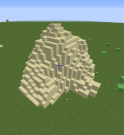
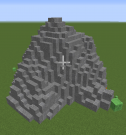
3. Once you have that finished, you will do //wand, and set the positions between the sand pile. Once you got that, you will do this command: //replace sand 50%stone,15%cobblestone,15%polished_andesite,20%andesite (you do not need to use these specific blocks when using the command)
It should look something like this:
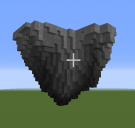
4. Again, do //wand, and set the positions between the sand pile. Then do //cut (IT WILL DISAPEAR BUT DON'T WORRY) Once you got that, do //flip up. The do //paste.
This is what it will look like:
5. On the top, fill it in by hand or with fill commands. Then do //replace Grass_Block 25%Green_Concrete,25%Green_Terracotta,25%Green_Wool,25%Grass_Block (This is a lot of detail. You can minimize the percentages to reduce the amount of detail)
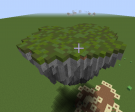
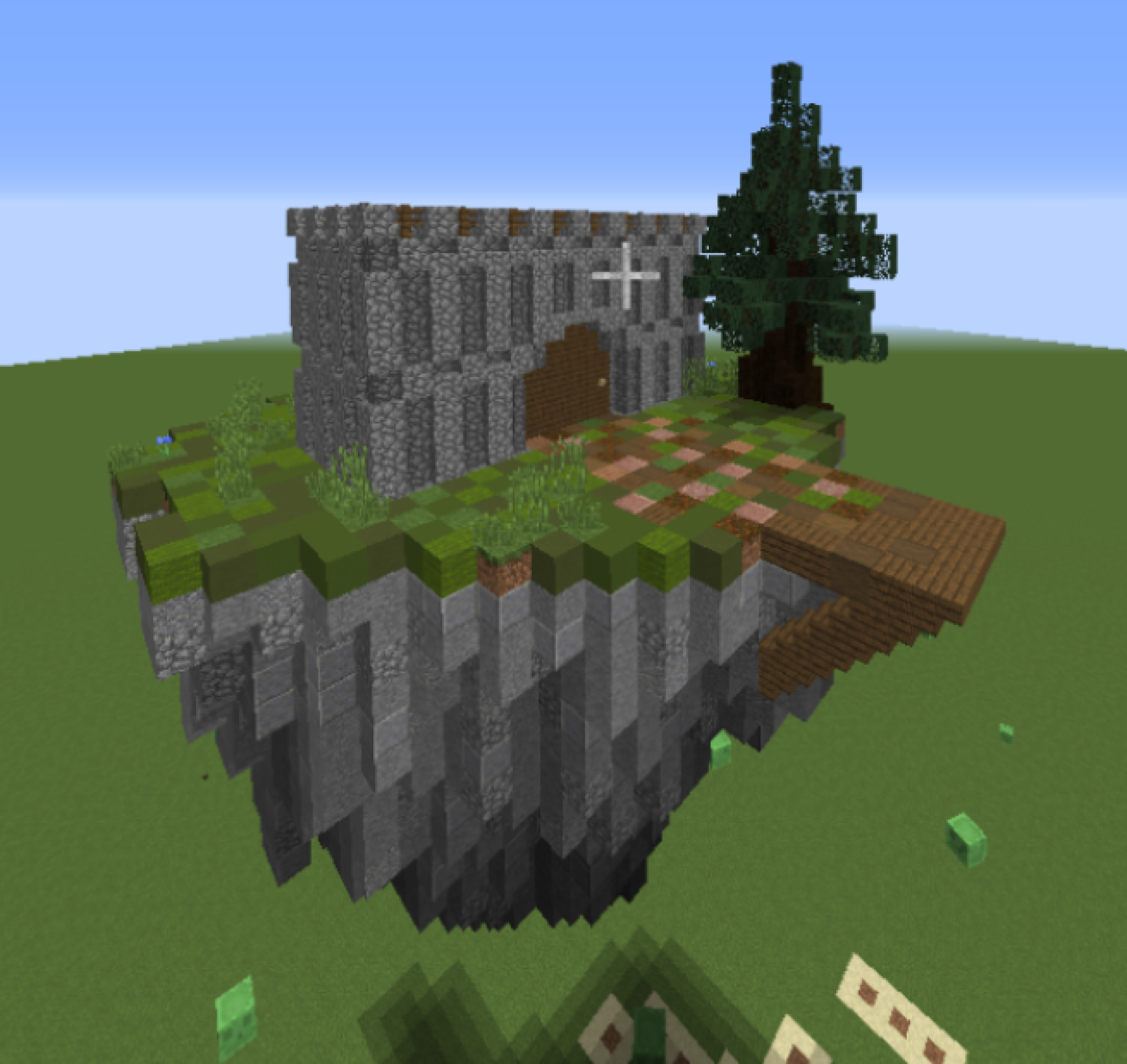
6. Make the theme! Do whatever theme you were planning on doing. For this build, I did a Castle Theme!
I hope you find this helpful
This is for the people new to World Edit and it's commands.
I just now realized that you can make a Build Guide type Thread when you are a non-staff-ranked-player. (I saw Wishing's Thread and got inspired) So, I wanted to show you how to Terraform Island base's using World Edit.
Mob Wars / SkyWars Island Bases:
World Edit
1. Get a Shovel and do //br Cyl -h Minecraft:sand 1 2 While Holding Your Shovel
("//br Cyl -h Minecraft:sand 1 2" is the command I like to use, but there are many other ways you could use it)
2. Use your shovel to make pile of sand. Make the pile look either pointed or bulky, depending on the theme of the Sky Wars / Mob Wars map you would be making. (The pile is going to be the bottom of the Islands)
3. Once you have that finished, you will do //wand, and set the positions between the sand pile. Once you got that, you will do this command: //replace sand 50%stone,15%cobblestone,15%polished_andesite,20%andesite (you do not need to use these specific blocks when using the command)
It should look something like this:
4. Again, do //wand, and set the positions between the sand pile. Then do //cut (IT WILL DISAPEAR BUT DON'T WORRY) Once you got that, do //flip up. The do //paste.
This is what it will look like:
5. On the top, fill it in by hand or with fill commands. Then do //replace Grass_Block 25%Green_Concrete,25%Green_Terracotta,25%Green_Wool,25%Grass_Block (This is a lot of detail. You can minimize the percentages to reduce the amount of detail)
6. Make the theme! Do whatever theme you were planning on doing. For this build, I did a Castle Theme!
I hope you find this helpful
Last edited:


 is there a way to do that tutorial in pe?


