

HazardTheDutchAD
Muted
- Sep 24, 2016
- 7,217
- 21,922
BROKENLENS FORUMS
Hello there,
The BrokenLens forums is a great place to meet and communicate with the many other players that play on our server as well as the staff team. Here on the forums you will be able to also do the following:
Players and staff can also post on your profile as well as yourself. Anything you post as an profile update will be seen by all members of the forums and in the "New Posts" section. You can edit this in your profile settings for the forums here: https://brokenlens.xyz/forums/account/
HOW TO CREATE A THREAD
When creating a thread you should always keep in mind that there are users on the forums that might be younger than you and to keep your language appropriate at all times. Anything that is found inappropriate will more likely be removed or edited by members of the staff team. If this behaviour is continued by a user they risk being temporarily banned from the forums.
When you choose a discussion that you want to create a thread in you will see a button saying "Create New Thread" Tap on this button and you will be redirected to a new page of the forums kinda looking like this.
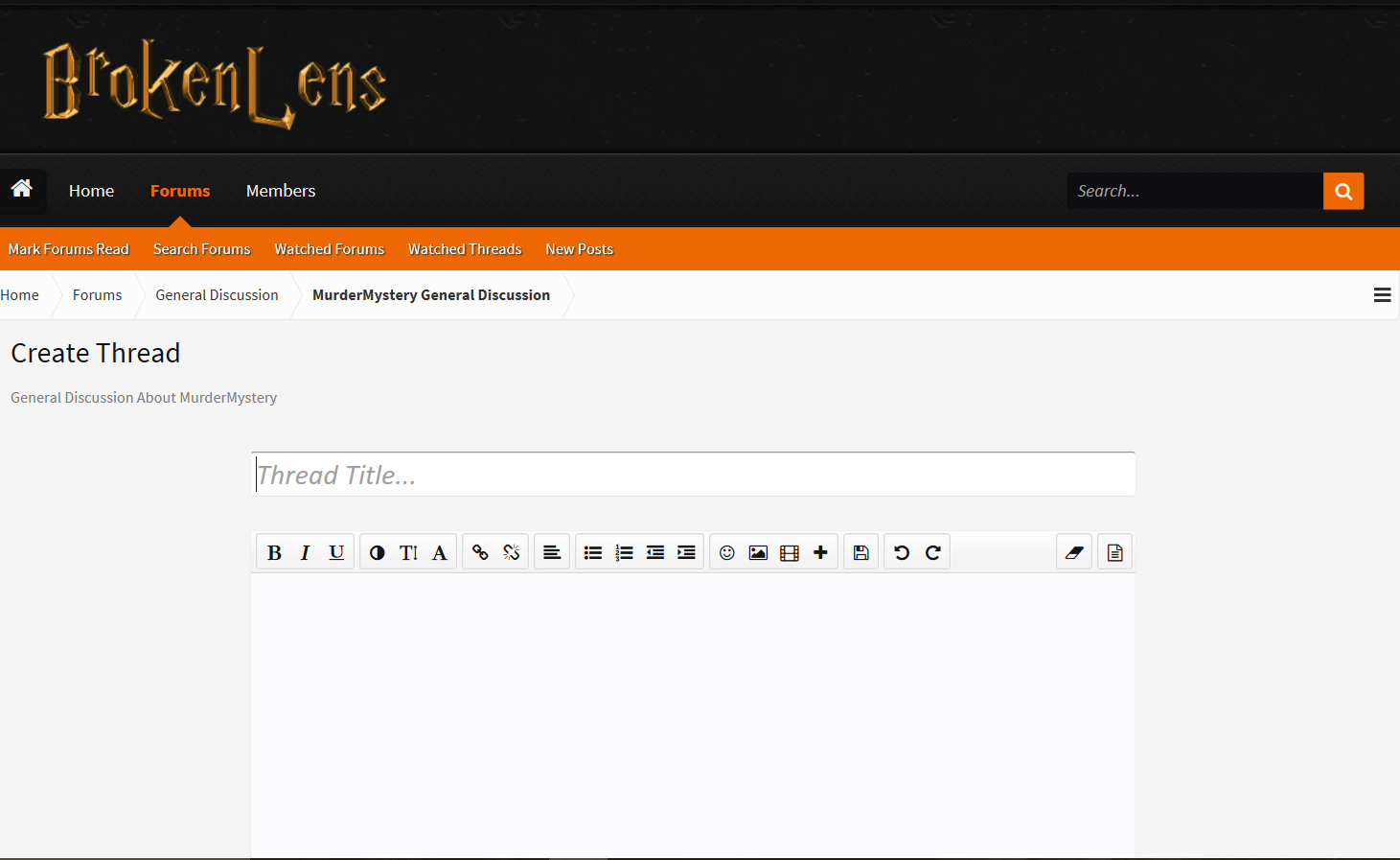
When you see this screen the 1st text box will be where you enter the thread name. to type a name simply tap on the text box and input the name on your keyboard. The second text box is used where you input everything that is about the thread.
When you are done typing a thread below it will have 3 buttons "Create Thread", "Upload A File" and "Preview" Upload a file will let you add screenshots or other images as well as gifs and other files. These files must not be more than 50mb.
Your thread will then be posted and it will be public to all users of the forums as well as non-users {Guests} Any users of the forums are able to like and reply to your thread with their opinions and reply's.
PLAYER REPORTS
When reporting a hacker it is always best that you follow the correct report format. Use this link to be redirected to the Player Reports discussions thread: https://brokenlens.xyz/forums/hub/player-reports.32/
Format:
IGN: In-Game Name
Offense: Please designate the rule the player broke here
Server: Server the rule breaking occurred on. (BlockParty, MicroBattles, etc.)
Evidence
* If reporting with a long recording, please provide times of hacking in the video.
*Please Do Not Include Your IGN on your Report.
Here is the instructions for reporting a player if your evidence is a screenshot:
1. Click "Create a Thread"
2. Click "Upload a File" at the bottom of the body text.
3.Click "Choose File".
4. Find the screenshot you wanted to post.
5. Wait for it to upload and follow the format.
If the size is too big, try upload it on this website: www.imgur.com , and input the link to your report.
Second, Write the server that you were banned on.
Third, Enter Your IGN
Fourth, Write your appeal, why you got banned and apologize for better chance.
Fifth, Add a screenshot.
Sixth, Were you banned by an admin

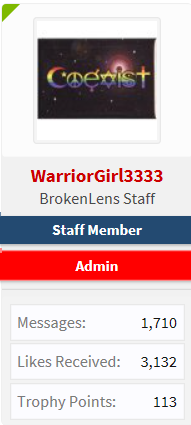 The little green wedge at the top when you are viewing a players reply or Staff Member's reply means that they are currently online on the forums. The user I have used here for example is @WarriorGirl3333 an Admin on BrokenLens. If you click on their name it will take you directly to their profile. You can tag a staff member or any players using the @ icon and then their username for example @ssunsett This will alert them that you have tagged them in a post.
Thanks for taking a read of this guide to helping new players on the forums. If you have any questions please don't be afraid to message a member of the staff team or post in our FAQ and we will be more than happy to help.
Other How To 's and threads by me:
https://brokenlens.xyz/forums/threads/how-to-upload-a-screenshot.29343/
https://brokenlens.xyz/forums/threads/vips-staff-how-to-get-color-chat-nickname.18042/
The BrokenLens Team
Hello there,
The BrokenLens forums is a great place to meet and communicate with the many other players that play on our server as well as the staff team. Here on the forums you will be able to also do the following:
- Report Players who are breaking the rules on the BrokenLens server {These forums are for the BrokenLens server only and not any other servers}
- Suggest ideas for the forums and for the server {This can be new minigames, ranks, or even forum suggestions}
- Introduce yourself to the forums and meet other members of the BrokenLens Community.
- Create a ban appeal if you think you have been unfairly banned.
- Post awesome tips for players in our different minigame discussions.
- Post in our FAQ discussion if you have any questions about the server
- Report any bugs that you have may experienced on the server.
Players and staff can also post on your profile as well as yourself. Anything you post as an profile update will be seen by all members of the forums and in the "New Posts" section. You can edit this in your profile settings for the forums here: https://brokenlens.xyz/forums/account/
HOW TO CREATE A THREAD
When creating a thread you should always keep in mind that there are users on the forums that might be younger than you and to keep your language appropriate at all times. Anything that is found inappropriate will more likely be removed or edited by members of the staff team. If this behaviour is continued by a user they risk being temporarily banned from the forums.
When you choose a discussion that you want to create a thread in you will see a button saying "Create New Thread" Tap on this button and you will be redirected to a new page of the forums kinda looking like this.
When you see this screen the 1st text box will be where you enter the thread name. to type a name simply tap on the text box and input the name on your keyboard. The second text box is used where you input everything that is about the thread.
When you are done typing a thread below it will have 3 buttons "Create Thread", "Upload A File" and "Preview" Upload a file will let you add screenshots or other images as well as gifs and other files. These files must not be more than 50mb.
Your thread will then be posted and it will be public to all users of the forums as well as non-users {Guests} Any users of the forums are able to like and reply to your thread with their opinions and reply's.
PLAYER REPORTS
When reporting a hacker it is always best that you follow the correct report format. Use this link to be redirected to the Player Reports discussions thread: https://brokenlens.xyz/forums/hub/player-reports.32/
IGN: In-Game Name
Offense: Please designate the rule the player broke here
Server: Server the rule breaking occurred on. (BlockParty, MicroBattles, etc.)
Evidence
* If reporting with a long recording, please provide times of hacking in the video.
*Please Do Not Include Your IGN on your Report.
Here is the instructions for reporting a player if your evidence is a screenshot:
1. Click "Create a Thread"
2. Click "Upload a File" at the bottom of the body text.
3.Click "Choose File".
4. Find the screenshot you wanted to post.
5. Wait for it to upload and follow the format.
If the size is too big, try upload it on this website: www.imgur.com , and input the link to your report.
BAN APPEALS
When submitting a ban appeal you must use the ban appeal format which is below. Use this link to be redirected to the ban appeals discussion threads https://brokenlens.xyz/forums/hub/ban-appeals.31/
First, Include the date & time you were banned. (Timezone included)When submitting a ban appeal you must use the ban appeal format which is below. Use this link to be redirected to the ban appeals discussion threads https://brokenlens.xyz/forums/hub/ban-appeals.31/
Second, Write the server that you were banned on.
Third, Enter Your IGN
Fourth, Write your appeal, why you got banned and apologize for better chance.
Fifth, Add a screenshot.
Sixth, Were you banned by an admin
FINDING A STAFF MEMBER
Owner Admin Global Moderator
Sectional Moderator Helper Builder



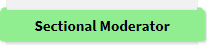


------ Staff Colours Above -----
It is pretty easy for any player to find a staff member on the forums. Staff have special tags which can be seen on their profile or on any posts they have made. You can tell when a staff member is online because there name will be a different colour in the "Players Online Now" section located either at the bottom or at the side of the screen depending on which device you are using. For example: vertx, Laura_Aria, ssunsett and each staff member would have a certain colour. If you notice a staff member's post in the forums you will notice they also have these tags like this:Owner Admin Global Moderator
Sectional Moderator Helper Builder
------ Staff Colours Above -----
LINKS
Below here you can find links to all the forum's important threads and discussions.
https://brokenlens.xyz/forums/threads/read-before-posting-hack-reports.3523/
https://brokenlens.xyz/forums/threads/please-read-who-to-contact.14089/
https://brokenlens.xyz/forums/threa...um-account-has-been-temporarily-banned.22401/
https://brokenlens.xyz/forums/threads/youtube-rank-application.19670/
https://brokenlens.xyz/forums/threads/server-update-patch-notes-new-commands.18805/
https://brokenlens.xyz/forums/threads/errors-list.3941/
https://brokenlens.xyz/forums/threads/updated-tutorial-how-to-do-a-correct-ban-appeal.385/
Below here you can find links to all the forum's important threads and discussions.
https://brokenlens.xyz/forums/threads/read-before-posting-hack-reports.3523/
https://brokenlens.xyz/forums/threads/please-read-who-to-contact.14089/
https://brokenlens.xyz/forums/threa...um-account-has-been-temporarily-banned.22401/
https://brokenlens.xyz/forums/threads/youtube-rank-application.19670/
https://brokenlens.xyz/forums/threads/server-update-patch-notes-new-commands.18805/
https://brokenlens.xyz/forums/threads/errors-list.3941/
https://brokenlens.xyz/forums/threads/updated-tutorial-how-to-do-a-correct-ban-appeal.385/
Thanks for taking a read of this guide to helping new players on the forums. If you have any questions please don't be afraid to message a member of the staff team or post in our FAQ and we will be more than happy to help.
Other How To 's and threads by me:
https://brokenlens.xyz/forums/threads/how-to-upload-a-screenshot.29343/
https://brokenlens.xyz/forums/threads/vips-staff-how-to-get-color-chat-nickname.18042/
The BrokenLens Team